
Executive Summary
The Calendarsnack platform is an event management and promotion solution that automatically generates shareable, multi-event landing pages in approximately 60 seconds. The core functionality leverages an organizer’s existing Google or Outlook calendar, transforming standard calendar invites into a comprehensive go-to-market tool.
By sending an event to a designated email address, organizers can instantly create a public-facing page where customers can browse and receive calendar invitations with a single click.
The system provides a seamless experience for event updates and cancellations, which are managed directly from the organizer’s native calendar client and automatically propagated to attendees.
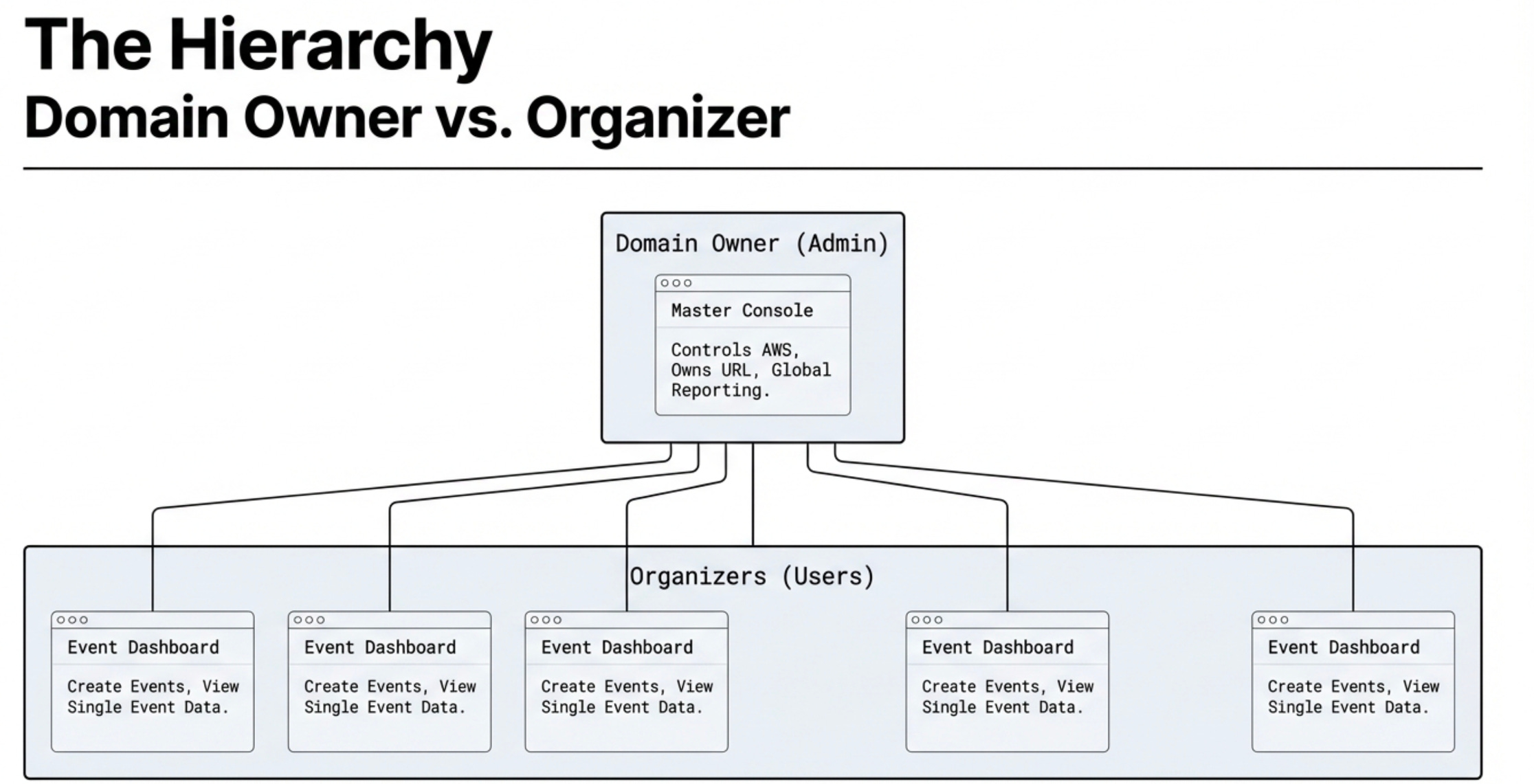
The platform is built on a hierarchical structure: “Domain Owners” control the underlying server infrastructure, and “Organizers” create and manage events.
This structure is supported by a robust, multi-level reporting and analytics engine that provides deep insights into invitation metrics, RSVP responses, and user engagement for individual events, specific organizers, and the entire domain.
1. Core Functionality and Workflow
The platform’s primary value is its ability to rapidly convert calendar events into an interactive, shareable web presence. This is achieved through a simple, automated workflow for both event organizers and their customers.
Automated Landing Page Generation
The central feature is the system’s capacity to generate an “All-Events Landing Page” within 60 seconds.
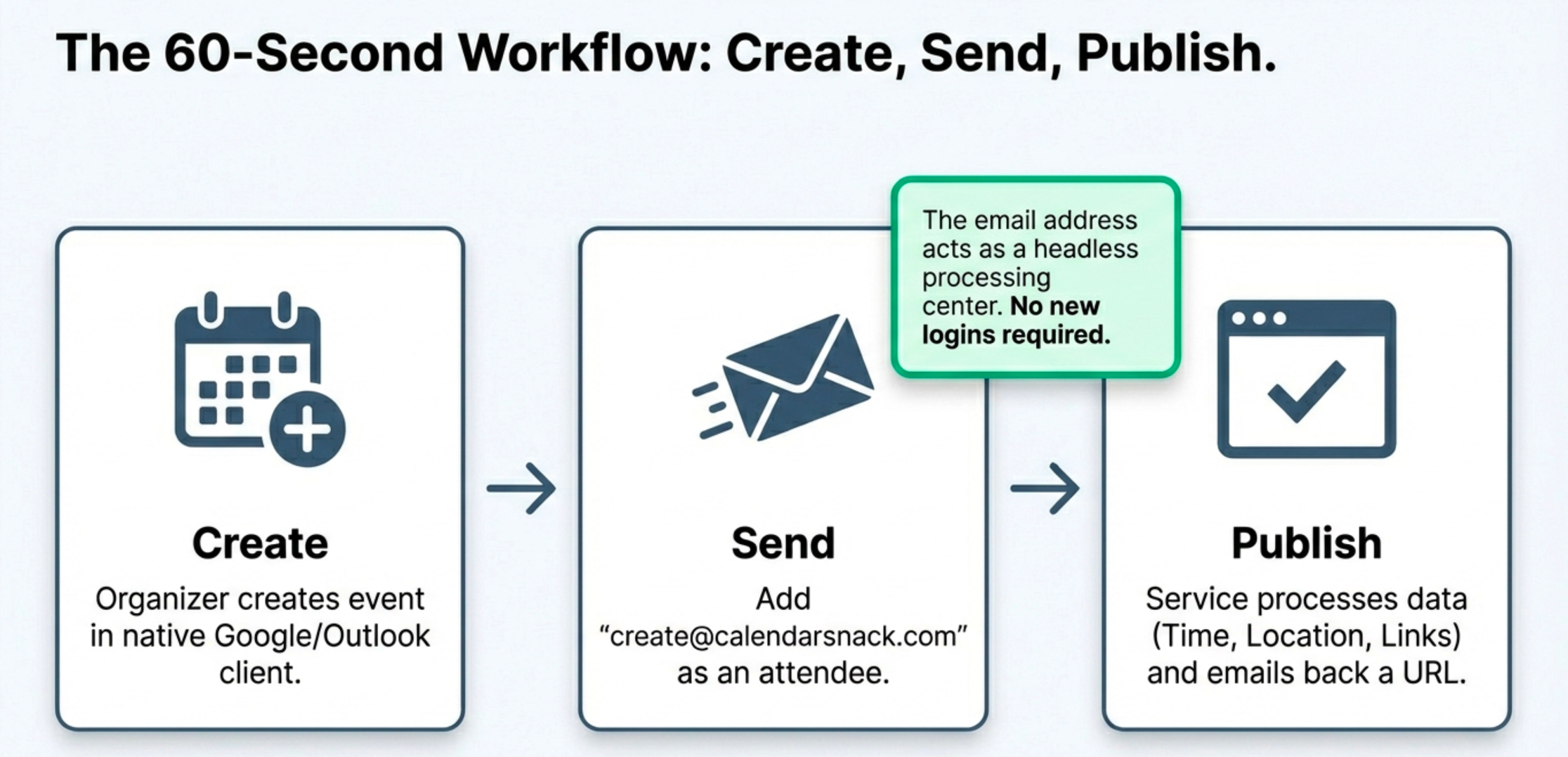
Trigger: An organizer creates an event in their Google or Outlook calendar and sends it to a pre-configured processing email address (e.g., create@calendarsnack.com). This address is configurable by the domain owner.
Processing: The service processes all data components of the calendar event, including date, time, location, message body, and links for Google or Outlook Meet. It can process up to 2,000 individual events from a single organizer’s calendar.
Within 60 seconds, the organizer receives an email notification containing two key links: a URL to the public, shareable event page displaying all future events in chronological order. A URL to a private reporting page for tracking analytics associated with their events.
Workflow for Event Organizers
Creation: Create single or multiple events using a standard Google or Outlook calendar client.
Submission: Send the calendar invites to the designated processing email address.
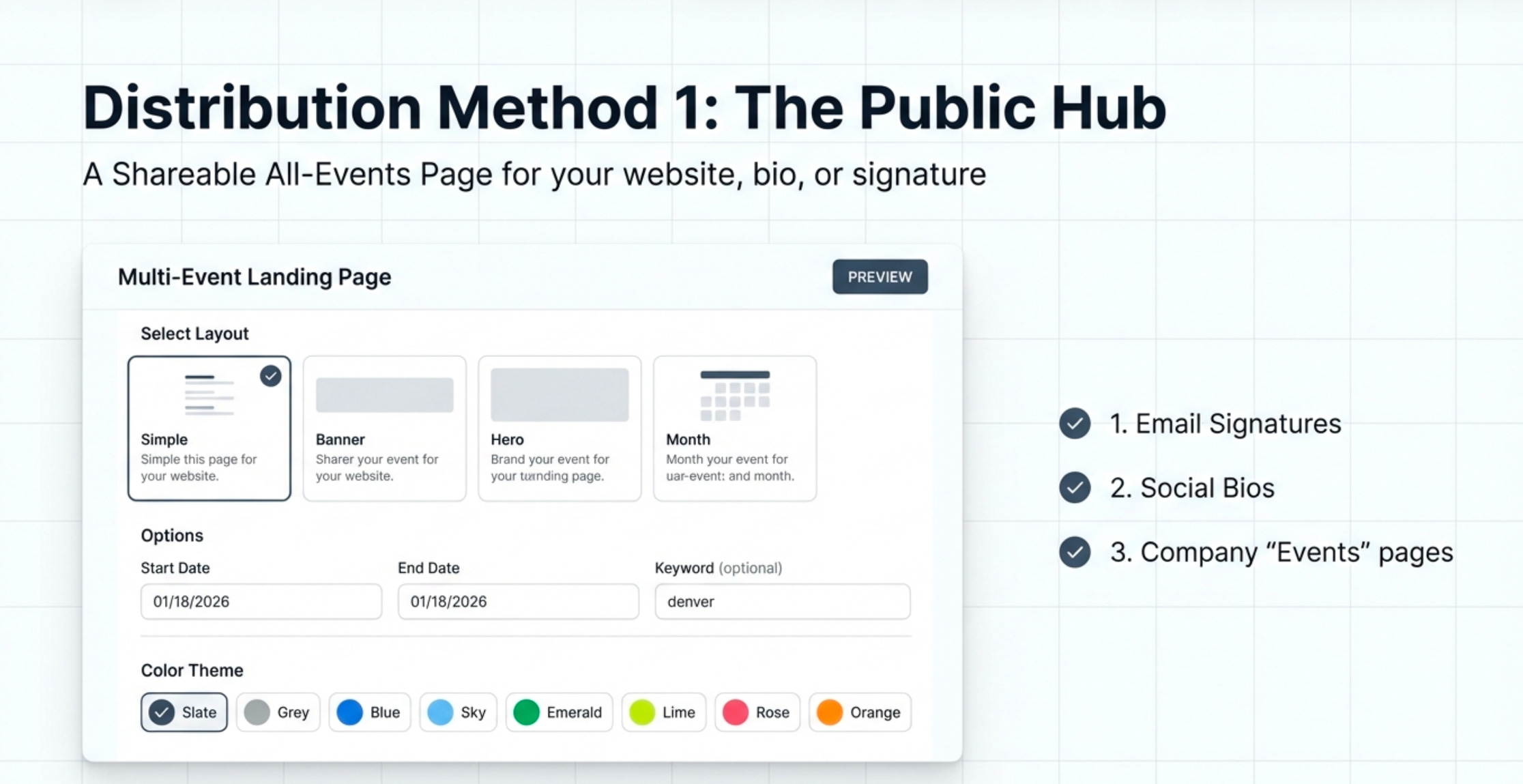
Distribution: Use the generated landing page URL in employee email signatures, on companywebsites, or as a Call-to-Action (CTA) button in email campaigns (e.g., MailChimp).
Monitoring: Access the private reporting page to track RSVP analytics and download customer email lists in CSV format for each event.
Workflow for Customers
Access: Visit the shareable “All-Events Landing Page.”
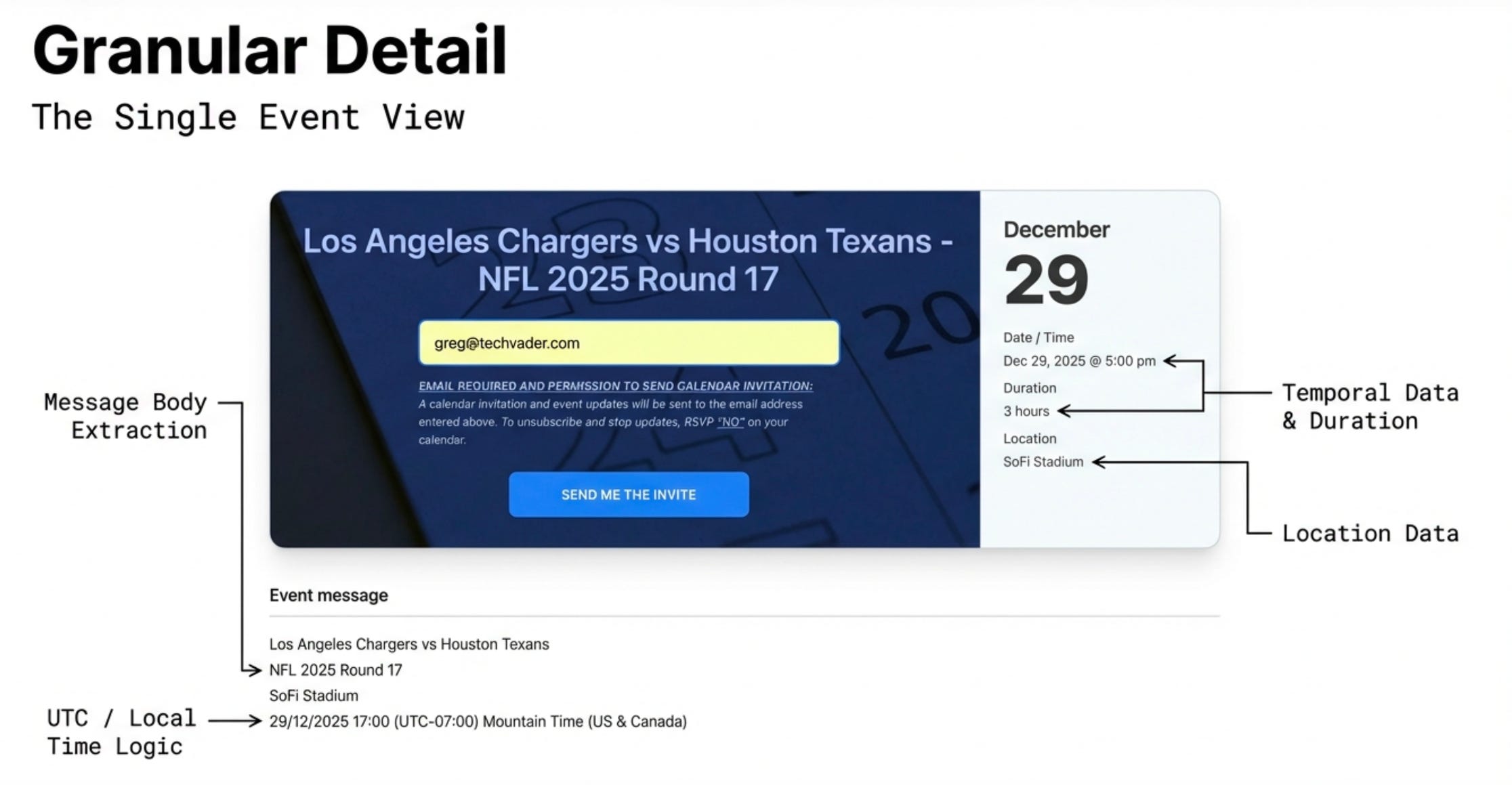
Registration: Enter their email address in the input box at the top of every page.
Selection: Browse the chronologically ordered list of events and select one or multiple events of interest.
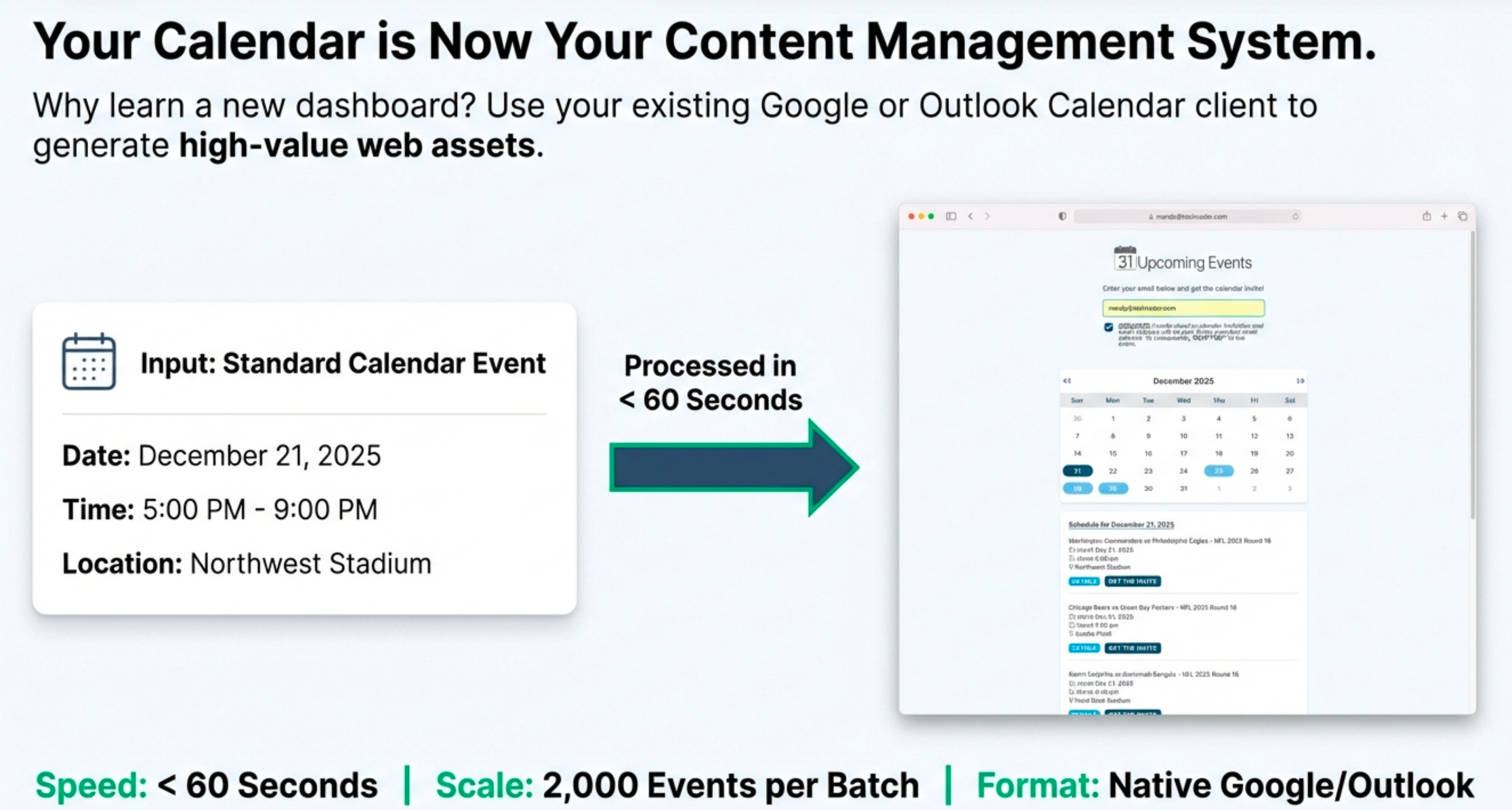
Invitation: Click a single button (e.g., “Send the Invite” or “Get the Invite”) to have the calendar invitation sent directly to their registered email address and calendar.
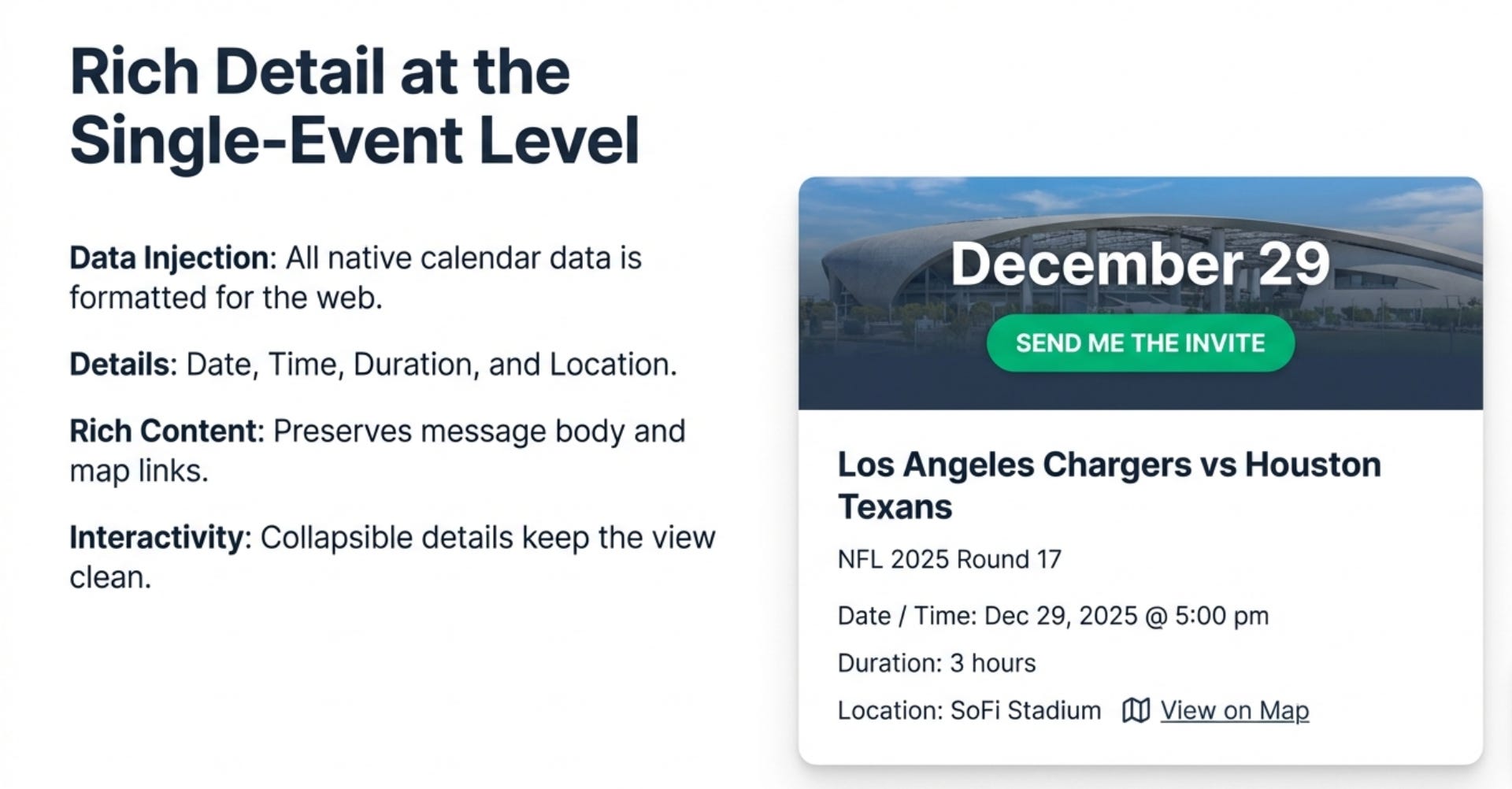
Seamless Event Management
The system ensures that event management remains within the organizer’s familiar calendar environment.
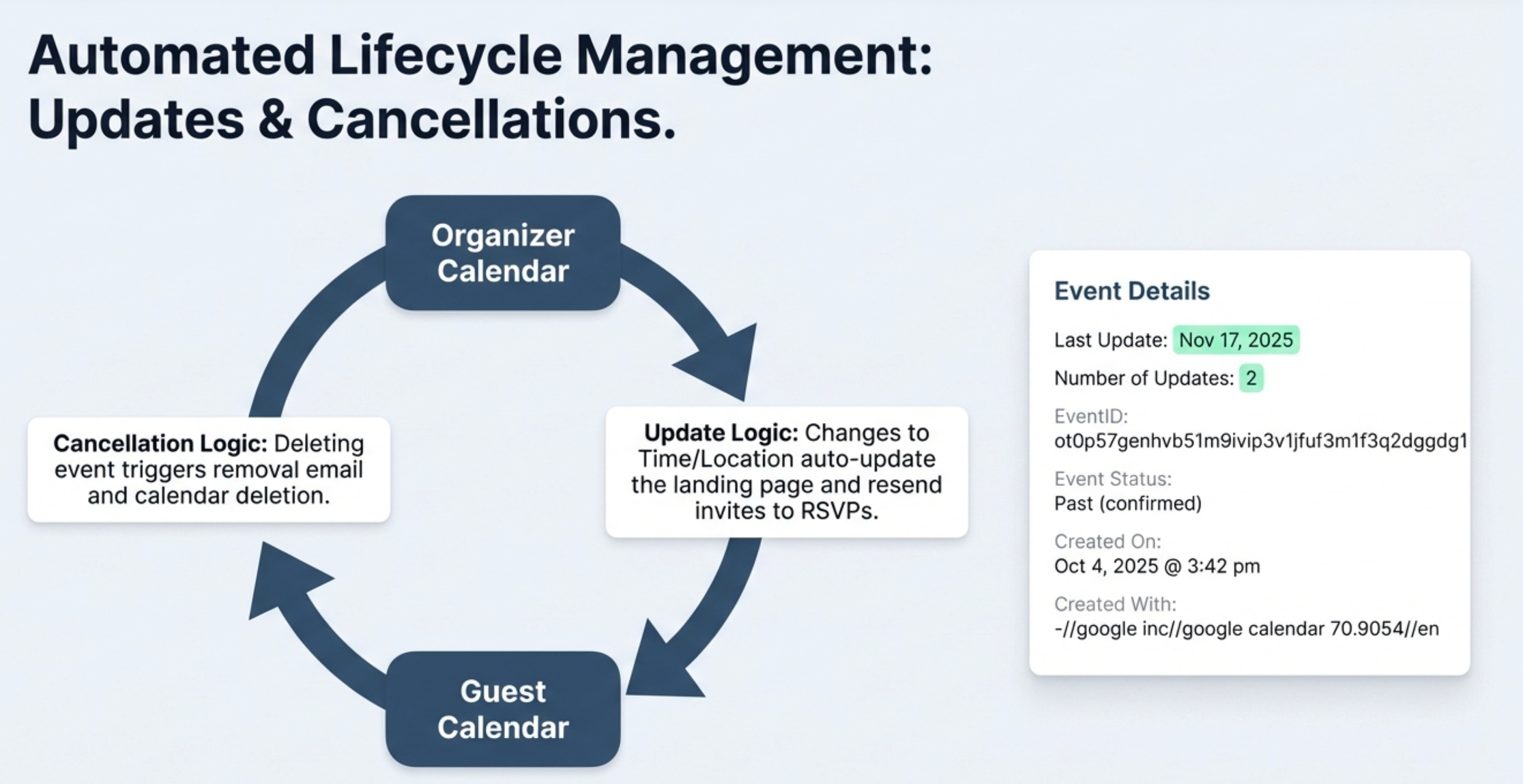
Updates: To change event details (date, time, location, message body), the organizer simply edits the original event in their calendar client and saves the changes. The system automatically reprocesses the event, updates the landing page, and sends a new calendar invite to all customers who previously responded “Yes” or “Maybe.”
Cancellations: If an organizer cancels an event in their calendar client, the event is automatically removed from the landing page. A cancellation notice is sent to all customers who received the initial invite, and the event is also removed from their calendars.
Unsubscribing: Customers can stop receiving updates for a specific event by responding “No” (RSVP “NO”) to the calendar invitation.
2. Key Value Propositions
The platform is designed to solve distinct problems for organizers, customers, and marketing teams.
For the Event Organizer
Guaranteed Delivery & Data Integrity: The organizer knows the invite was sent directly to the customer’s specified email and calendar, eliminating errors caused by incorrect email entry.
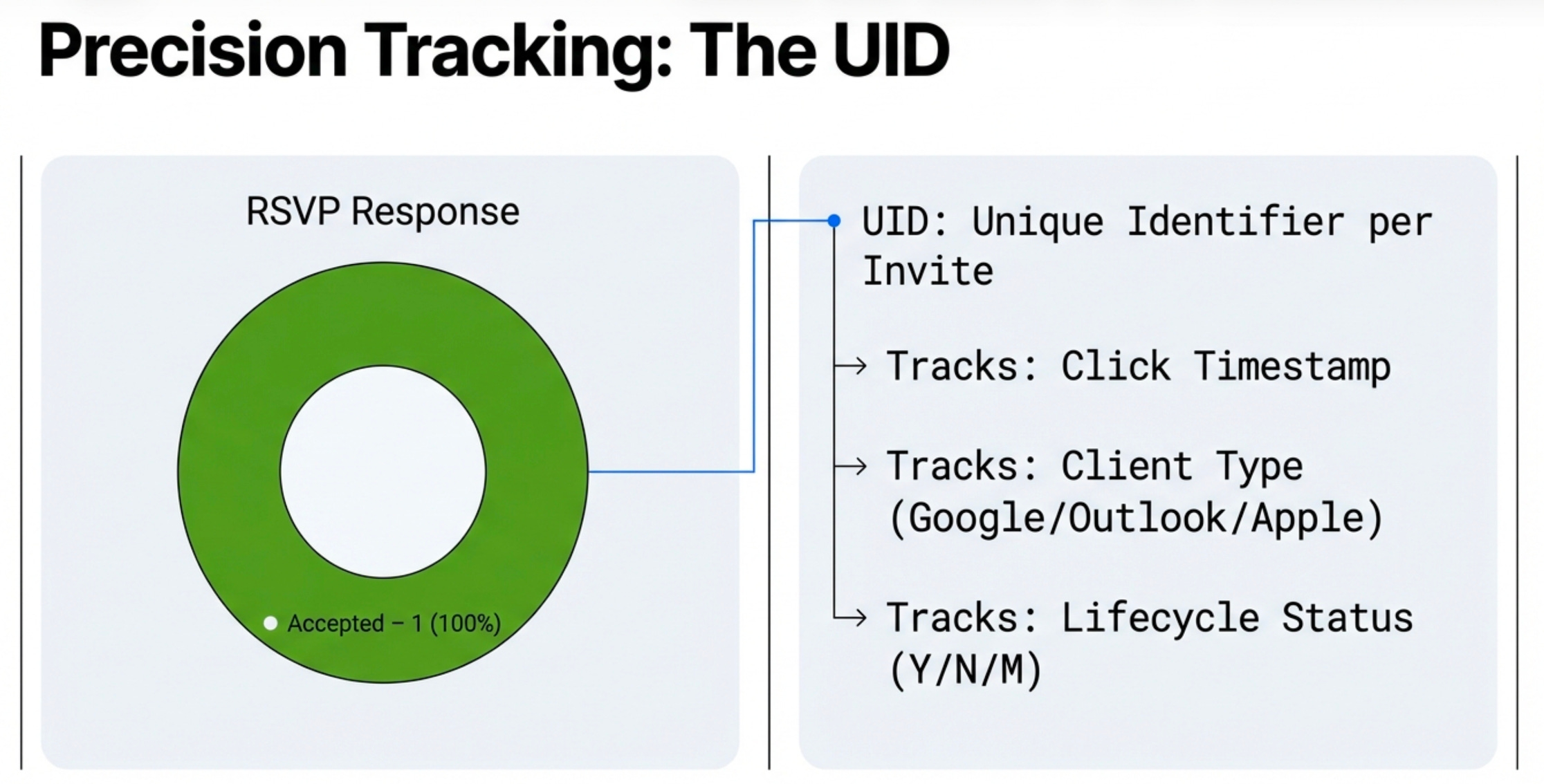
Detailed Analytics & Tracking: Every calendar invite has a unique ID (UID) that tracks RSVP data (Yes, No, Maybe), the time of the click, the customer’s calendar client, and any changes to RSVP status up to the event start.
Simplified Promotional Updates: Organizers can update the event description with promotional offers, QR codes, or special notices to entice engagement, and these updates are automatically distributed.
Standardized Go-To-Market Solution: The platform provides a consistent and professional “All Events” page that can be deployed across various marketing channels.
For the Customer
Simplicity and Convenience: A simple interface lets customers select and receive invites for one or multiple events in a single session with a single click.
Automatic Updates: Customers automatically receive any changes to event details (date, time, location) or promotional messages directly in their calendar.
Clear Cancellation Notifications: If an event is canceled, a direct notification is sent, and the event is automatically removed from their calendar.
3. Reporting and Analytics Ecosystem
The platform features a multi-tiered reporting system that provides granular and aggregated data for different user roles.
Hierarchical Structure: Domain Owner vs. Organizer
Domain Owner: The entity that owns the registered domain and the calendar invite server, which runs in their AWS account. They have access to a master reporting console that aggregates data from all organizers operating under their domain. This setup allows for centralized branding, security, and permission-based sending.
Organizer: An individual user (e.g., mandy@techvader.com or zack@techvader.com) who creates and manages events. Their data rolls up into the Domain Owner’s master console.
Organizer-Level Reporting
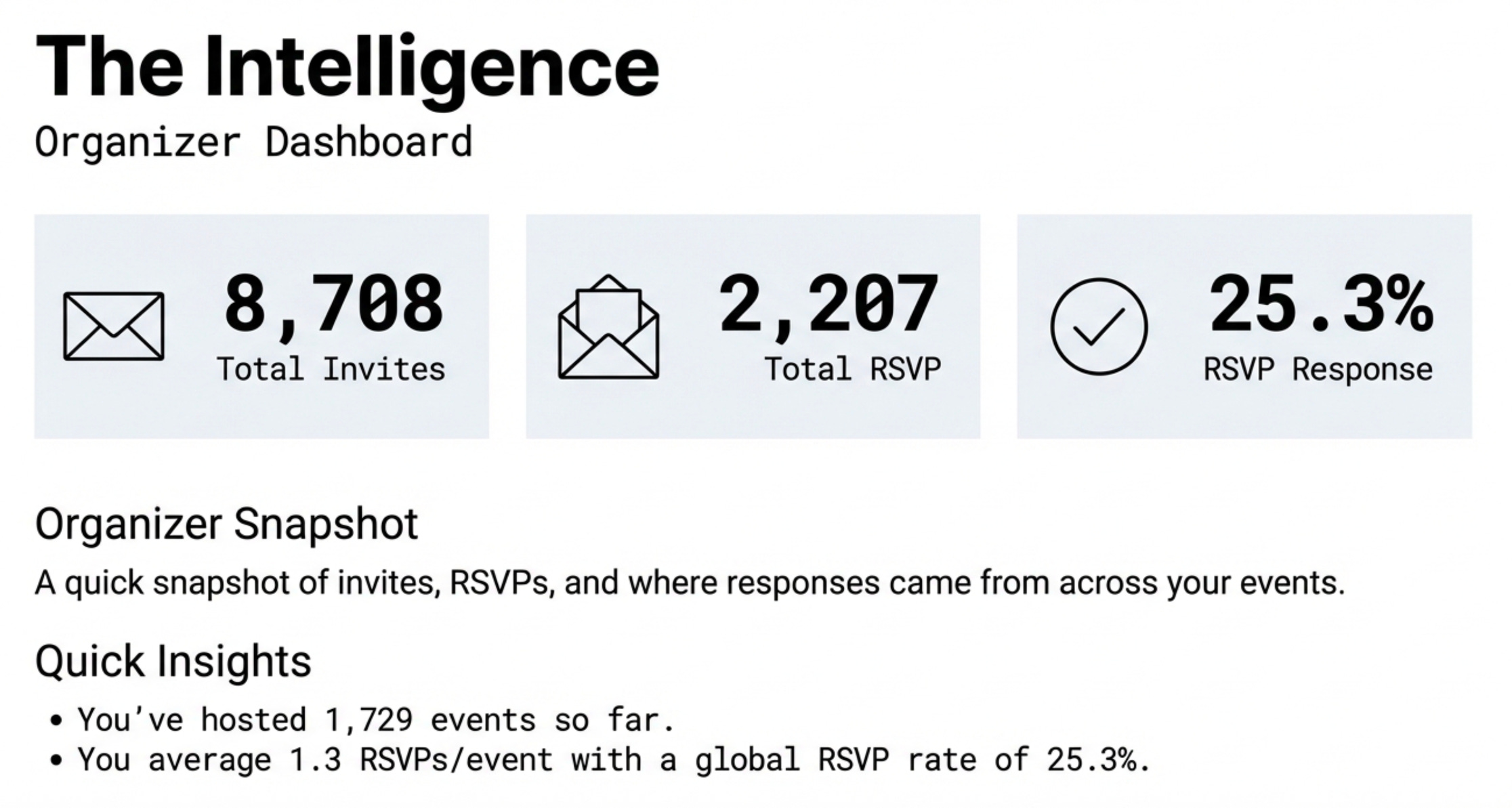
Each organizer has access to a private dashboard that summarizes their event performance. This includes an “Organizer Snapshot” and detailed per-event reports.
For each individual event, organizers can view a detailed report that includes:
RSVP breakdown (Accepted, Declined, Tentative).
Event Details: Status (e.g., Confirmed, Past), Creator Email, Creation Date/Time, Last Update, Number of Updates, and the originating Calendar Client (e.g., Google Calendar).
An option to email the invitee report as a CSV file.
Domain Owner-Level Reporting
The “CalendarSnack Domain Owner Reporting Console” provides a top-level view of all activity across all organizers.
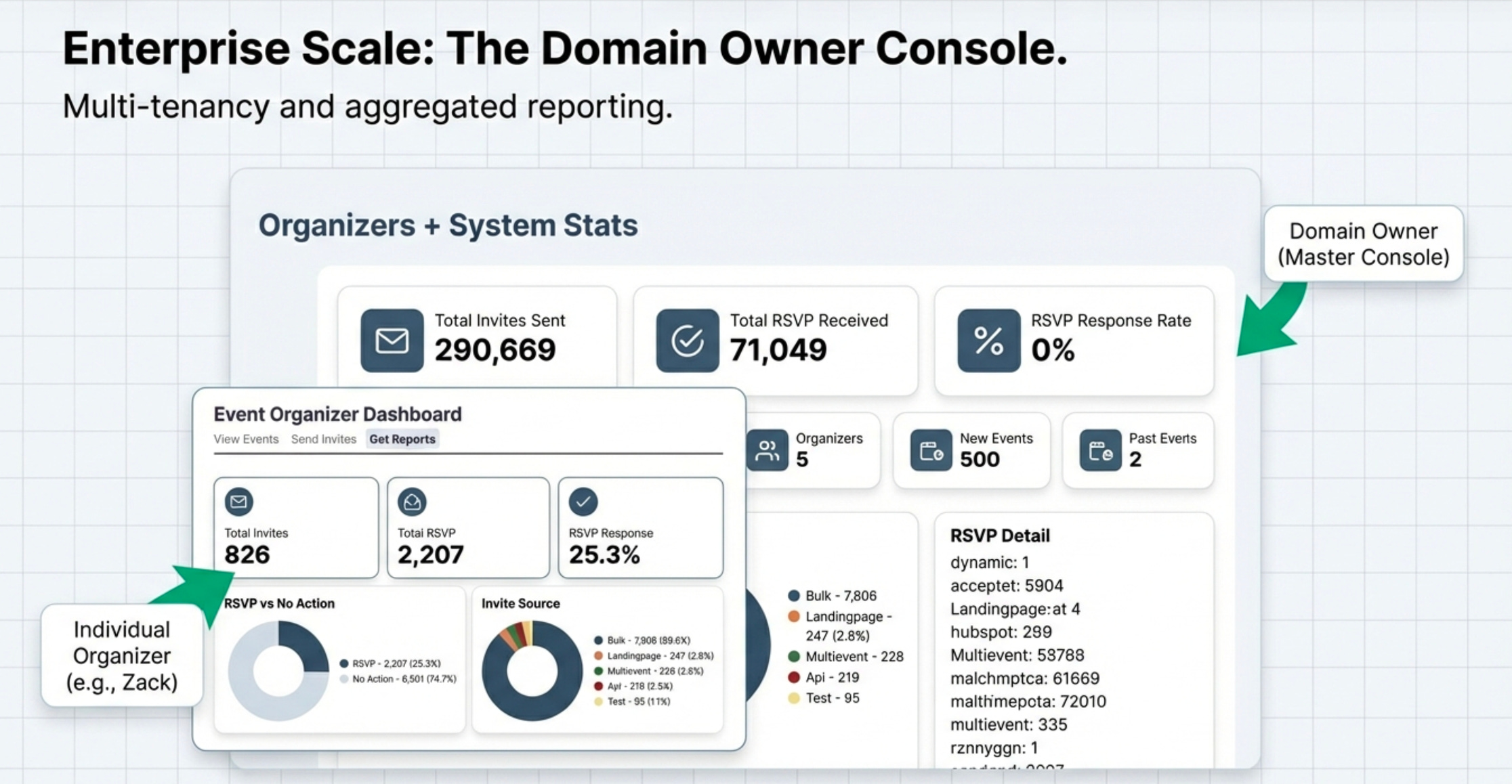
Aggregate Dashboard: Summarizes system-wide statistics, including Total Invites Sent (e.g., 296,607), Total RSVP Received (e.g., 72,775), and the overall RSVP Response Rate (e.g., 24.5%).
Event Filtering: The console allows filtering and sorting of all events by Date Created, Event Start, and Organizer Email. It displays counts of all created, recent, future, and past events.
Drill-Down Capability: A domain owner can view all data rolled up from multiple organizers and can click into a specific organizer’s account (e.g., zack@techvader.com) to see a list of all their created events and their individual performance metrics. They can drill down into a single event to see details such as the number of updates made by the organizer.
4. Landing Page Designs and Distribution Channels
The platform offers flexibility in how events are displayed and how invitations are distributed.
Shareable Landing Page Designs
The system supports various layouts to best present event information:
Chronological List View: A simple, scrollable list of upcoming events. May include a “Load More” button and collapsible event details.
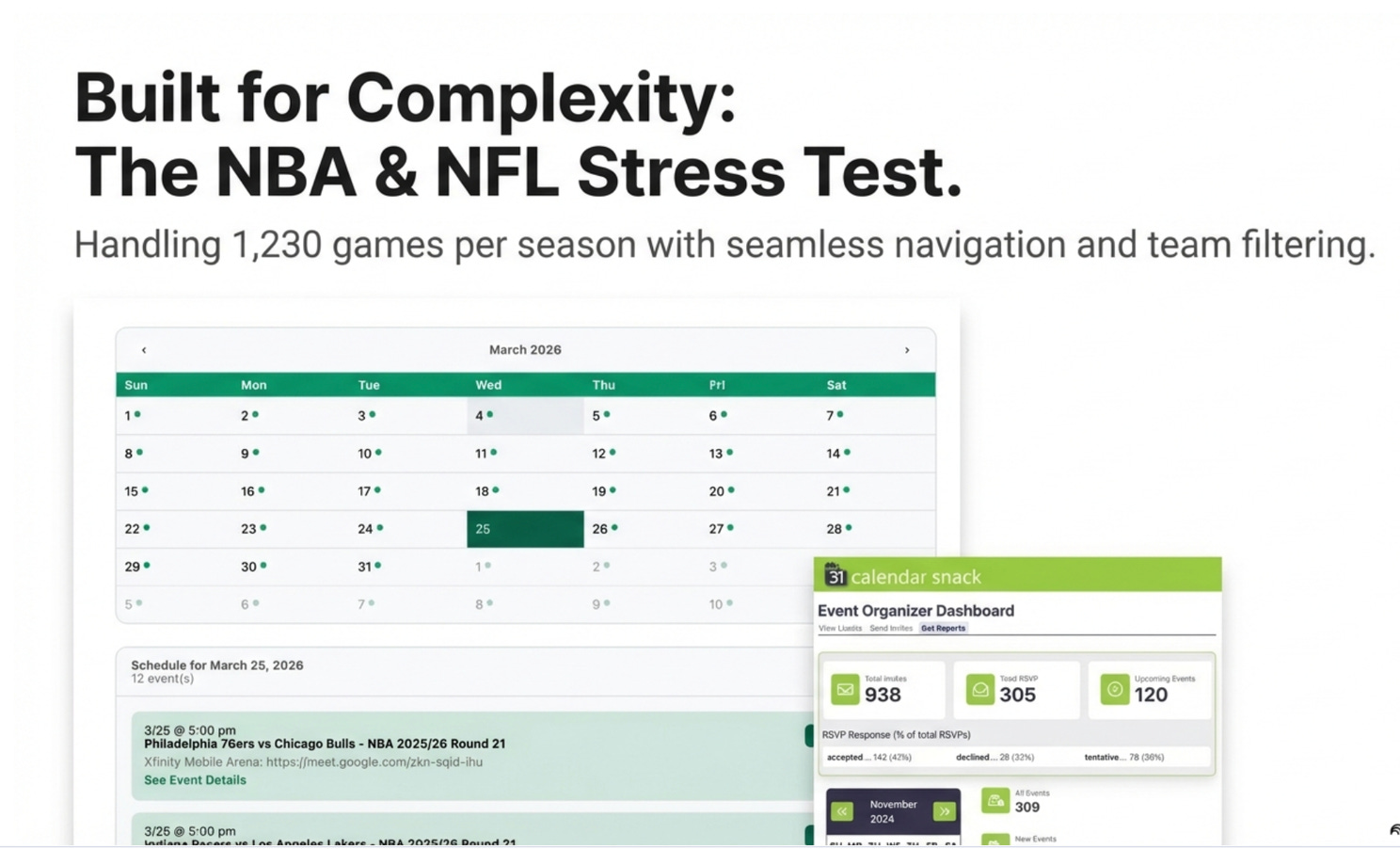
Monthly Calendar View: An interactive calendar display, ideal for schedules with a high density of events, such as the 1,230 games in the NBA demo. Users can click a day to view the scheduled events.
Single Event Page: A dedicated page formatted to display all details for one specific event.
Filtered Schedule Page: A configurable page that can be pre-sorted by a keyword (e.g., “Denver”) to show a specific subset of events from a larger schedule. Layouts can be customized with different headers (Banner, Hero) and color themes.
Alternative Invitation Methods
Beyond the landing page, the Calendar Invite Server API enables other methods for sending invites that customers get when generating the calendarsnack.
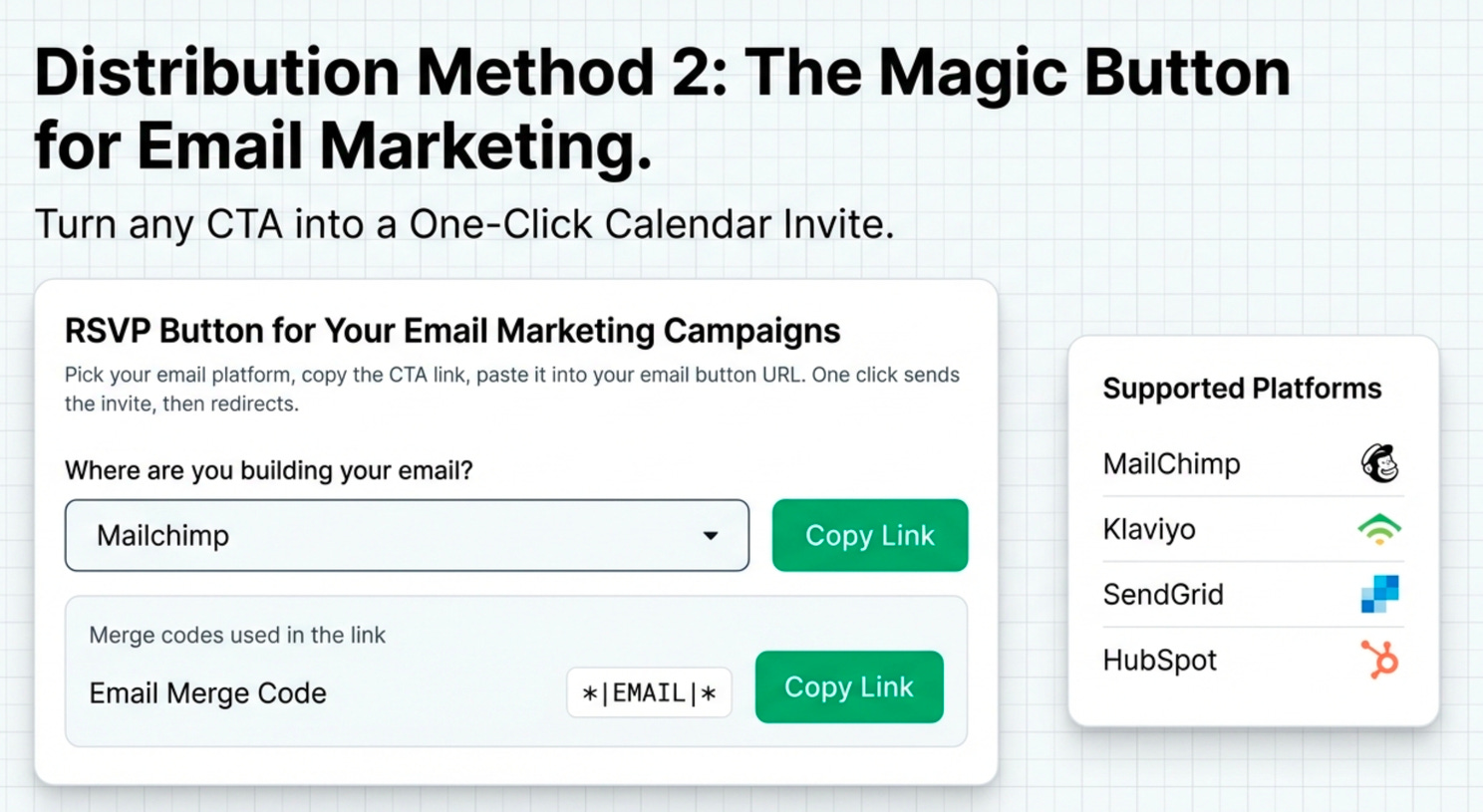
RSVP Button for Email Marketing: Organizers can generate a CTA link for email platforms like Mailchimp, Klaviyo, Sendgrid, and Hubspot. This link uses email merge codes, allowing a customer to receive a calendar invitation with a single click from within an email campaign.
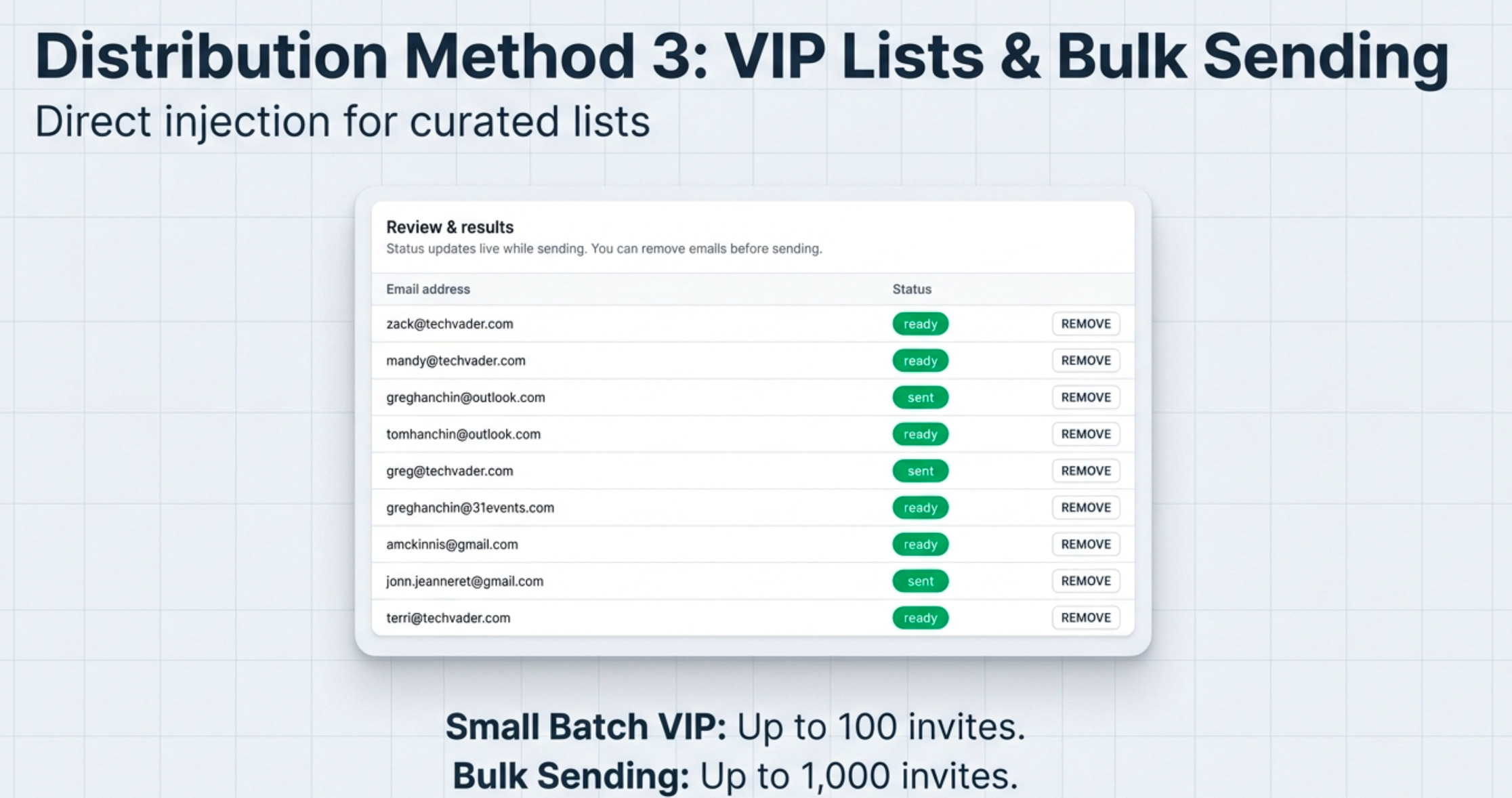
Batch Sending (VIP Invites): For targeted distribution, an organizer can select an event, upload an approved TXT/CSV list of emails (up to 1000 per event, as mentioned in one example), and send calendar invites directly to that list.
5. Appendix: Supporting Resources
YouTube on Reporting:
Sample Application:
https://calendarsnack.com
NBA Demo Site: https://tinyurl.com/2w2c7heb
Industry Site: