


For anyone who has organized an event, the process is all too familiar. You create a registration form, embed it on a webpage, and then ask attendees to fill it out. Once they submit, they might get an email with a separate link to download an .ics file to add to their calendar.
For the attendee, it’s a multi-step, often clunky experience. For the organizer, it’s a nightmare of tracking form submissions and calendar accepts in separate systems.
What if you could manage everything—from creating a beautiful event page to sending invites and tracking responses—directly from the calendar you already use every day?
This post will reveal three surprisingly simple ways a new approach turns your standard calendar into a powerful event management tool.
1. Build an Events Page in 60 Seconds—With Zero Web Skills
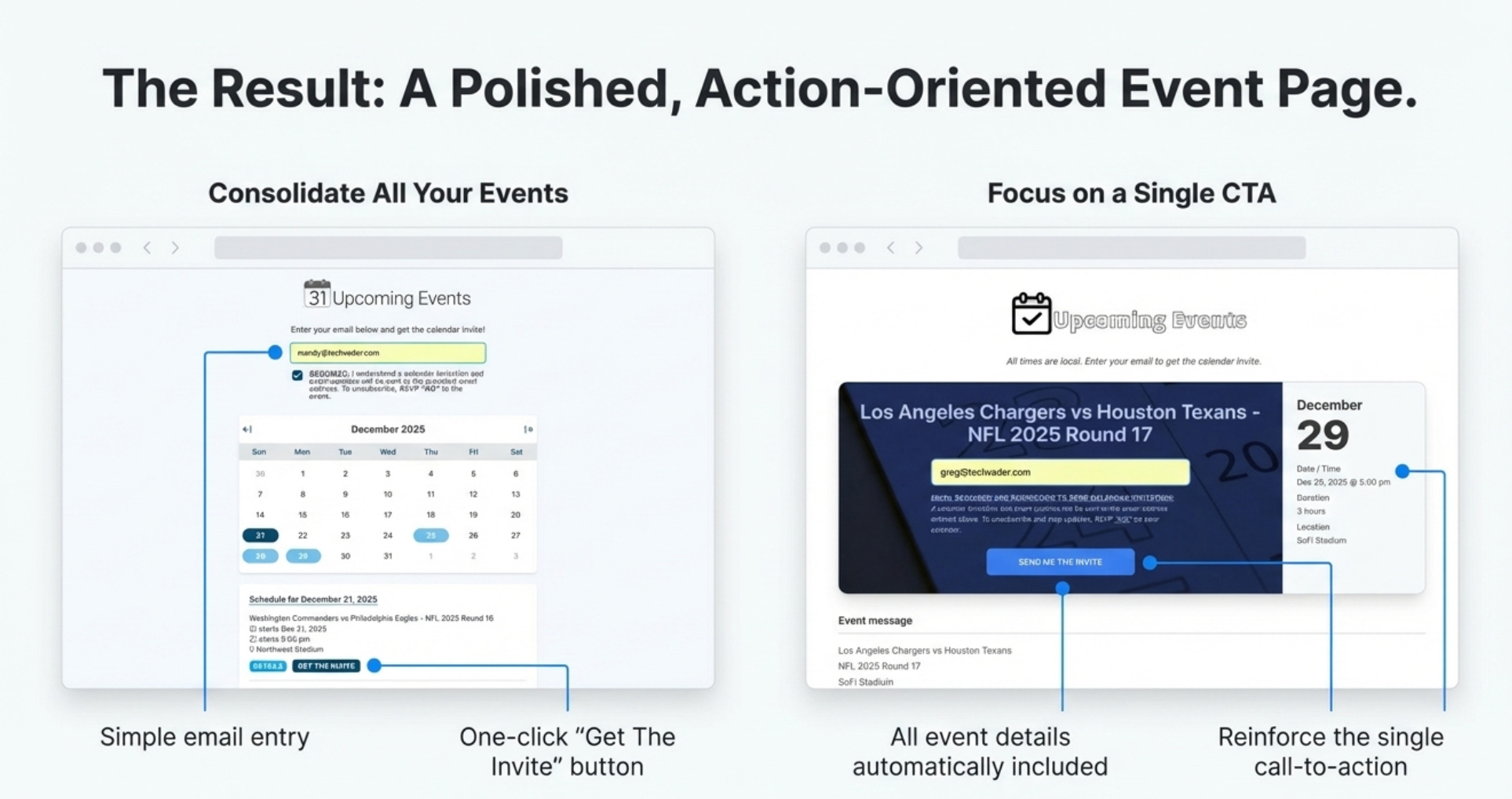
The first major shift is the ability for an organizer to generate a multi-event landing page almost instantly, without any technical expertise. The process is remarkably simple: create one—or up to 500—events in your standard Google or Outlook calendar and invite a specific email address, create@calendarsnack.com. That’s it.
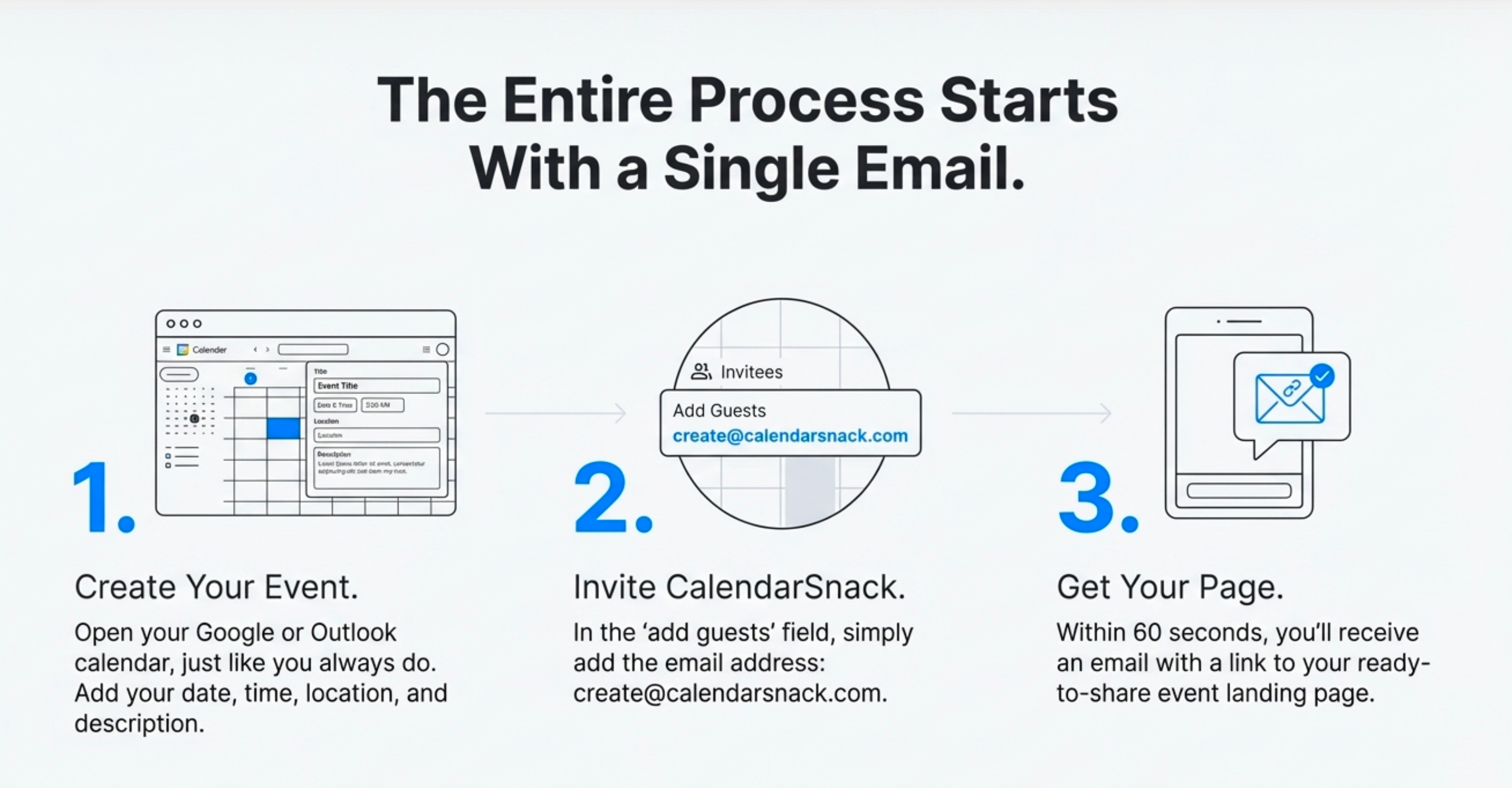
Within 60 seconds, you receive an email containing a link to a professionally formatted, shareable event page and a private reporting page for all your event data.
This requires no logins, no website builders, and no coding.
This dramatically lowers the barrier to entry for creating a centralized hub for all your events, making it accessible to anyone who knows how to create a calendar appointment.
2. Make Your Calendar the Single Source of Truth for Updates
Once your event page is live, your personal calendar becomes its command center. To change any event details—such as the date, time, location, message body, and Google or Outlook Meet information—you don’t need to log in to a separate platform. You simply open the original event in your own Google or Outlook calendar, make the edit, and save it.
This single action triggers two crucial automations. First, it instantly updates the information displayed on the public-facing event page. Second, and more importantly, it automatically sends an updated calendar invitation to everyone who has responded ‘Yes’ or ‘Maybe’.
The same logic applies to cancellations; deleting the event from your calendar removes it from the landing page and sends a cancellation notice to all registered attendees.
This ensures everyone always has the most current information directly on their calendar, eliminating the risk of miscommunication and the manual work of sending out update emails.
3. Get True RSVP Insights, Not Just a Headcount
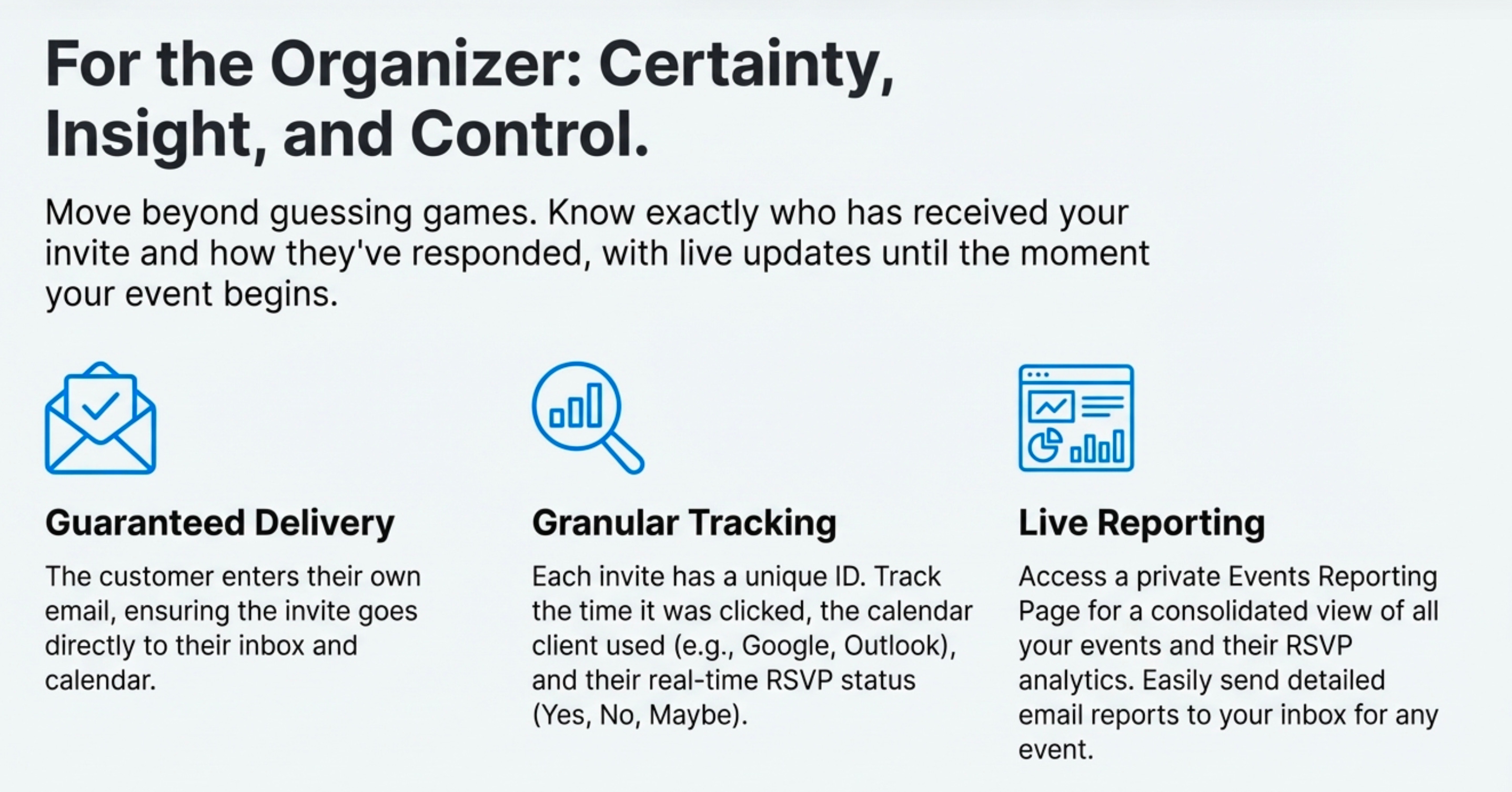
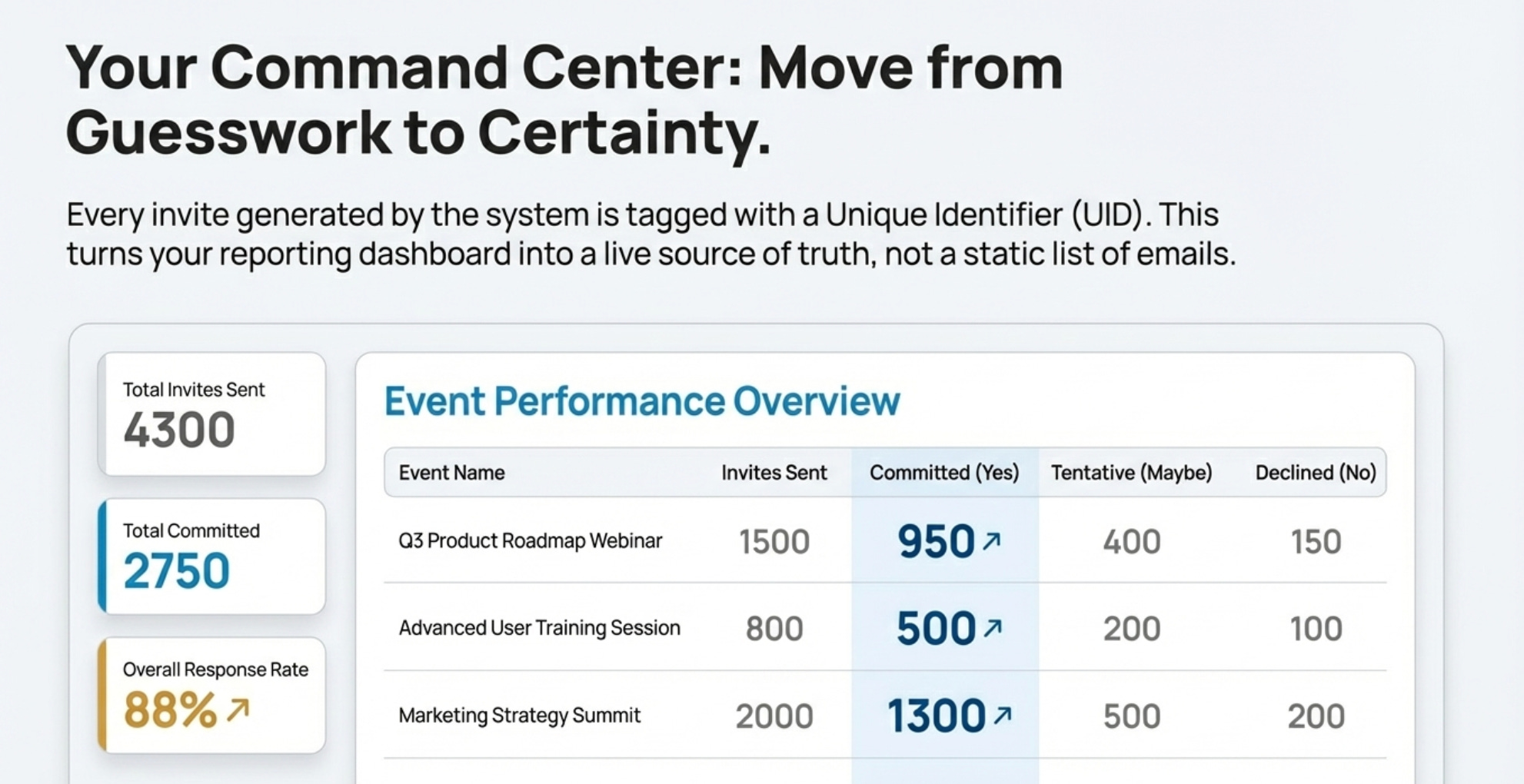
Traditional RSVP forms tell you who signed up, but that’s often where the insight ends. This calendar-centric approach moves beyond a simple headcount by providing detailed, real-time analytics on attendee engagement. For every invitation sent from your event page, you gain access to a private reporting dashboard that tracks specific data points.
You can see the exact time an invite was clicked, the calendar client the recipient used (e.g., Google, Outlook), and their precise RSVP status—Yes, No, or Maybe. This tracking continues right up until the event starts, and any change in a person’s RSVP status is automatically updated in your report.
Because attendees must enter their email directly to receive the calendar invite, you can be confident that the engagement data is tied to a valid, user-verified address.
This level of insight moves beyond logistics and becomes a powerful marketing tool. Imagine seeing that a large number of invitees are marked as ‘Maybe’ for your upcoming webinar. Using the ‘single source of truth’ capability, you can edit the calendar event to include a special offer in the description—”Maybe’s become ‘Yes’es when they get a 20% discount code!”—and the system automatically pushes that updated invite to their calendars.
This transforms the calendar from a static reminder into a dynamic channel for targeted, real-time promotions.
Conclusion: Stop Managing Events, Start Connecting
This evolution marks a fundamental shift away from using a collection of clunky, separate tools—forms, iCal files, and tracking spreadsheets—to a seamless, integrated system powered by the one tool you use constantly: your calendar.
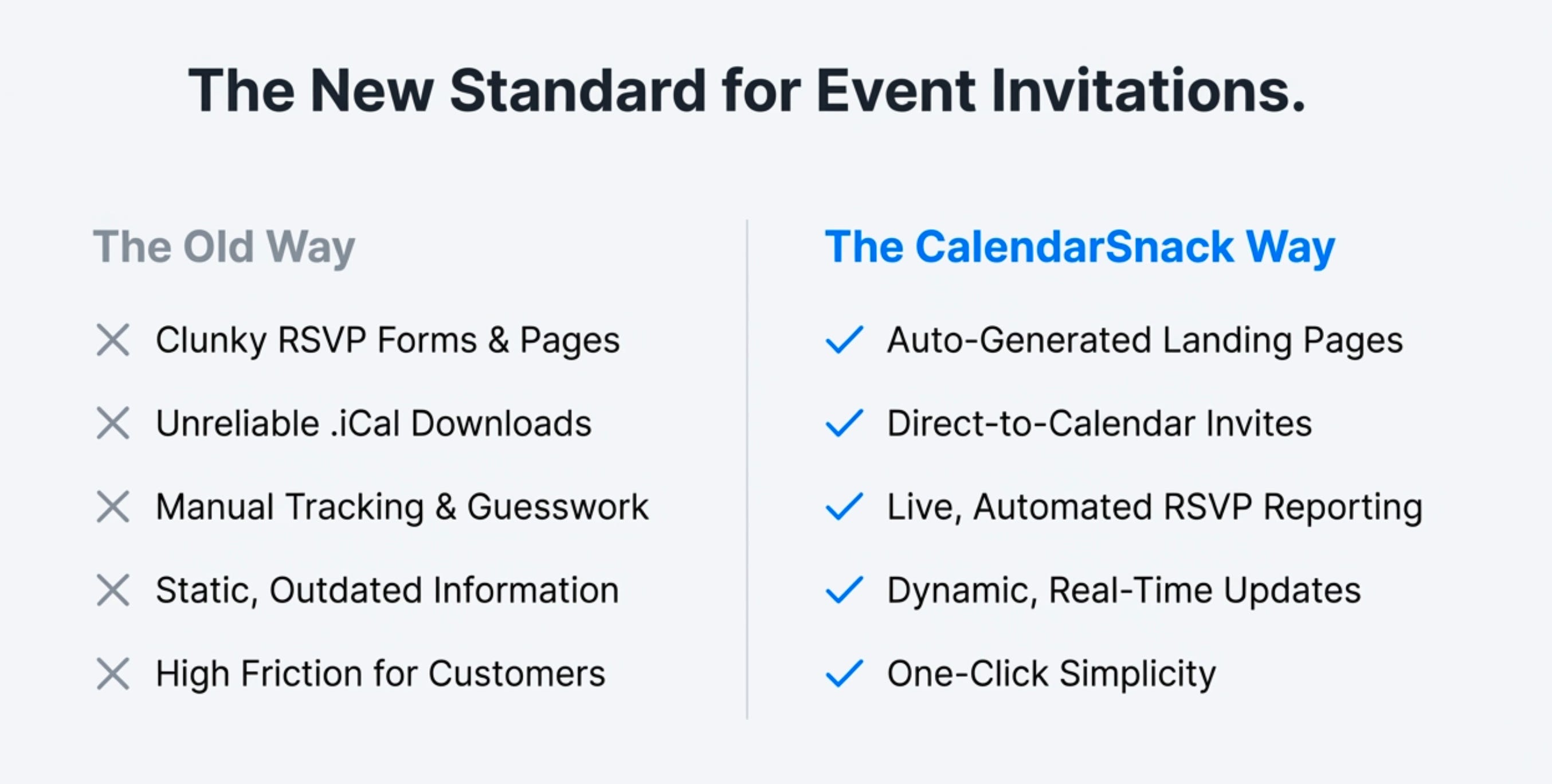
By turning your calendar into the central hub for event creation, updates, and analytics, you not only save significant time and effort but also create a frictionless, one-click experience for your customers by sharing the all events landing page.


