


Your Calendar Is the Command Center
You Don’t Need Another Platform to Manage Your Events
The most counter-intuitive and powerful part of this system is what you don’t have to do. There’s no new platform to learn and no separate dashboard to log into for event management. Your own Google or Outlook calendar is the single source of truth.
This approach eliminates data silos, reduces the risk of human error from managing multiple platforms, and ensures brand consistency because everything originates from one controlled entry.
Auto Create, Update and Cancel with Calendar Client
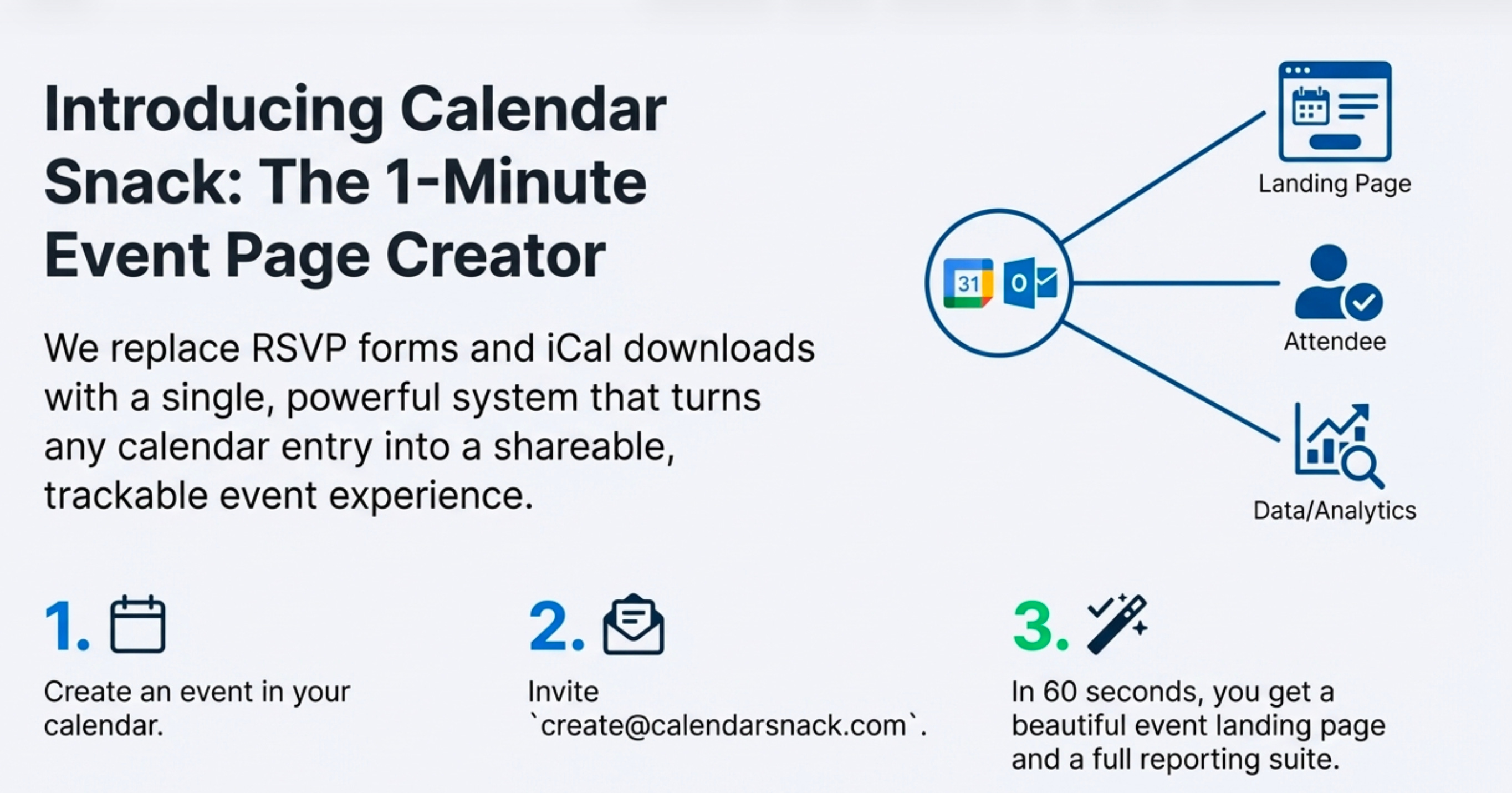
You create events just as you normally would, in the calendar client on your phone or computer and send them to create@calendarsnack.com for processing.
To update an event’s time, location, or description, you simply edit the entry in your calendar and save in your calendar client which re processes the data.
The change is automatically pushed to your public-facing event page.
Crucially, if a customer has already received a calendar invite from the Events Page, an updated calendar invitation is automatically resent to those who responded “Yes” or “Maybe,” closing the communication loop.
If you need to cancel an event, just delete it from your calendar. This instantly removes it from the shared page and sends a cancellation notice to everyone on the invite list.
It Bridges the Gap Between “RSVP” and “On Their Calendar”
You’re Sending a Real, Trackable Invite
A traditional RSVP form just collects an email address.
This method does something fundamentally different: it sends a real calendar invitation directly to your customer. Unlike a static iCal download, a real invitation creates a dynamic link between you and the attendee.
This link is what enables live response tracking, seamless updates, and cancellation notices—capabilities impossible with old methods.
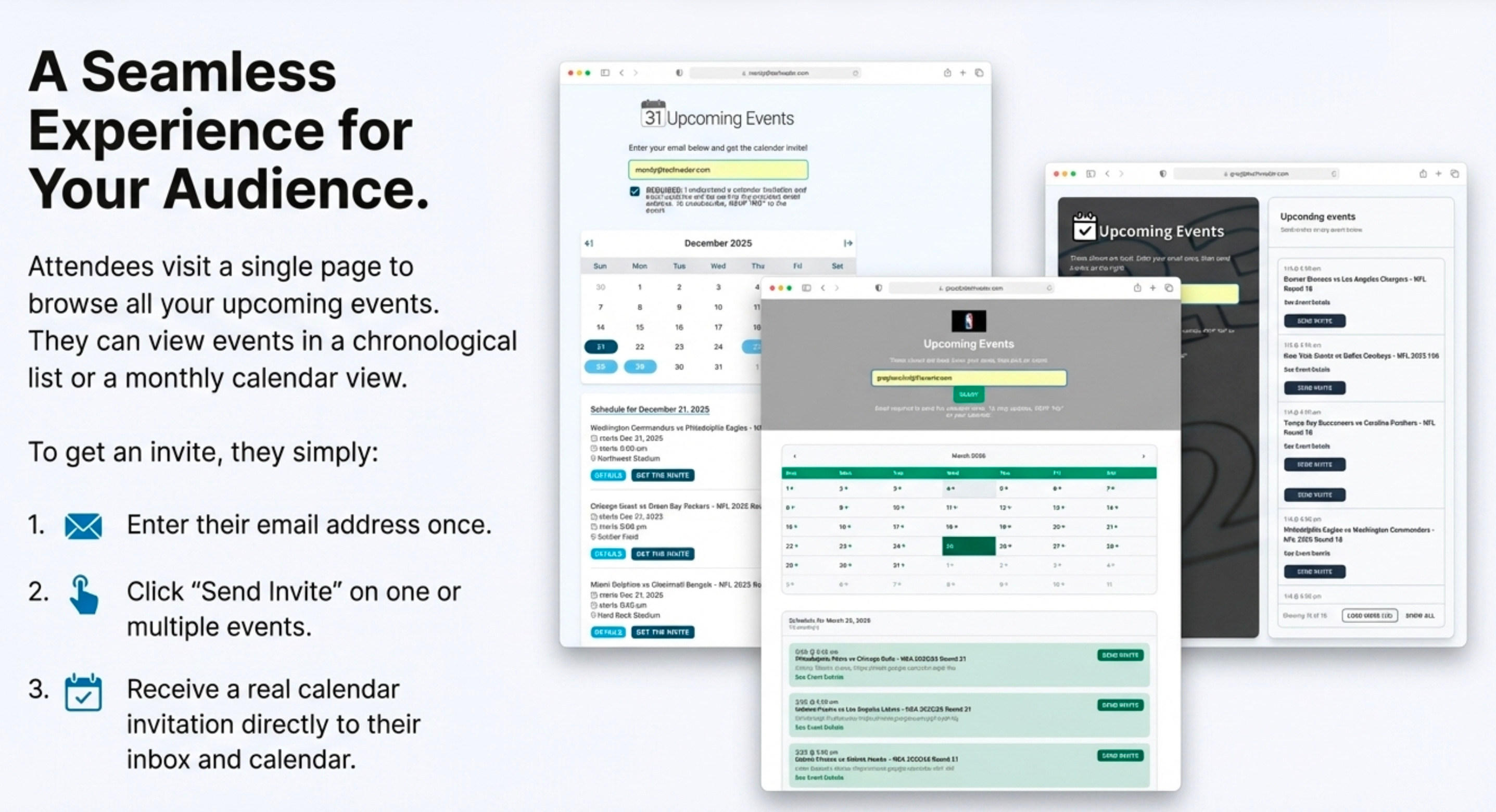
The experience is seamless. A customer visits your landing page, enters their email, and clicks a single button like “Get the Invite.”
The invitation is sent directly to their calendar, closing the gap between interest and commitment. For you, the organizer, this unlocks incredibly detailed analytics.
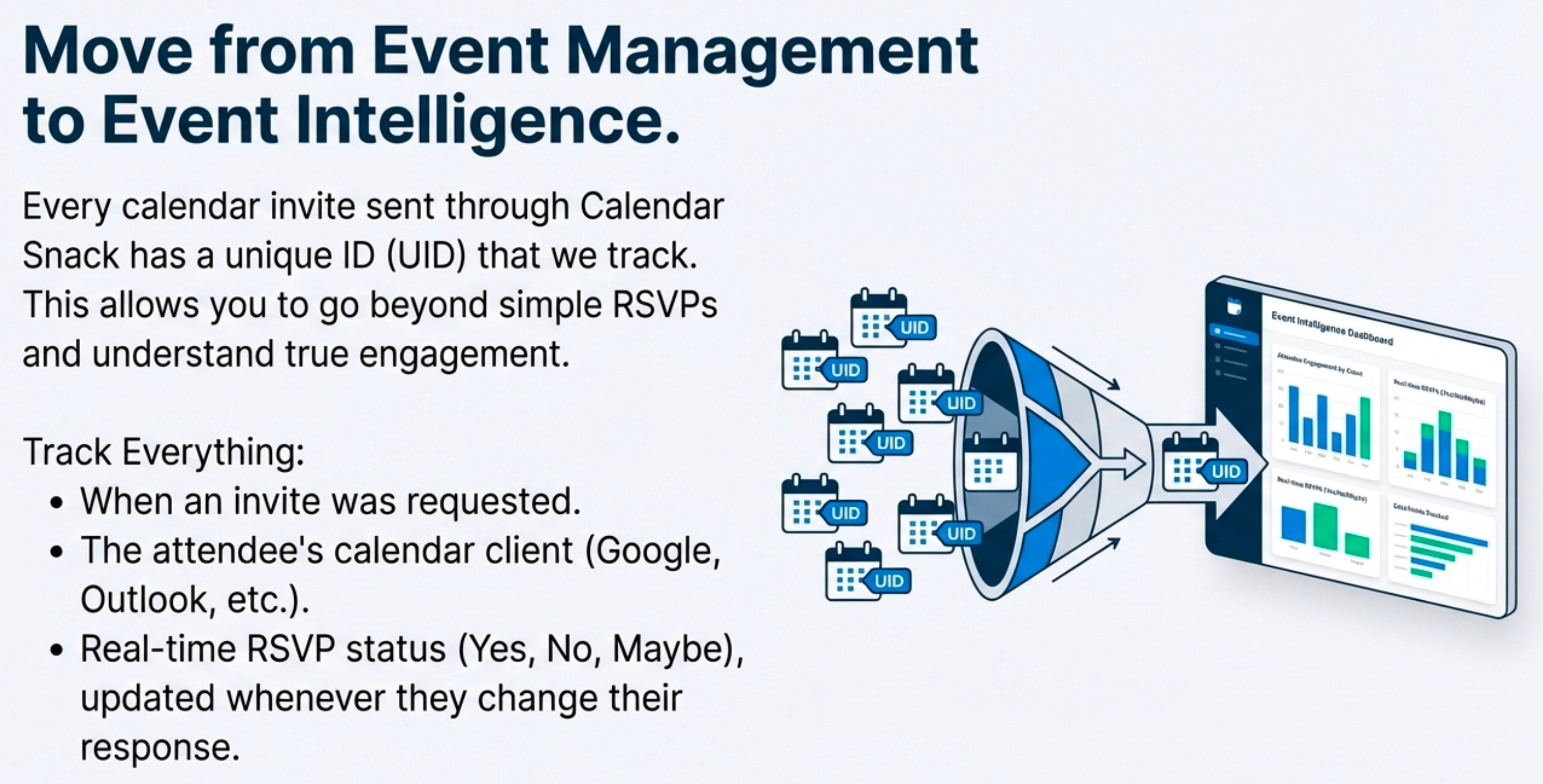
Because you’re sending a real calendar invite, the system can track its unique ID (UID). You can see the exact time the invite was clicked, the customer’s calendar client, and their response—Yes, No, or Maybe. This tracking continues right up until the event starts, giving you a live view of attendee status.
You Can Create an “All Events” Page Instantly
Go From Zero to a Full Event Schedule in Minutes
Creating a comprehensive landing page for all your upcoming events is astonishingly fast. The process is simple: you create your events in your calendar and send the invites to a specific processing email address (for example, create@calendarsnack.com).
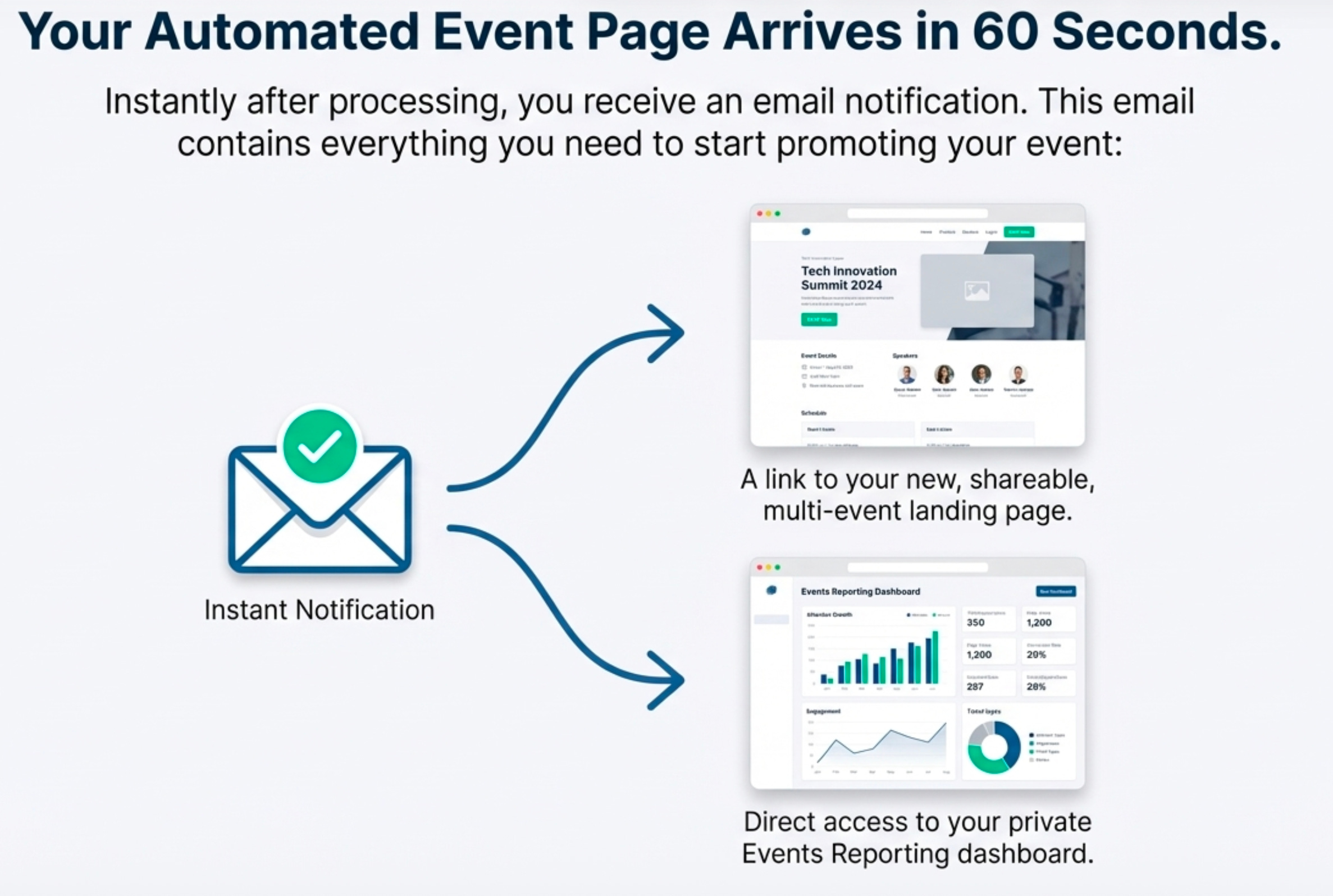
Within 60 seconds of sending the invite, you receive an email notification containing a link to your newly generated, shareable event page with a private link for event reporting.
You can send up to 500 individual events this way to build out a comprehensive “All Events” page for customer Calendar Invite sending, tracking and updating.
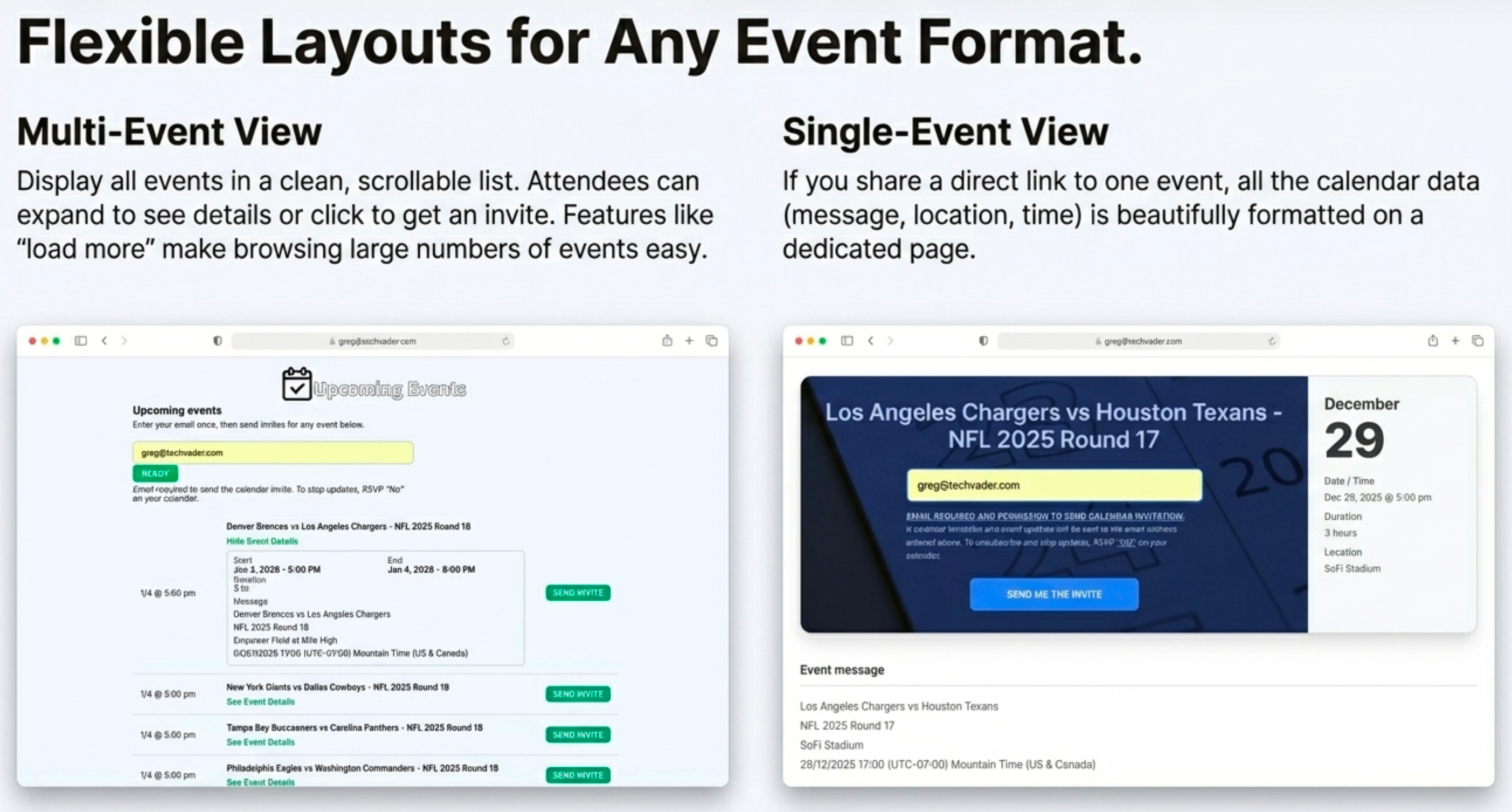
The page can be displayed in various layouts, from a simple chronological list to a monthly calendar view that lets users click on a day to see all events scheduled for it.
This transforms the feature from a novelty into an actionable marketing tactic. The “All Events” page can be used in employee email signatures, on company websites, and as the Call-to-Action button in your MailChimp campaigns.
You Get Actionable Insights, Not Just a Headcount
The Analytics Go Deeper Than Just “Who’s Coming”
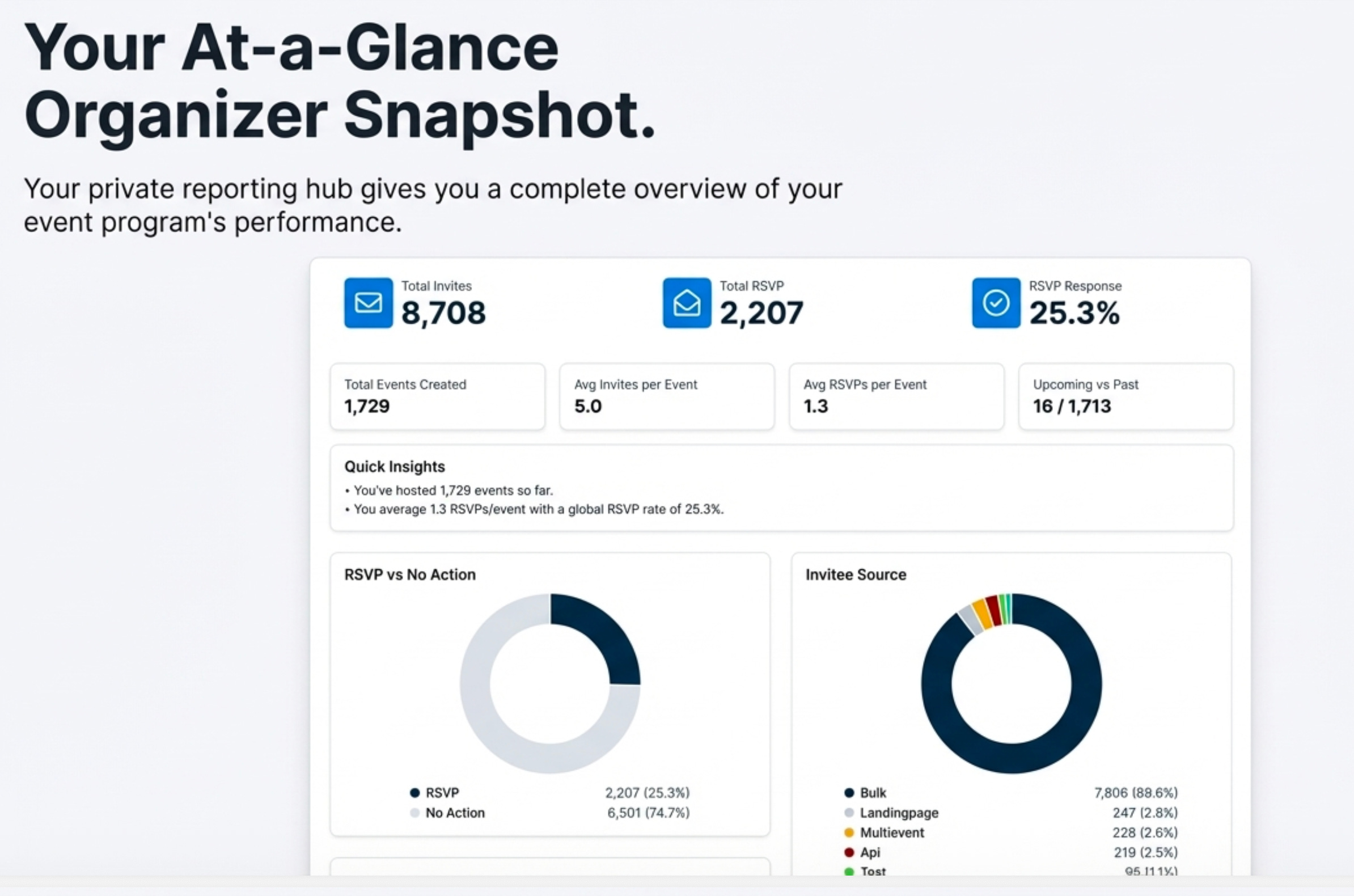
This system provides a private “Events Reporting Page” that offers insights far beyond a simple list of attendees. The reporting operates on two levels, giving you both a high-level overview and granular detail.
First, an Overall Snapshot on the main dashboard provides a rich picture of your entire event program with key metrics like Total Events Created, Total Invites, Total RSVPs, the overall RSVP Response Rate, Average Invites per Event, Average RSVPs per Event, and a breakdown of Upcoming vs. Past events.
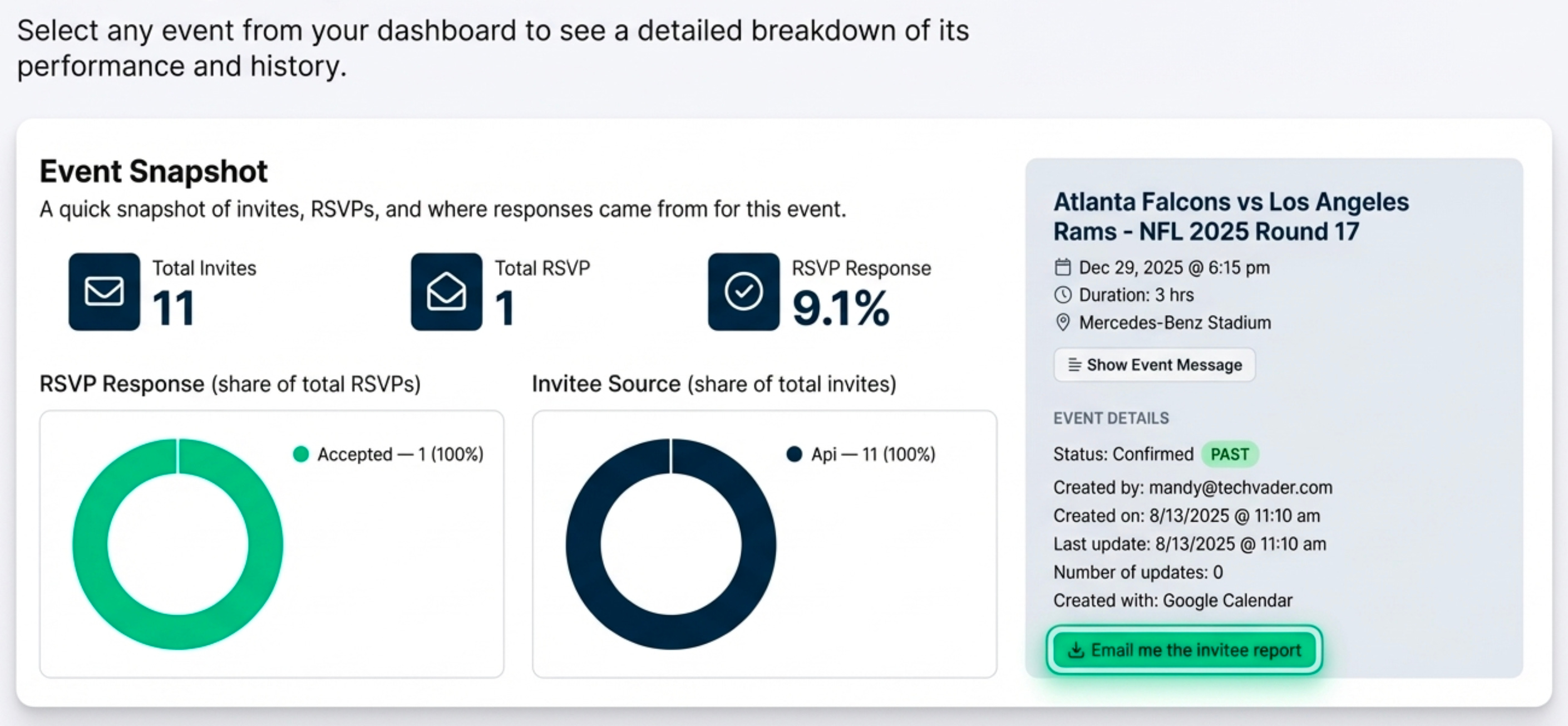
Second, you can drill down for Per-Event Details. This view shows you specific RSVP data and invite sources for each event, plus crucial metadata like who it was “Created by,” the exact “Created on” timestamp, the “Last update” timestamp, the “Number of updates,” and which calendar client (e.g., Google Calendar) was used to create it.
This level of detail allows you to truly understand engagement for each specific event, not just your program as a whole.
A Smarter Way to Schedule
The core shift here is moving from adding another complex tool to your marketing stack to leveraging the one tool you already have open all day.
By transforming a simple Google or Outlook calendar into the engine for event marketing, creation, and management, the entire process becomes more intuitive, automated, and effective. It eliminates friction for your audience and gives you more powerful data than ever before.


