


Your Calendar Event Is Now an Event Landing Page—Here’s How
The ICAL Download + RSVP FORM Sucks
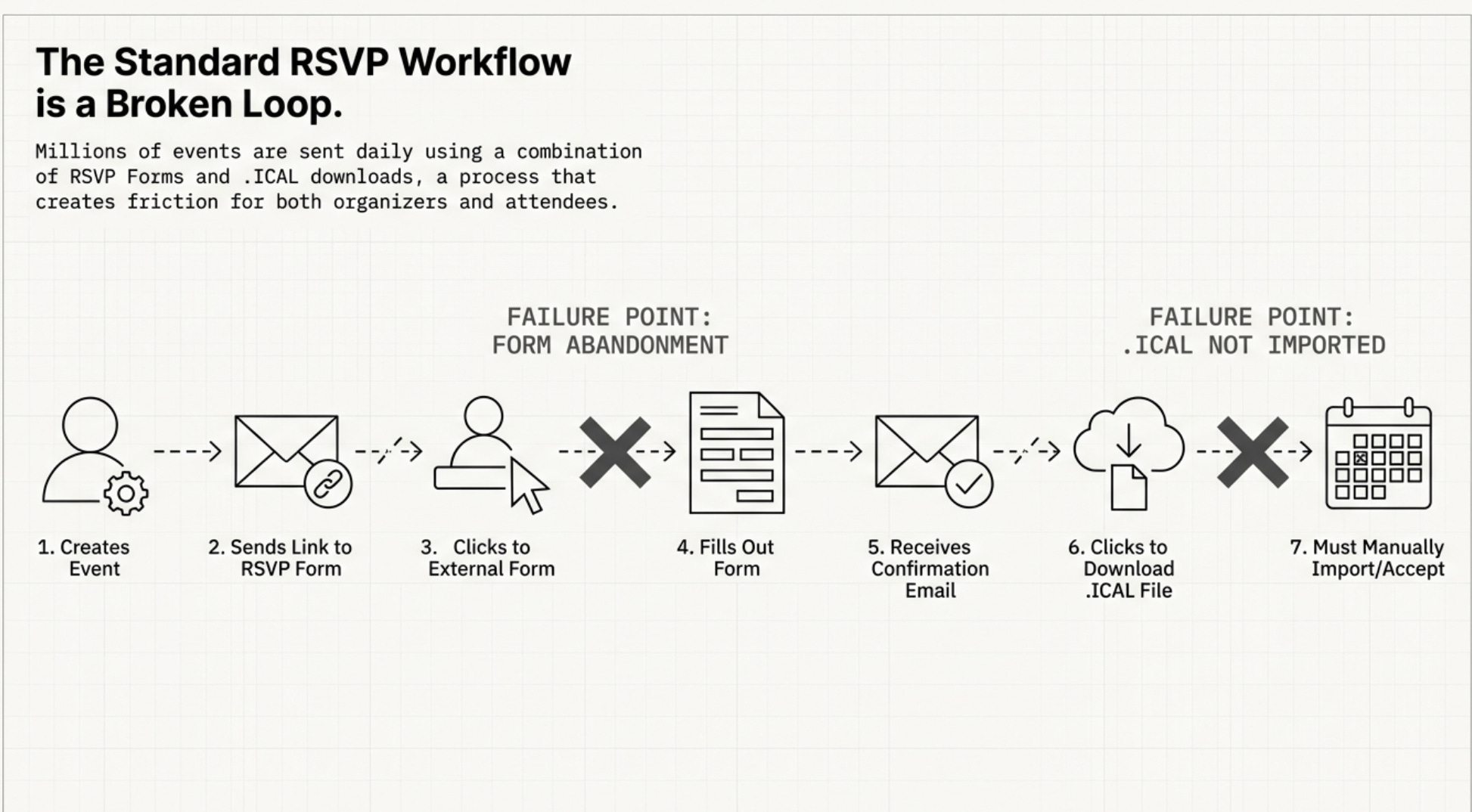
For anyone who has organized an event, the process is painfully familiar. First, you build a separate landing page. Then, you wrestle with an RSVP form to collect sign-ups. Finally, you hope attendees remember to download the .ICAL file and manually add it to their own calendars. It’s a clunky, multi-step process for both the organizer and the attendee.
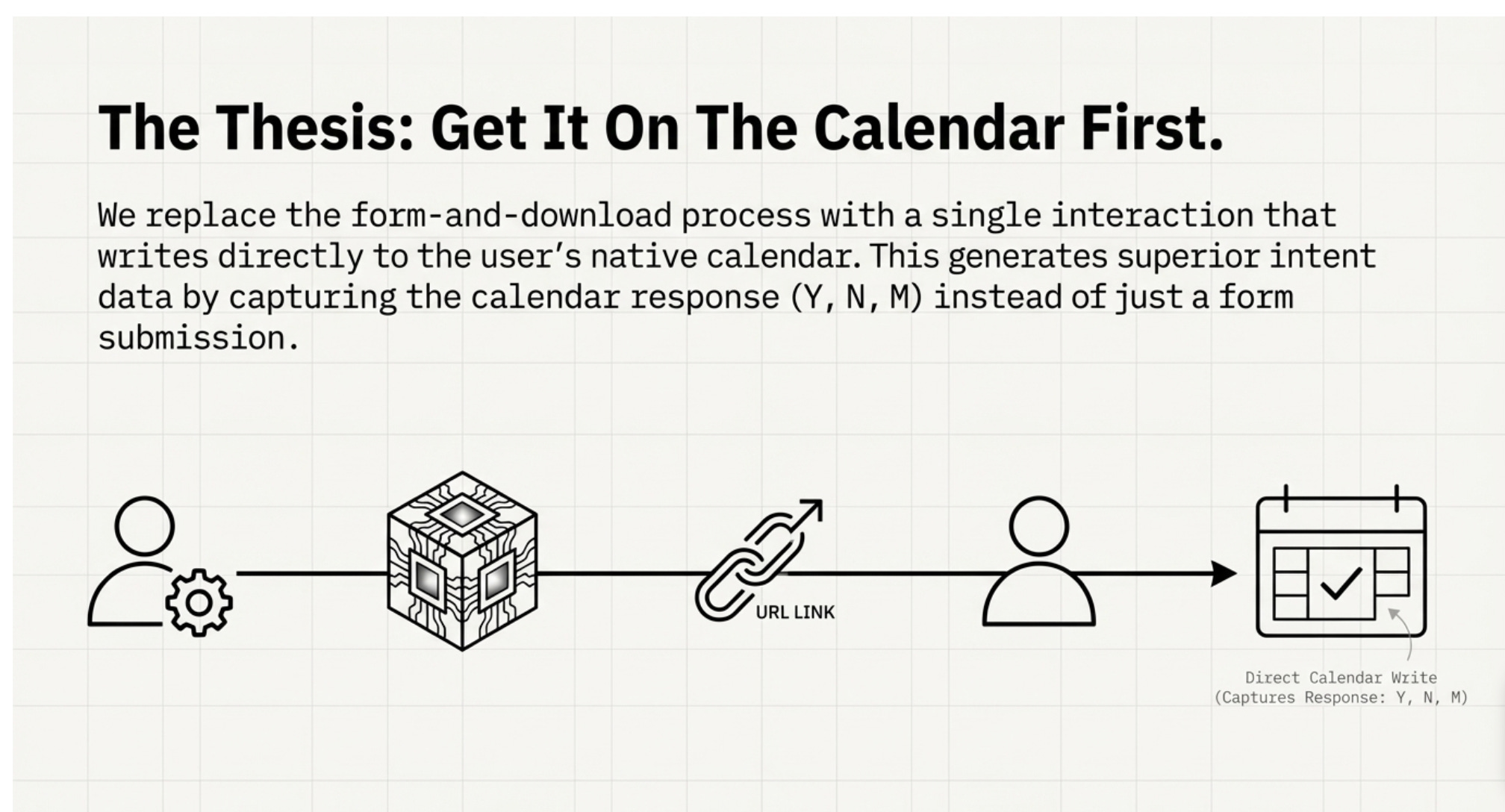
What if you could manage all of that, from event page creation to RSVP tracking, without ever leaving your calendar? A surprisingly simple method now exists that transforms a standard calendar invite into a complete, shareable event management tool, streamlining the entire workflow in about a minute.
1. Create an Instant Event Page by Sending One Email
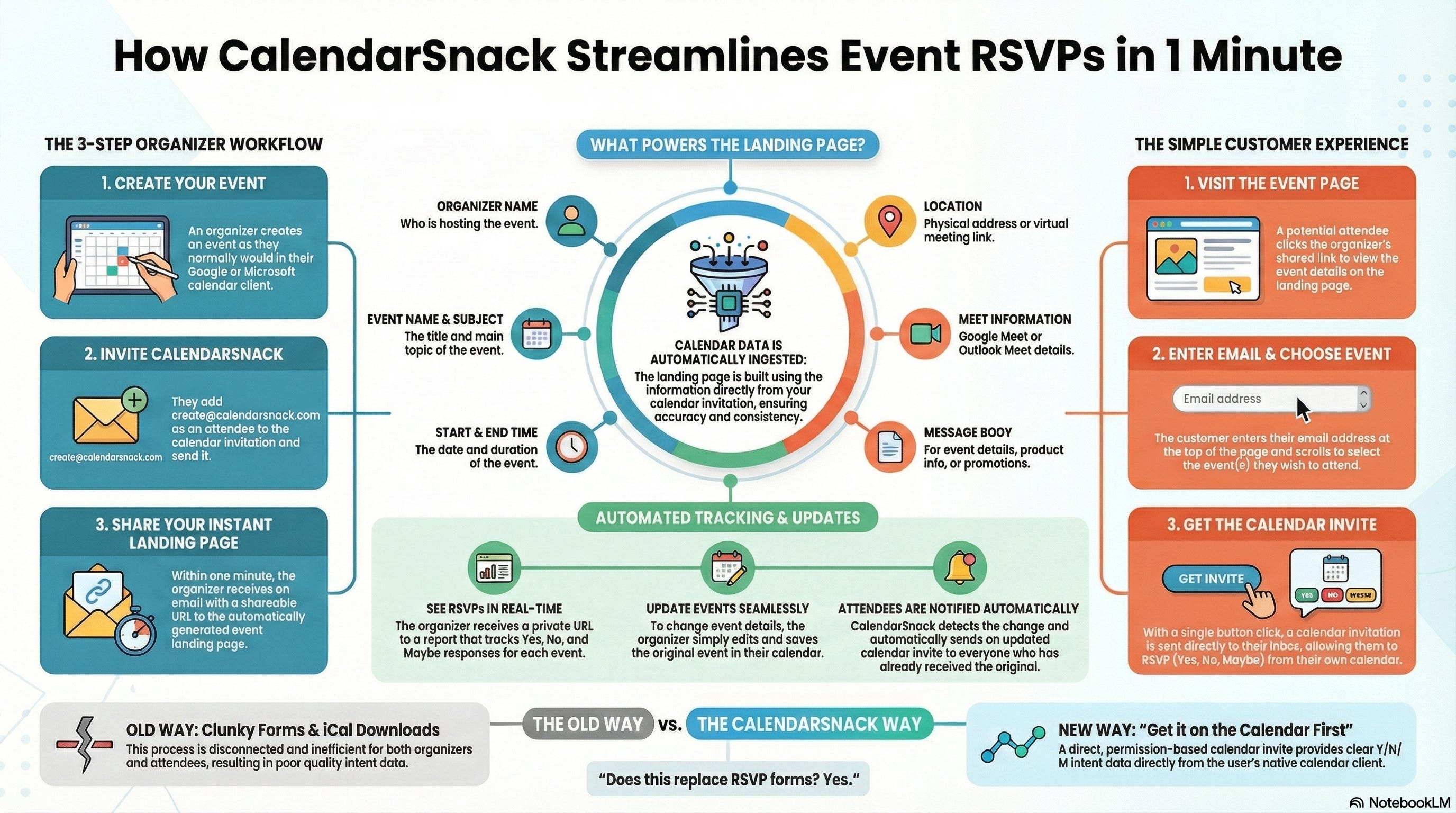
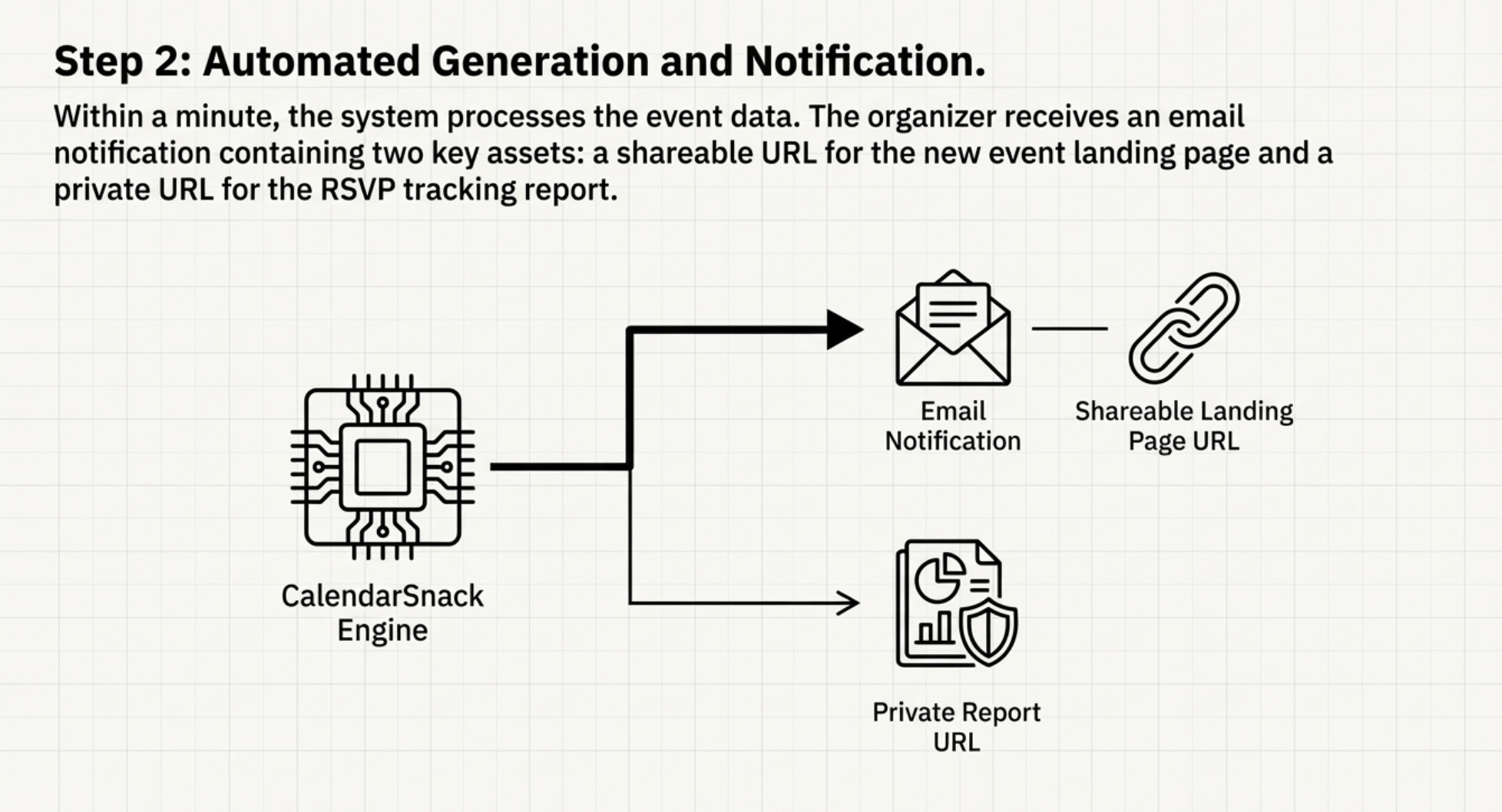
The core of this method is its radical simplicity. An organizer creates an event in their native Google or Microsoft calendar, just as they normally would, and sends the invite to a single email address: create@calendarsnack.com.
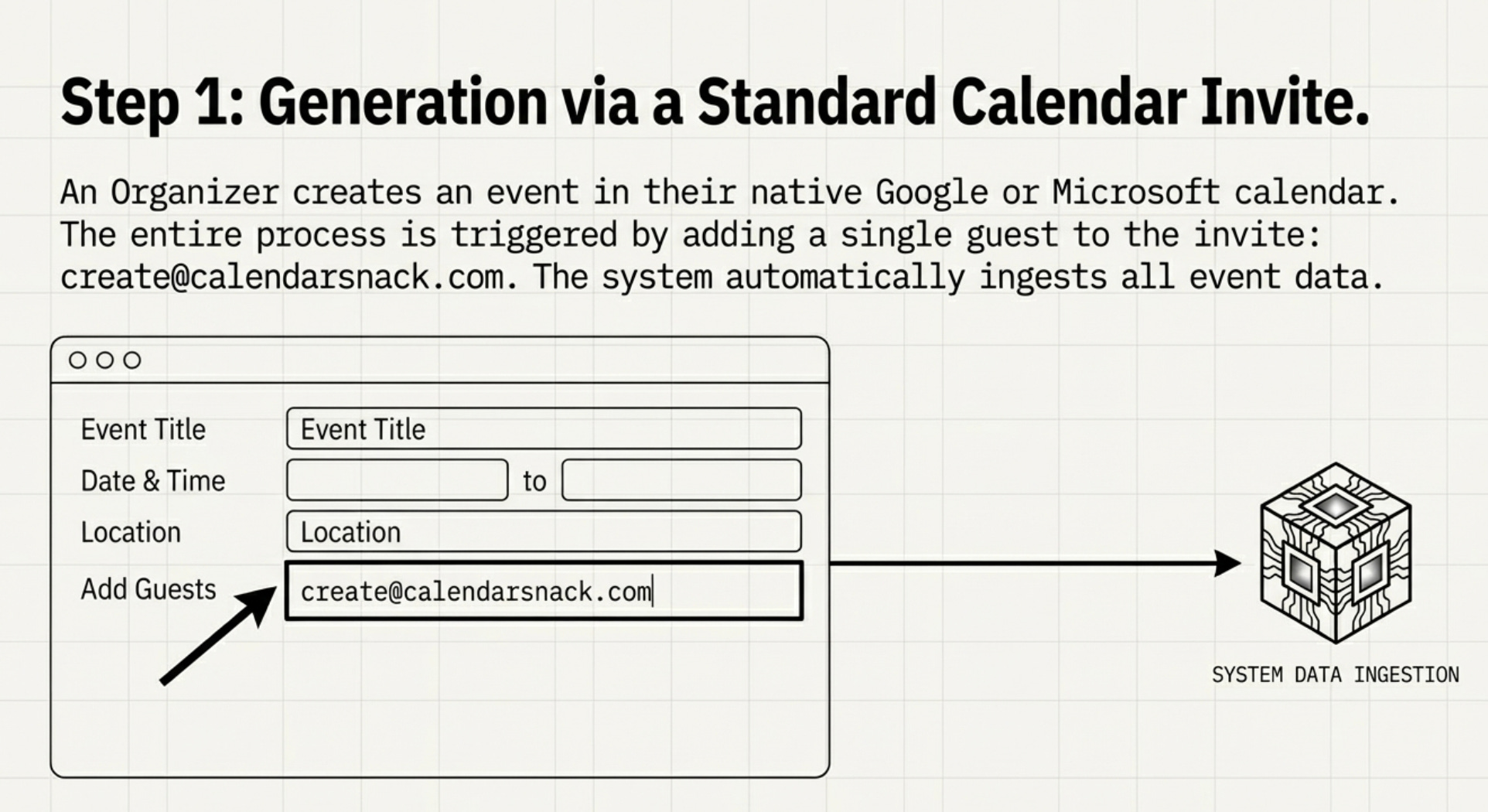
This one action automatically generates a professional, shareable landing page for the event. Within about a minute, a notification is sent back to the organizer with the link to their new page, closing the loop.
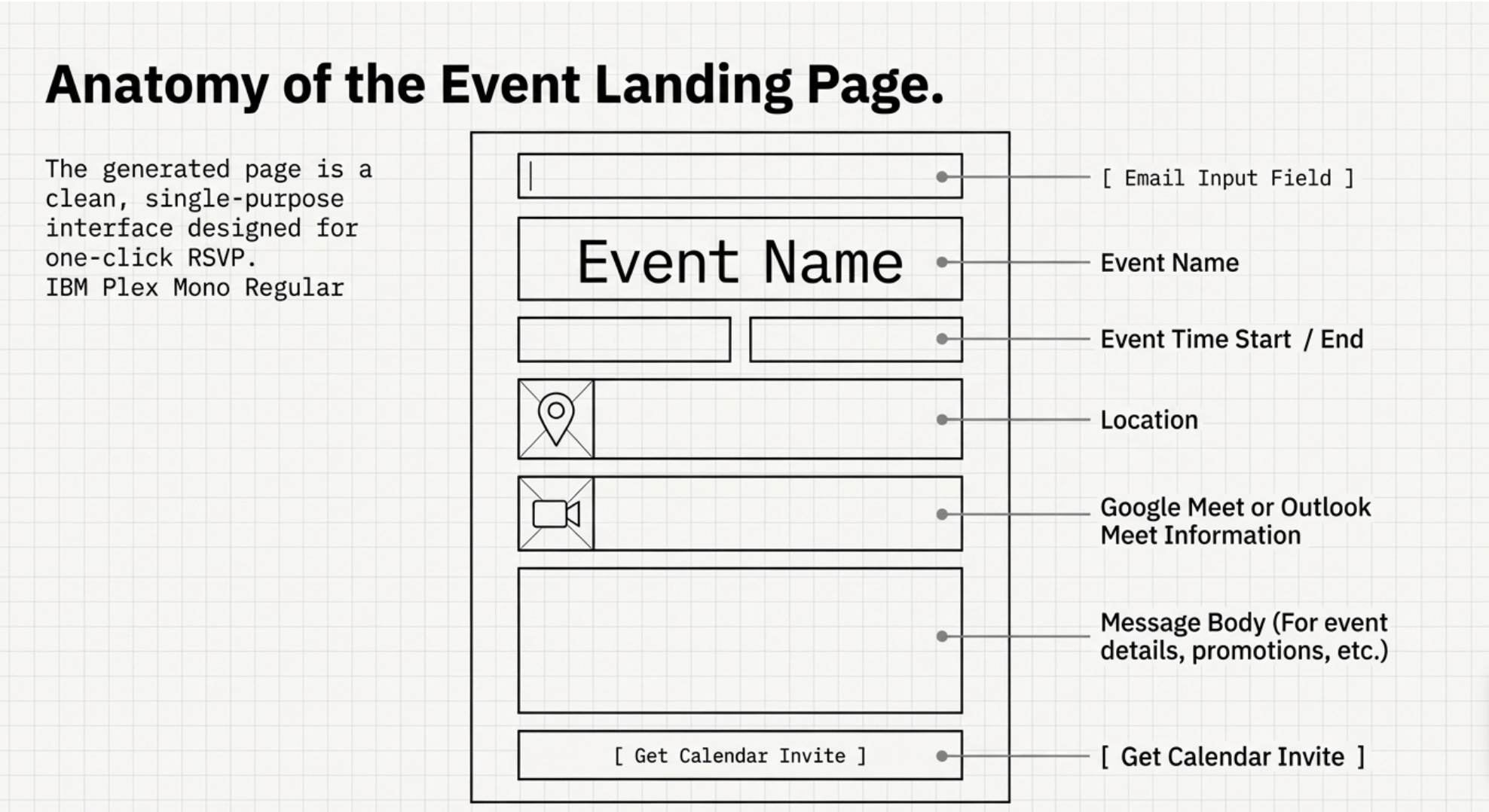
The service ingests the key details directly from your calendar invite and displays them cleanly. No duplicate data entry is required. Information pulled includes:
• Organizer Name
• Event UID
• Event Name
• Subject
• Start and End Time
• Location
• Google Meet or Outlook Meet Information
• Message Body (for event details, agendas, and promotions)
The impact here is profound due to its zero-friction adoption. It doesn’t just eliminate the need for third-party software; it leverages a deeply ingrained user behavior—sending a calendar invite—without requiring anyone to learn a new process or form a new habit. It simply makes a workflow you already perform exponentially more powerful.
2. Manage Multiple Events on a Single, Smart Page
The system is just as elegant for managing a series of events. If an organizer creates multiple, separate events and sends each calendar invite to create@calendarsnack.com, the service automatically compiles them onto a single landing page, presenting any event that has not been canceled in chronological order.
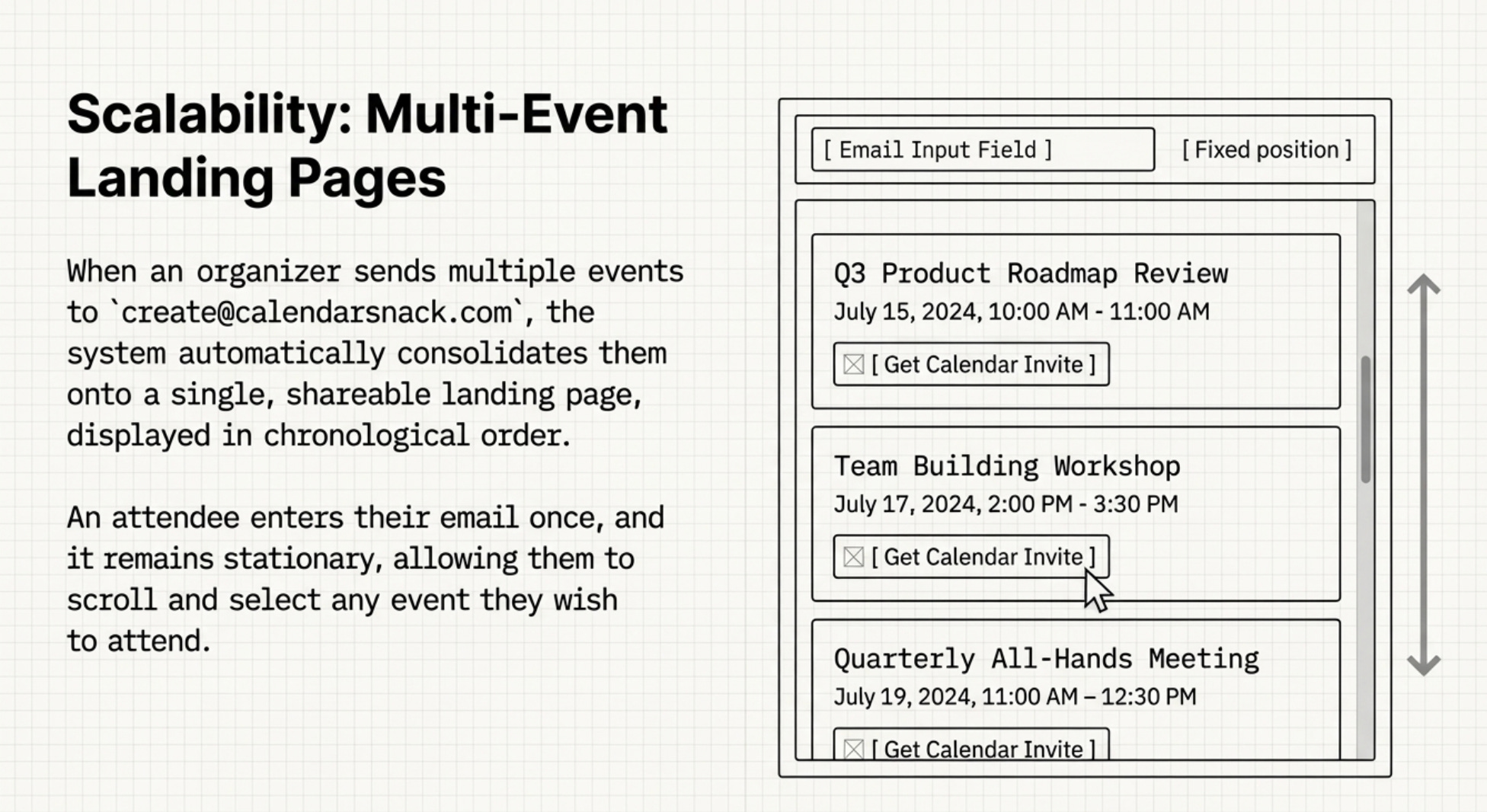
The experience for an attendee is seamless. They visit the single URL and enter their email address once in a field at the top of the page. This email field remains fixed as they scroll down the list of upcoming events. They can then simply click the button for each specific event they wish to attend to instantly receive a native calendar invitation for it. This design makes promoting a webinar series, weekly office hours, or a multi-day conference incredibly simple, with no extra configuration needed.
3. Replace Clunky Forms with Smarter, Native Calendar RSVPs
This process is designed to completely replace the traditional “RSVP Forms + ICAL Downloads” workflow. It provides a far better experience for the potential attendee. Instead of filling out a form and then downloading a separate file, they simply enter their email and click a button. A native calendar invitation is sent directly to their inbox.
This method funnels attendee responses through their native calendar client. By having users select ‘Yes,’ ‘No,’ or ‘Maybe,’ organizers receive far more accurate intent data than a simple form submission can provide. The difference is qualitative: a form submission signifies interest, but a calendar ‘Yes’ represents a tangible commitment of time that actively blocks a slot in the attendee’s schedule. This is the core of better intent data.
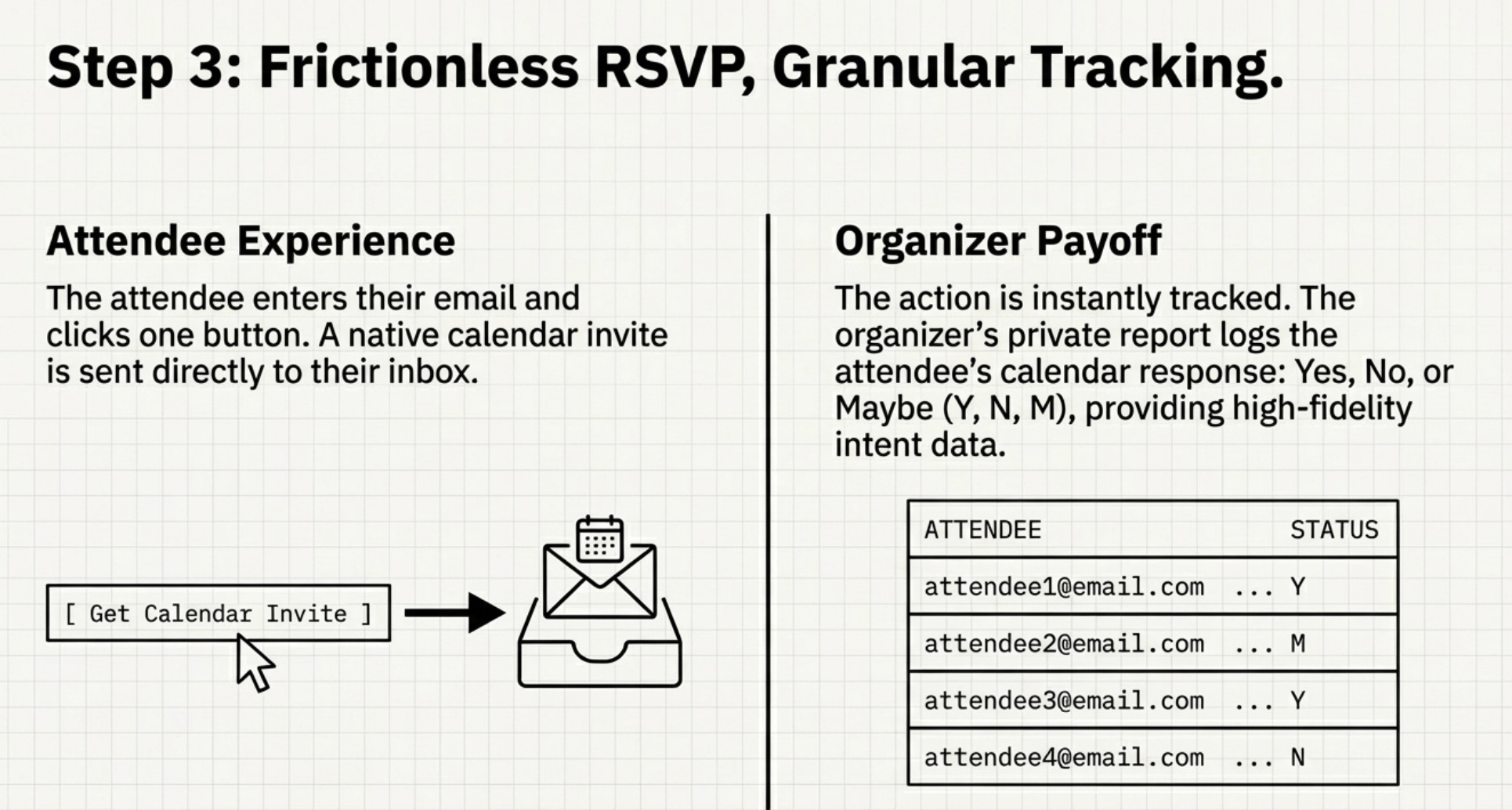
To close the loop, the organizer receives a private URL to a dedicated RSVP report. This report provides detailed stats for each event, including counts for ‘Yes,’ ‘No,’ and ‘Maybe’ responses, along with timestamps for when each attendee responded or changed their status. You don’t just know who signed up; you know how committed they are.
4. Push Event Updates Automatically to Your Attendees
One of the biggest headaches for event organizers is communicating changes. With this system, updating attendees is completely automated. To make a change, the organizer simply edits the original event in their own Google or Outlook calendar and saves it.
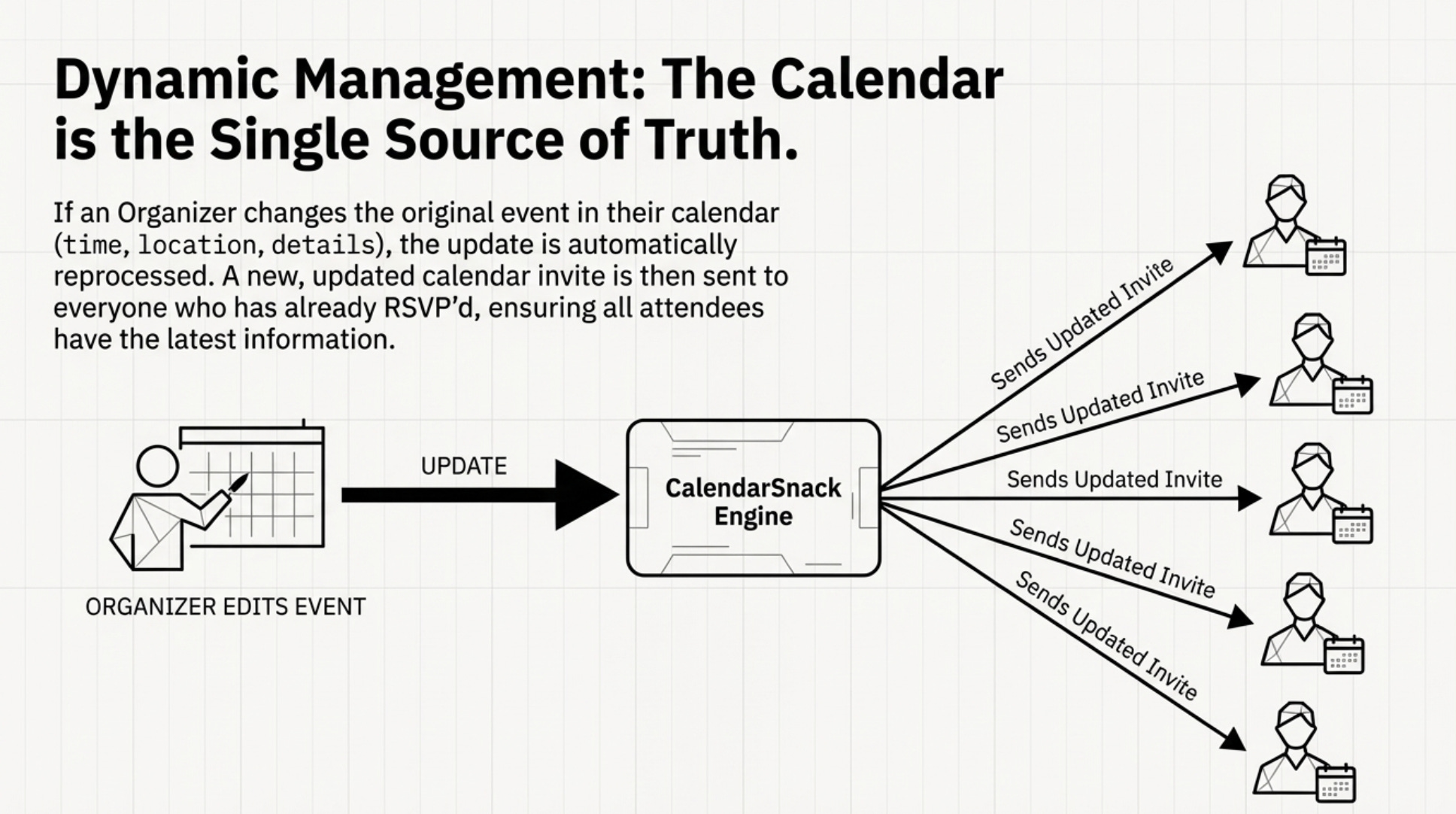
That single action is the trigger. The updated information is automatically sent back to the service, which reprocesses it and sends a new, updated calendar invite to every person who had previously signed up. This isn’t just for logistical updates like new times or locations. It transforms your calendar event into a dynamic communication channel, allowing you to push out promotions, add speaker bios, or share special offers directly to the one place your attendees look to manage their time.
Conclusion: Rethinking Your Workflow
By integrating with the tools we already use daily, complex tasks like event management can become incredibly simple. This method proves that the most powerful solutions don’t always require learning a new platform, but rather unlocking the hidden potential within the workflows we already have.
If something as simple as a calendar invite can be this powerful, what other parts of our daily workflow are we overlooking?


