


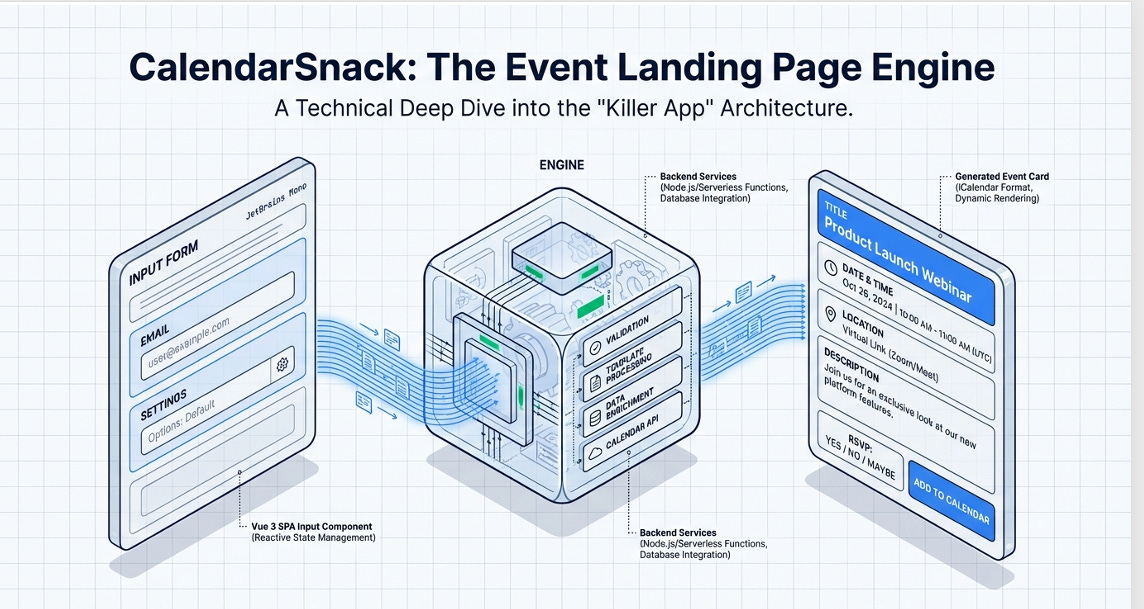
We have been working on different concepts that fit the modern web and, at the same time, boil down to a Killer App for server providers and OEMs to build on, using a simple API stack hooked to a messaging system for calendar invite sending and tracking.
Arnie’s Calendarsnack site is a Lab for ideas on what we could do with Calendar Invites on the web.
See it here.
Generating the Lifetime Event Page for 1 Click
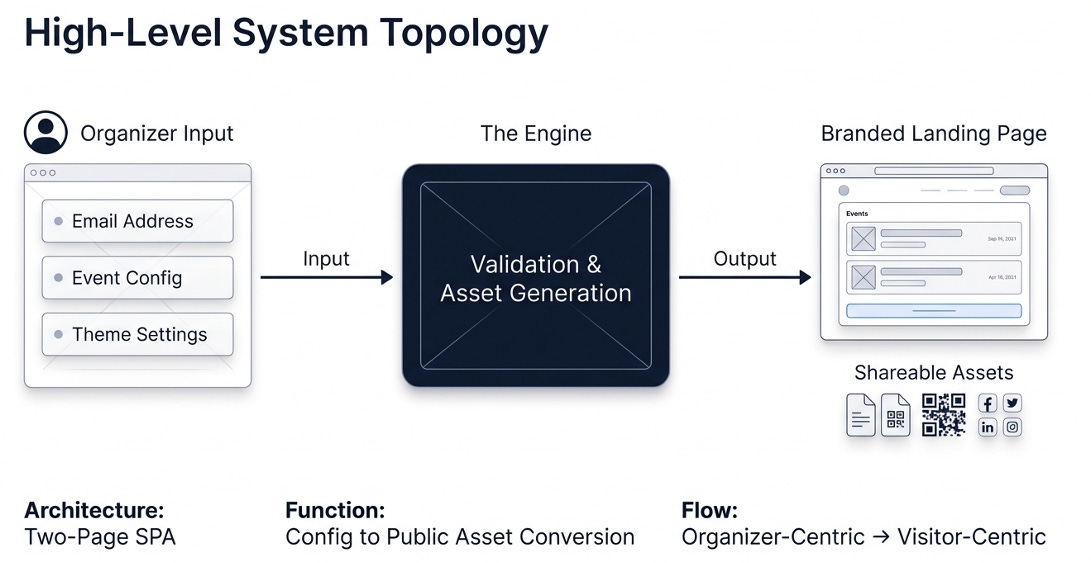
The Front End Stack
The Front End displays calendar invite data on web pages and in email as CTA codes for 1-click calendar invite sending and tracking.
The Calendarsnack Front End uses Vue.js, JavaScript, Arrays, Tailwind CSS, and HTML, along with APIs from the CalendarInvite server to display data and use the calendar invite messaging pipeline.
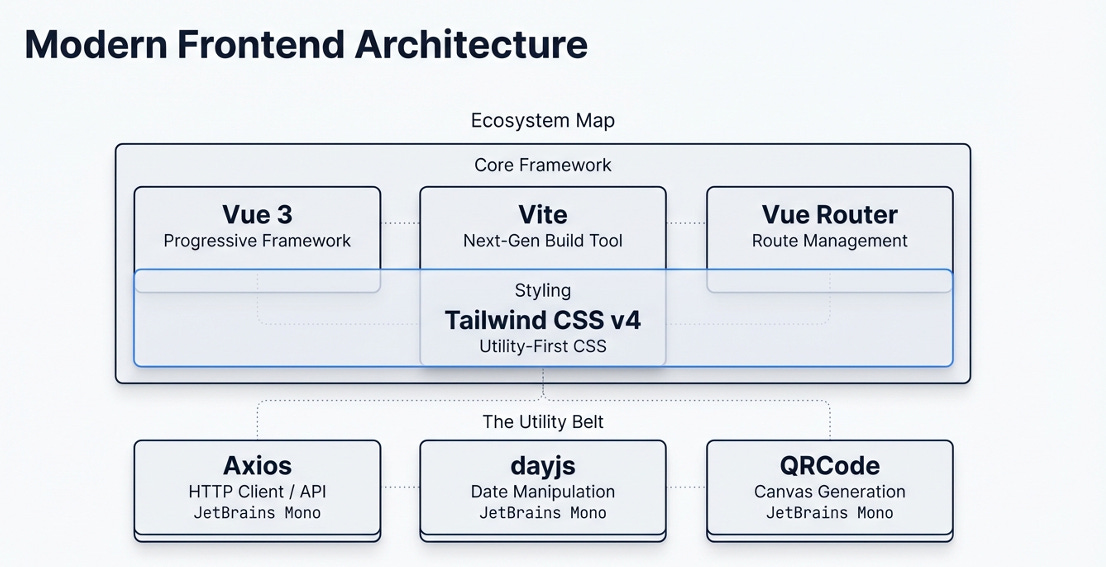
This is the design for visualization at scale that we have used for up to 2400 displayed events for MLB. So we know it will work in the 60-second Killer App version.
APIs
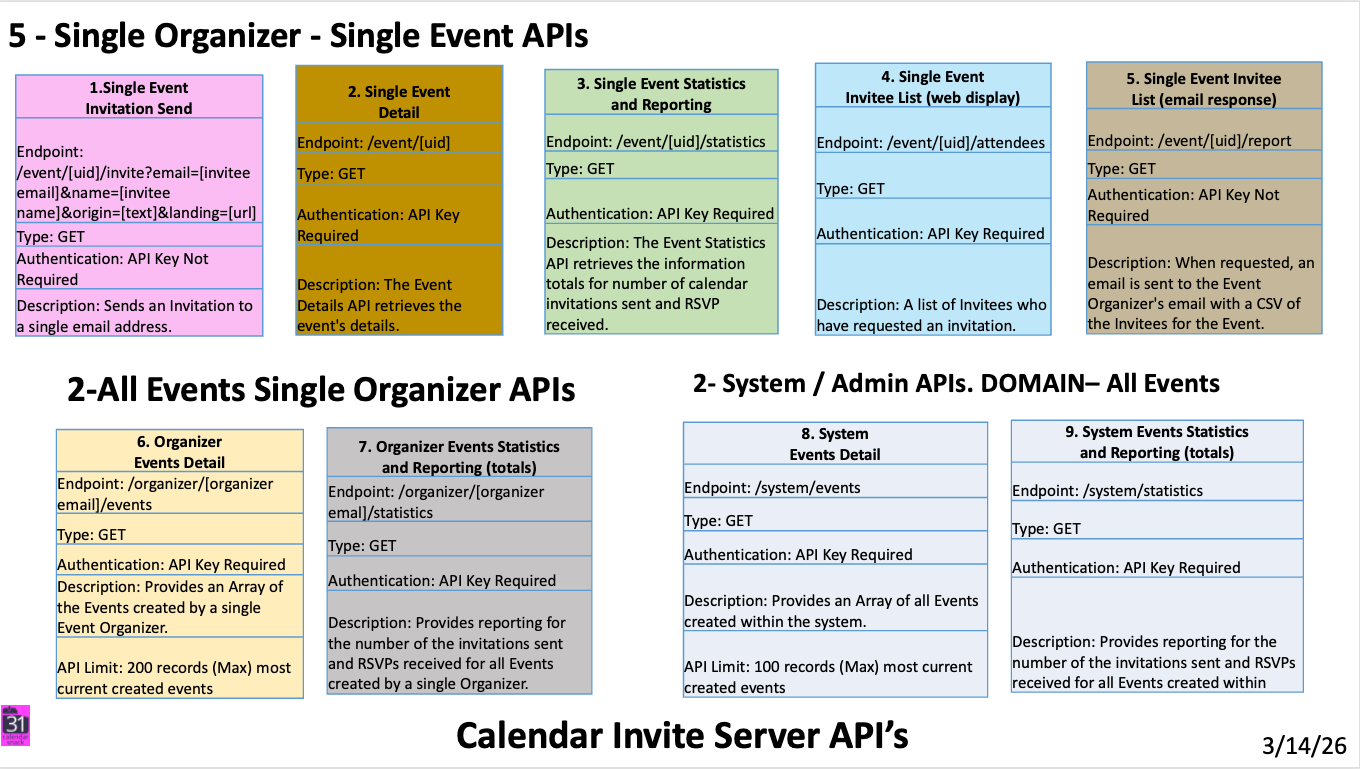
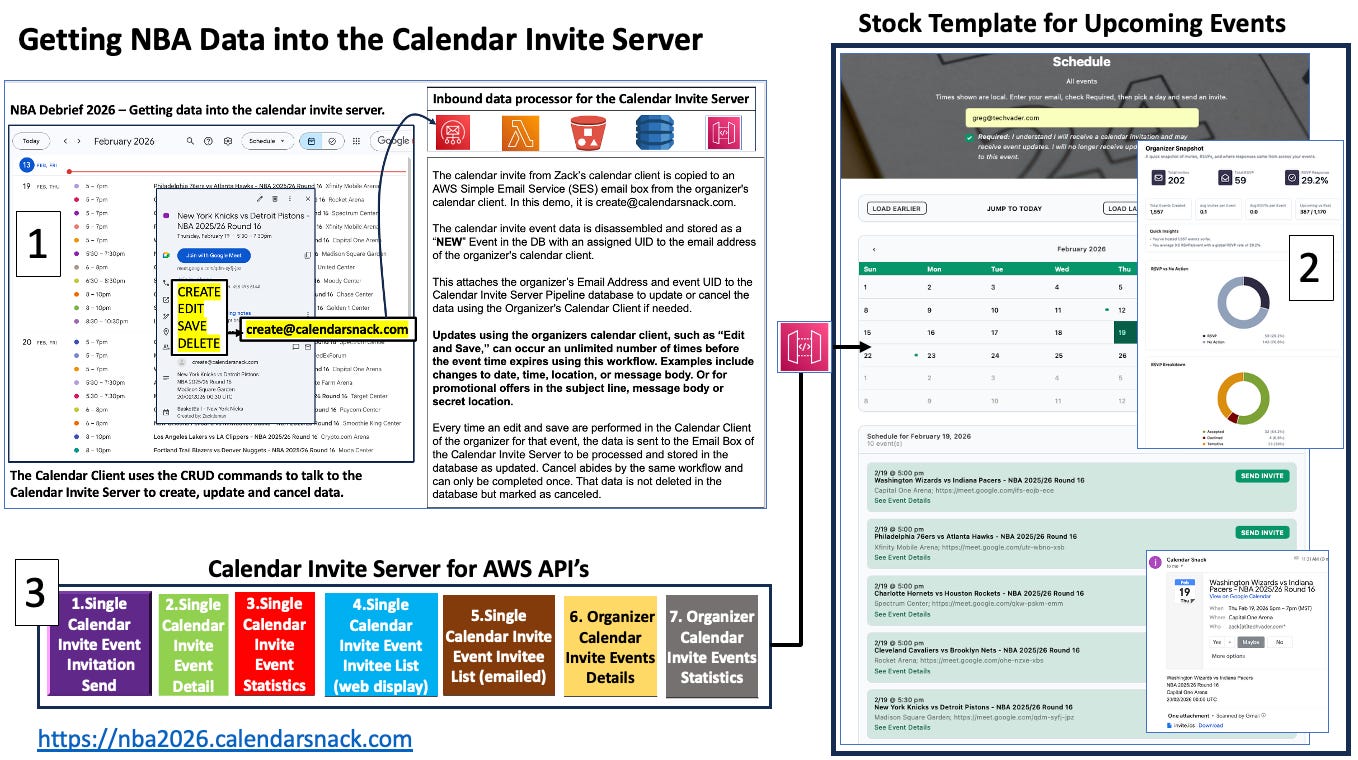
There are 4 Organizer APIs for single-event reporting and 1 for sending calendar invites when the 1 Click button is used.
There are 2 All Events for the Organizer: one that gathers all events into an array and one for all event statistics per Organizer.
The last 2 are for the Domain Owners, who gather all Organizer Data for Events and Statistics.
That is a total of 9 APIS for Organizer and Domain owners to gather calendar invite data.
These are available for your developers to build Calendar Invite solutions when you install the Calendar Invite Server and Front End Calendar Snack Kit.
The APIs, Domain, and Email reputation and security are all part of your AWS account. Our stack runs on AWS serverless and integrates with your AWS builders and operators.
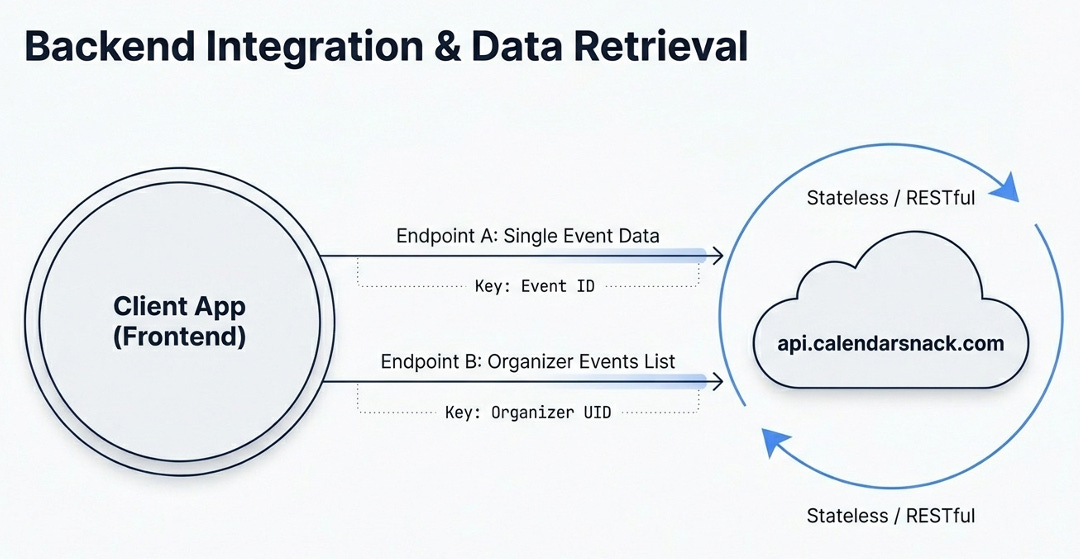
Your designers can use the APIs and the Front End-ready Apps to build on those ideas for Email and Web scheduling solutions.
The Lifetime Event Page
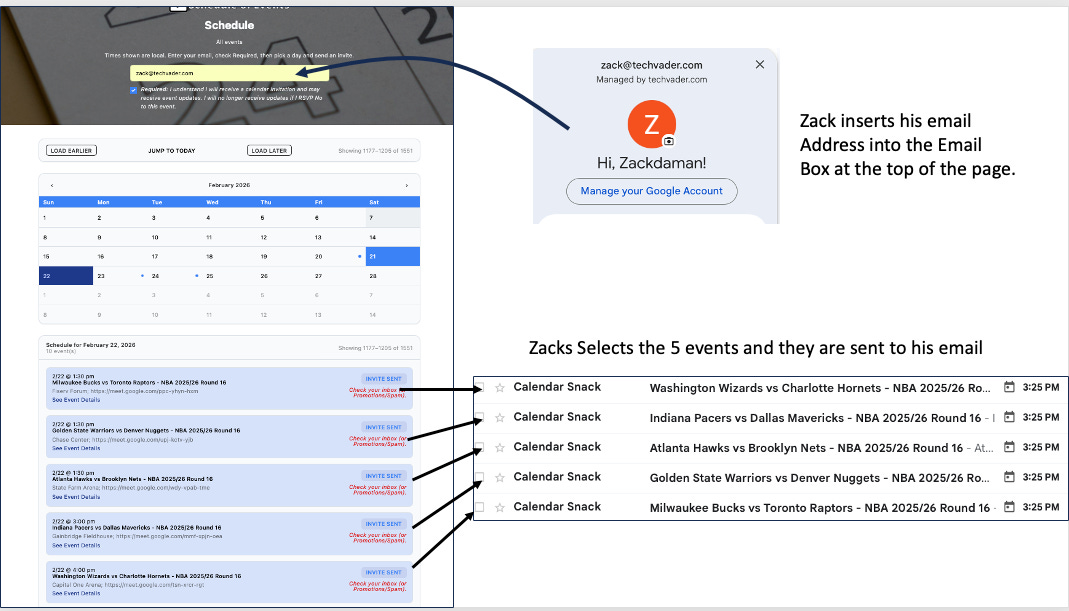
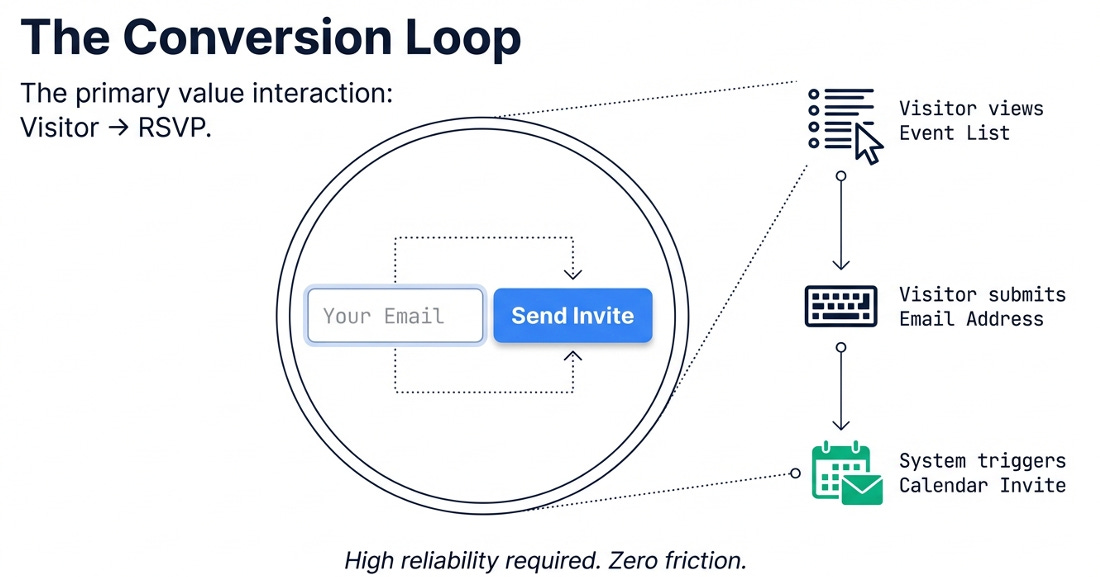
Customer enters an email address at the top, selects the games with one click, and sends a calendar invite that is tracked and can be updated by the organizer.
The Organizer displays APIs used to generate the page using the VUE.JS framework, and a REST API that recreates Calendar Invites on the fly and sends and collects calendar receipts via the CTA Button labeled “Send Invite,” which triggers the UID-to-Email workflow in the background.
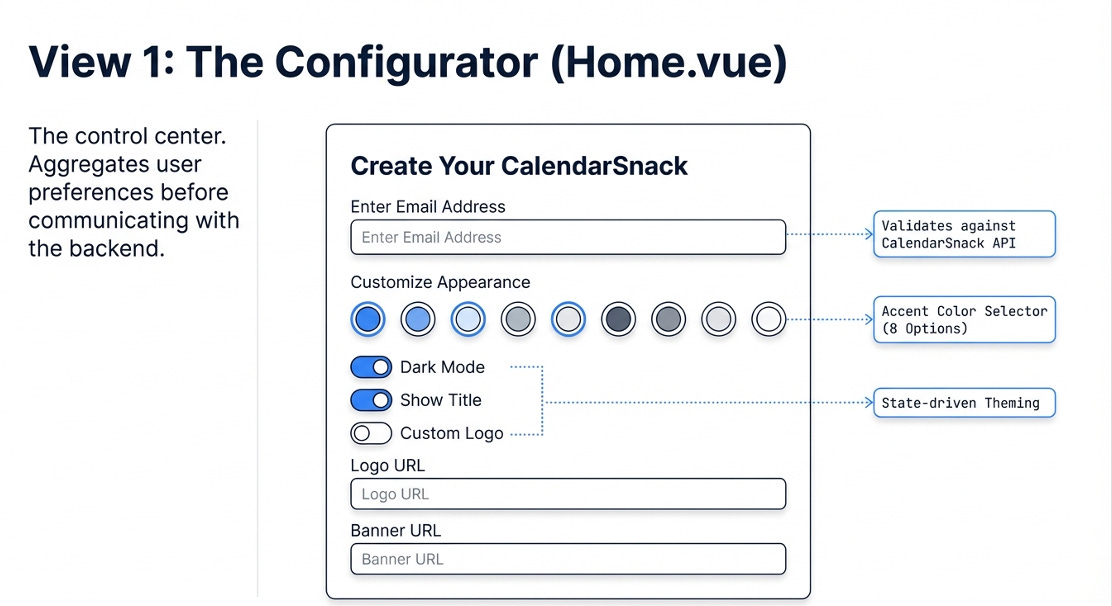
The Killer App Event Landing Page is proposed above in design, along with its implementation in Vue.js with APIs, a Color Selector, and a state-driven theme using buttons.
In this design generation, the proposal is to Land to this mini configurator if you have sent data to the calendarsnack gateway for ingestion.
Once that step is complete and the Organizer has data in the account for display, they head to this page to enter the email used in their Calendar Client to generate the calendar invite server data.
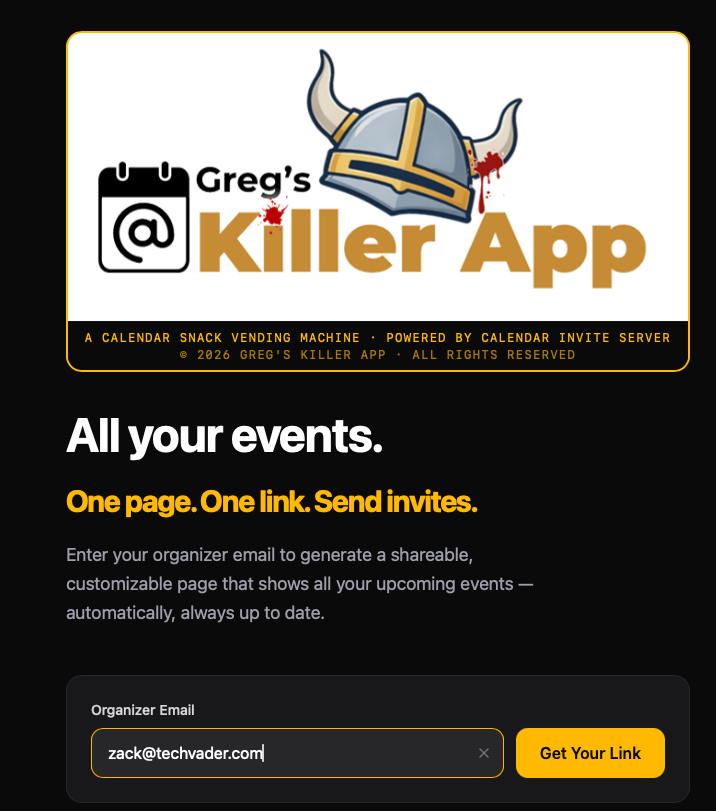
This takes the user to the Upcoming Events Landing Page, where the data is already in place to stylize colors, format content, and generate shareable social assets.
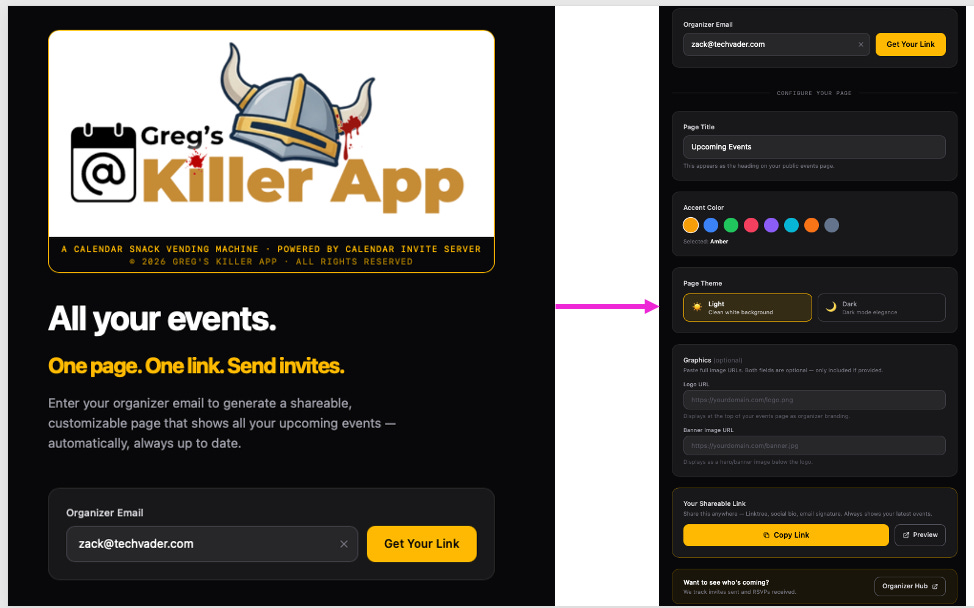
This is the setup above with quick config for the Shareable Events Page generator.
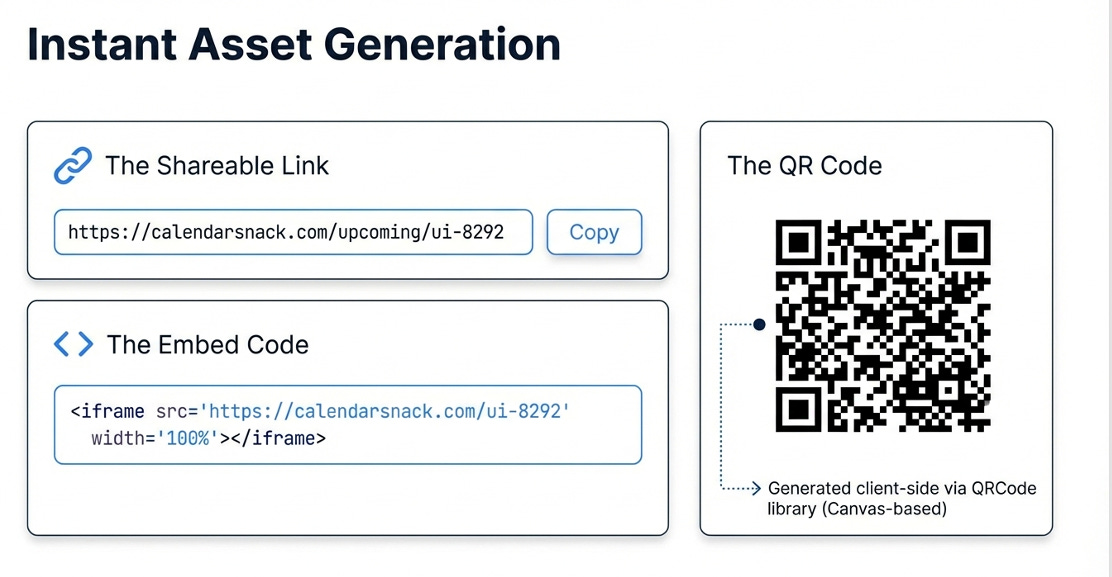
This is the design for the Killer APP Share and QR.
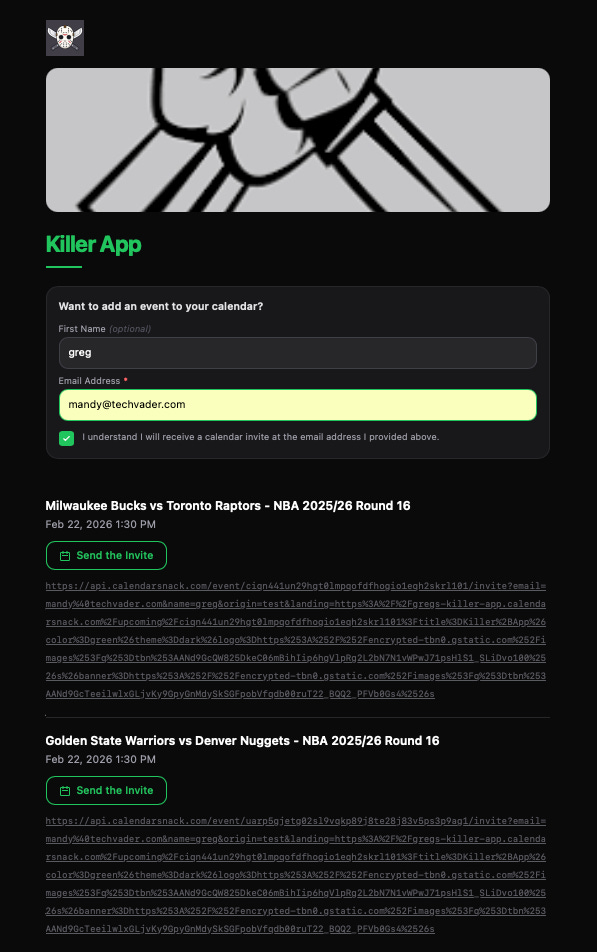
This is the Prototype Page for the 60-second Killer App page generator. Not done as of February 21. But close.
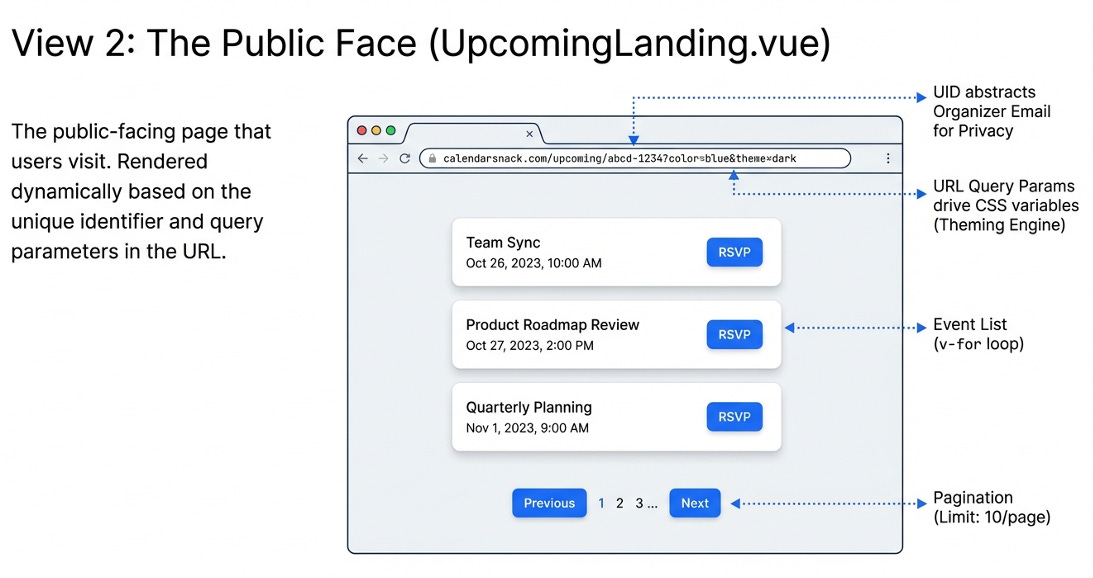
The public-facing shareable page with the loaded API 1 for Calendar Invite sending based on the UID.
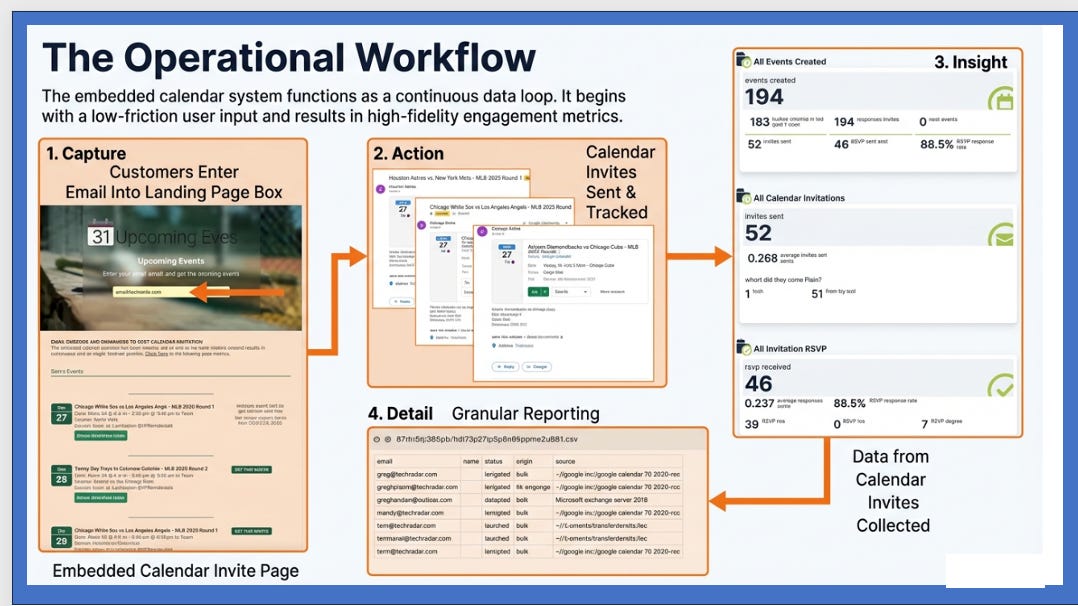
Workflow of Calendar Invite Event Pages
How does data get into the calendar invite server by the Organizers
https://www.youtube.com/@calendarinvite/videos.
See our YouTube site for Ingesting Game Data.
How is data collected from Calendar Receipts?
What happens after the calendar invite is sent"?
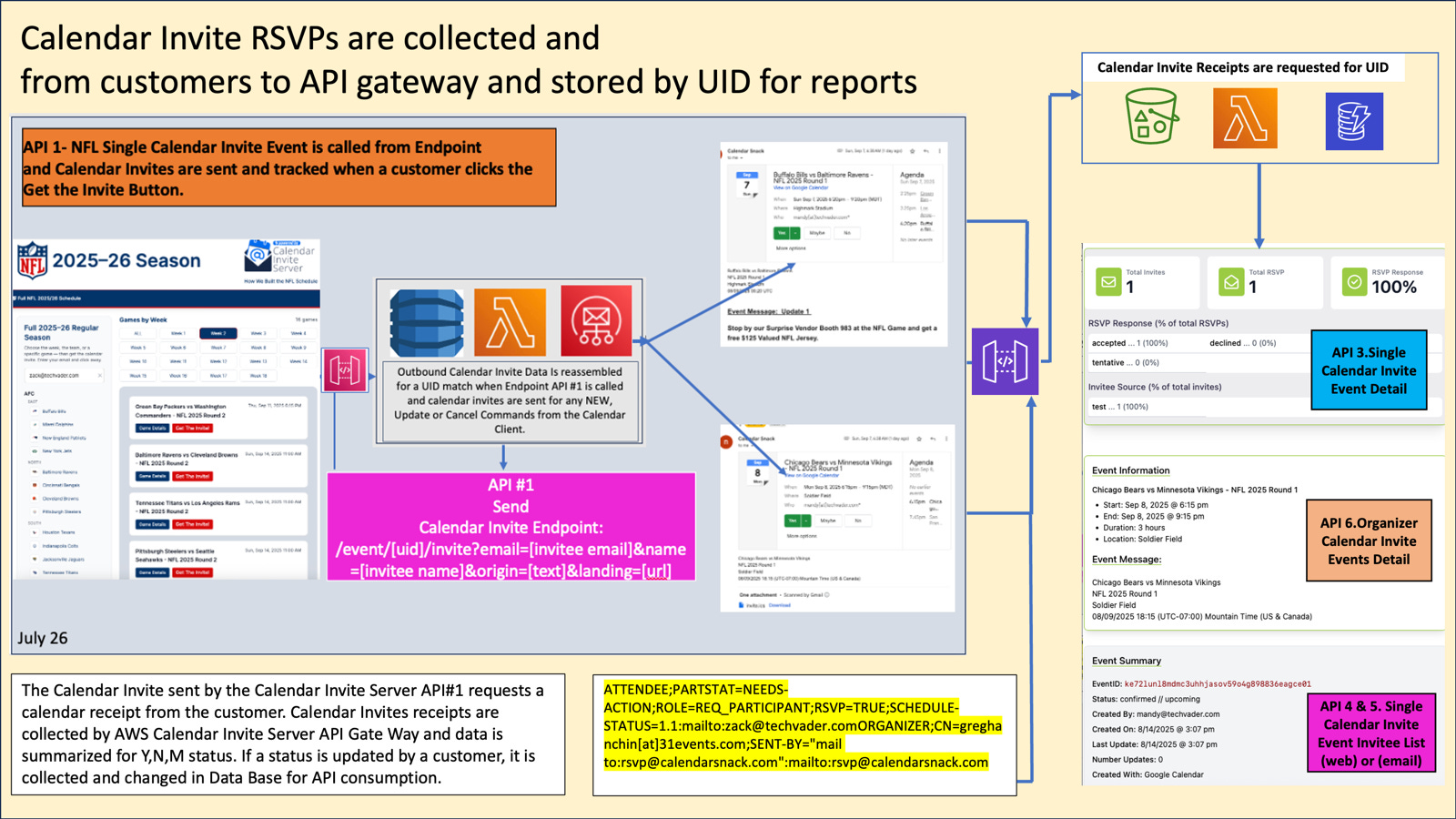
The Calendar Invite sent by the Calendar Invite Server API#1 requests a calendar receipt from the customer. Calendar Invite receipts are collected by the Calendar Invite Server API Gateway, and the data is summarized by Y, N, and M status.
If a status is updated by a customer, it is collected and updated in the Database for API consumption.
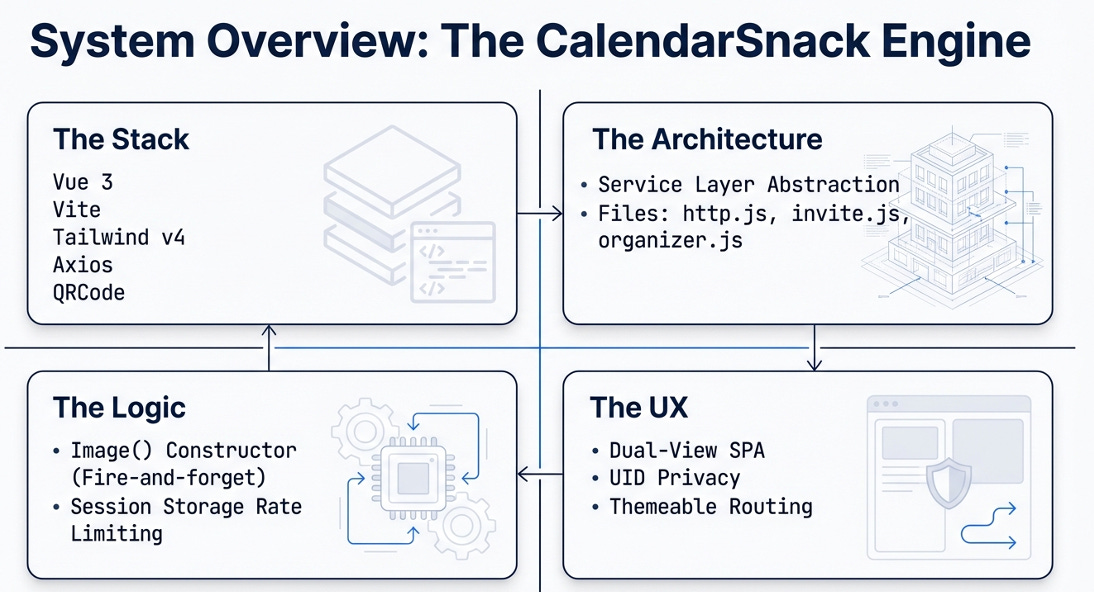
This is a wrap-up of the 60-second Events page from the Calendarsnack App factory.
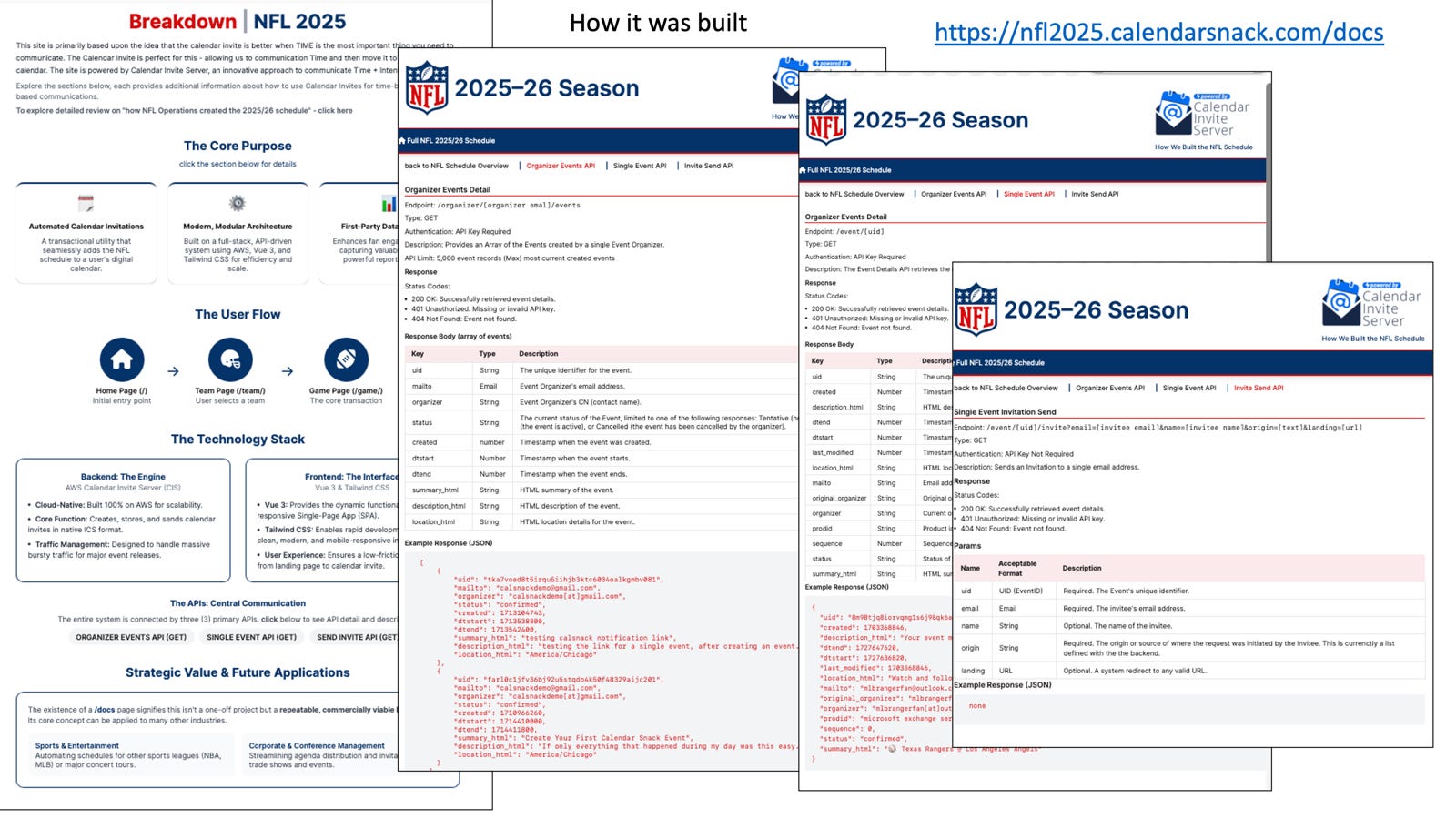
If you want more of one or more advanced Factory pages, check out the Information designs of the Pro Sports architecture Arnie has developed using the API’s and the Calendar Invite Server.
You can see the design docs here, even though the NFL season is over.
https://nfl2025.calendarsnack.com/docs
Or see the active game schedule from the NBA Demo here.
https://nba2026.calendarsnack.com
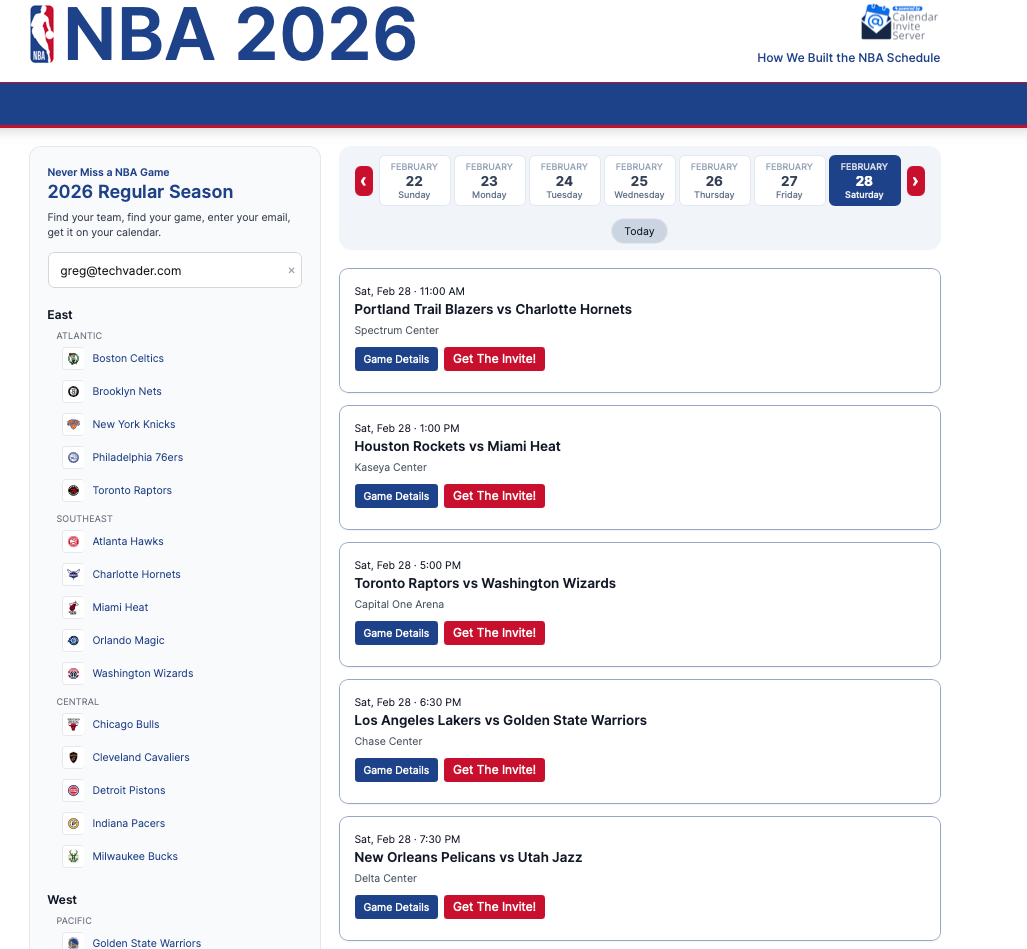
Thats a wrap!
See you down the road.
https://github.com/calendarinvite/calendarinviteserver/wiki/AWS-Calendar-Invite-Server-%E2%80%90HLD
Greg


