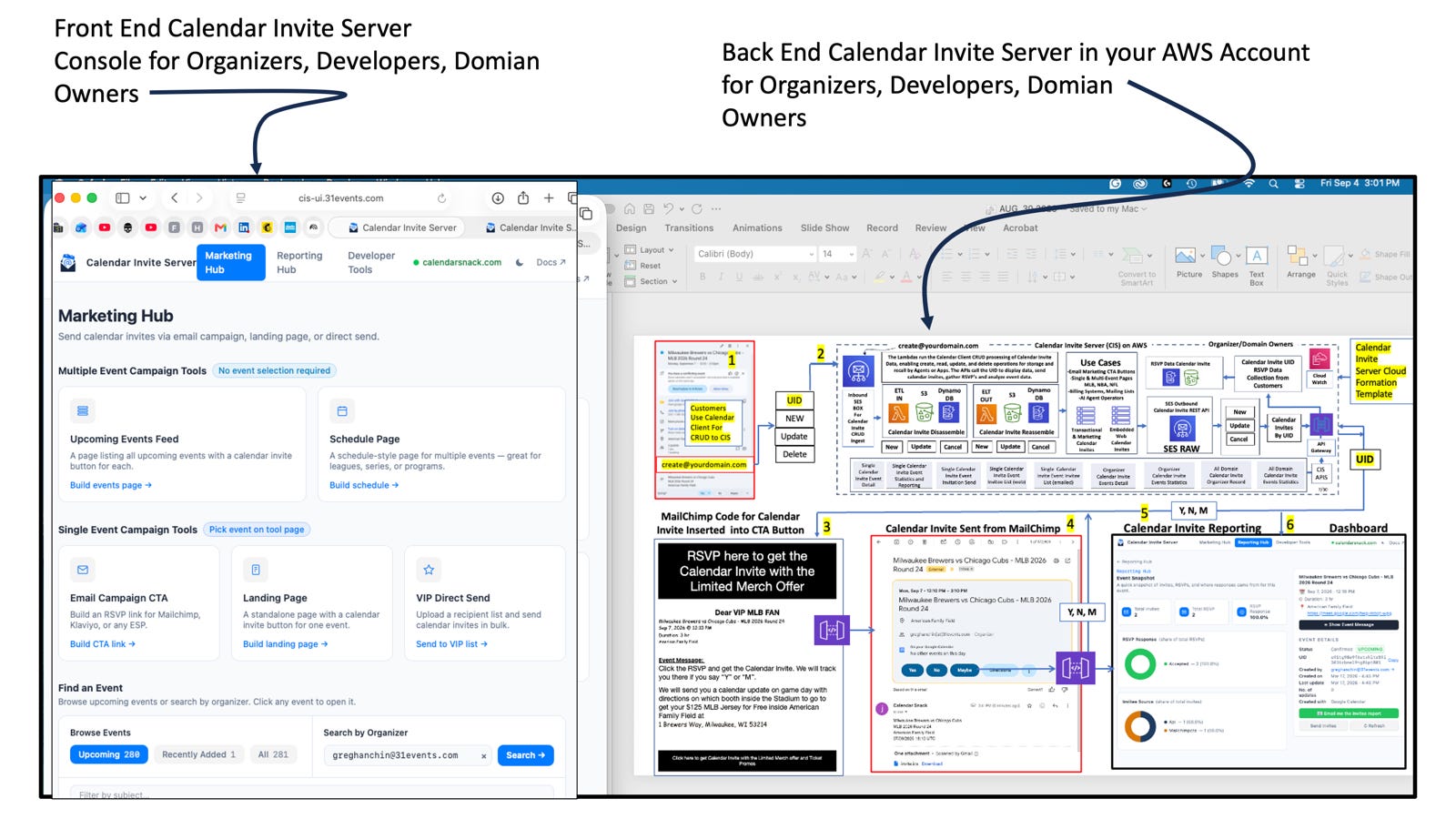

What if your team's sports schedule could be created, updated, and tracked simply by sending events from your calendar client to an email address that stores, displays, and embeds a calendar-invite-sending API for each event on the team’s schedule page?
Yes, that’s what I did to create the MLB Schedule.
All automated.
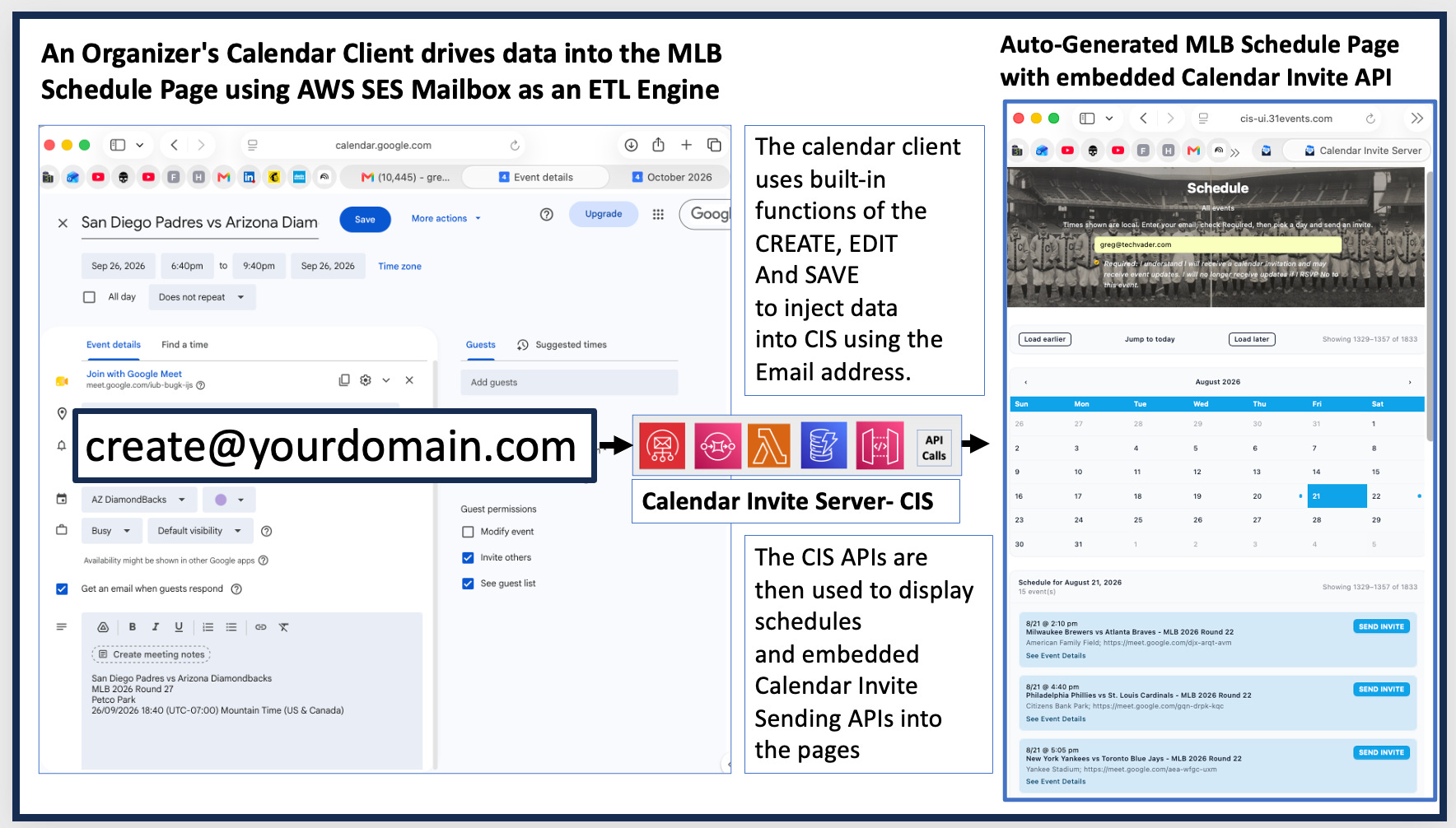
That email address is the Calendar Invite Server pipeline.
That data is stored in the calendar invite server for display and game selection, so fans can receive a calendar invite with one click.
Takeaway 1: Your Standard Calendar App is Secretly a Headless Content Management System
By assigning an ingestion email address like create@yourdomain.com, you can transform any off-the-shelf calendar client into an intuitive Create, Read, Update, and Delete (CRUD) machine.
Event organizers don’t need to learn a custom web UI—they simply create, modify, update and send calendar events in Outlook or Google Calendar to the email address, automatically triggering downstream system events in Schedule Pages and Apps or chatbots.
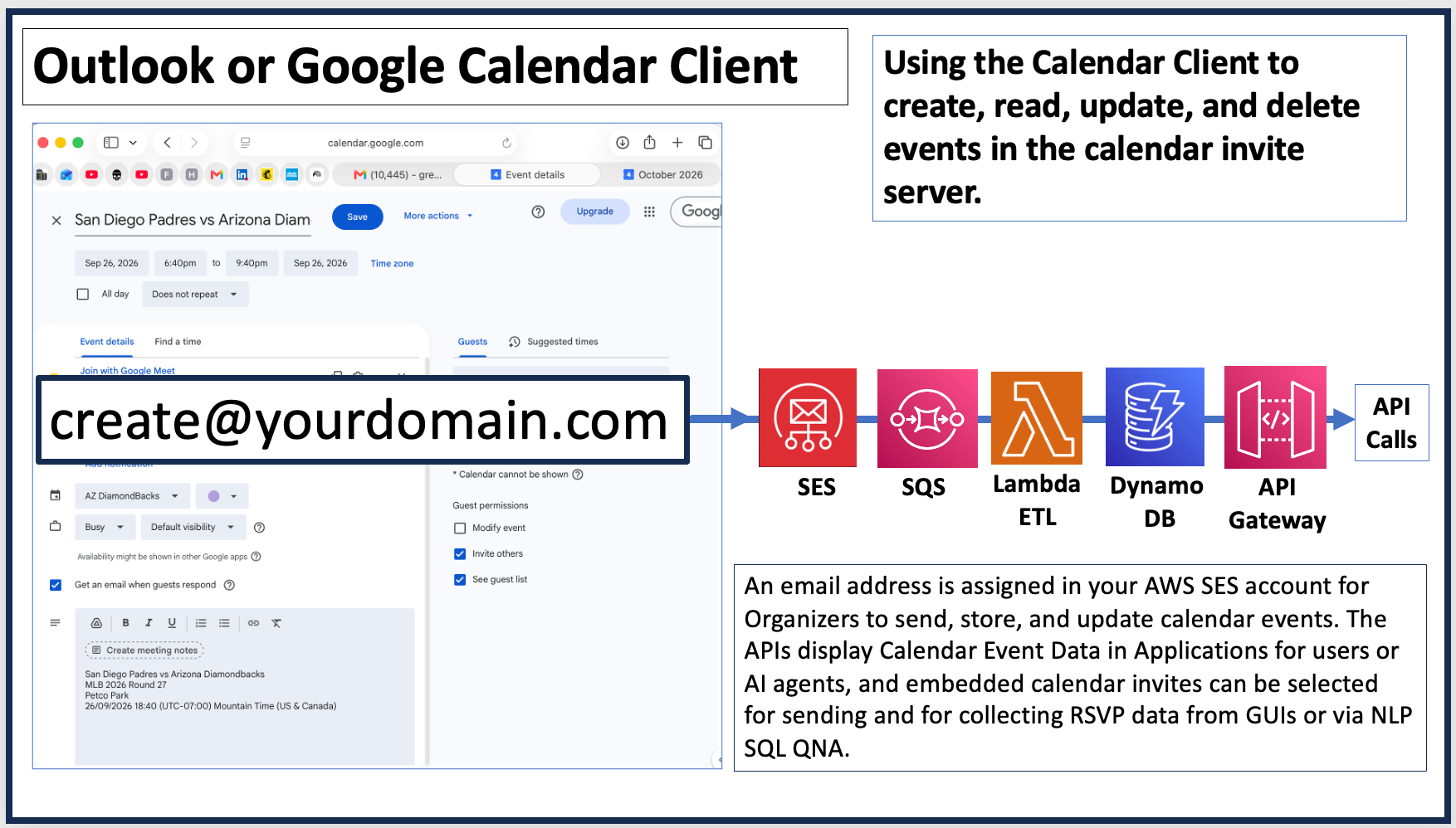
Behind the scenes, a serverless pipeline handles the ingestion and transformation. Incoming organizer emails hit AWS SES, get queued via SQS, and are processed by an AWS Lambda ETL function that hydrates DynamoDB before exposing endpoints via API Gateway.
From a developer experience (DX) standpoint, replacing a bespoke React admin dashboard with native calendar client actions is a game-changer.
It completely eliminates frontend maintenance overhead, removes complex authentication friction, and cuts user onboarding costs down to zero for non-technical organizers.
Takeaway 2: Dual-Purpose Data Pipeline—Unifying Schedule UI and Calendar Invite Sending
The automation of this pattern lies in its dual-purpose data pipeline: a single underlying dataset seamlessly powers both the public web schedule display and active calendar invitation dispatches all driven by the calendar client.
Through Calendar Invite Server (CIS) APIs, the system dynamically feeds front-end interfaces, generating rich public schedule pages without manual UI updates.
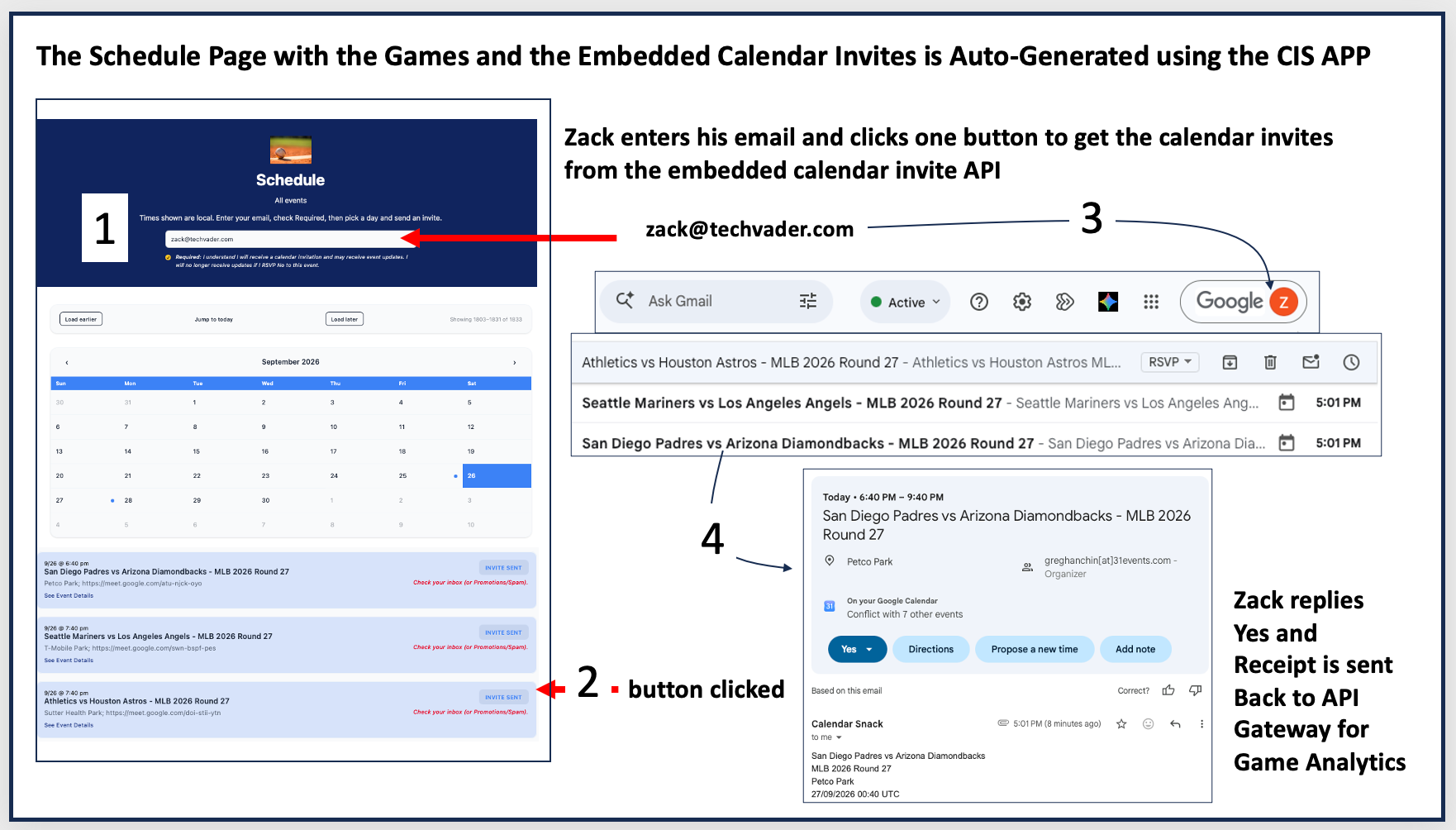
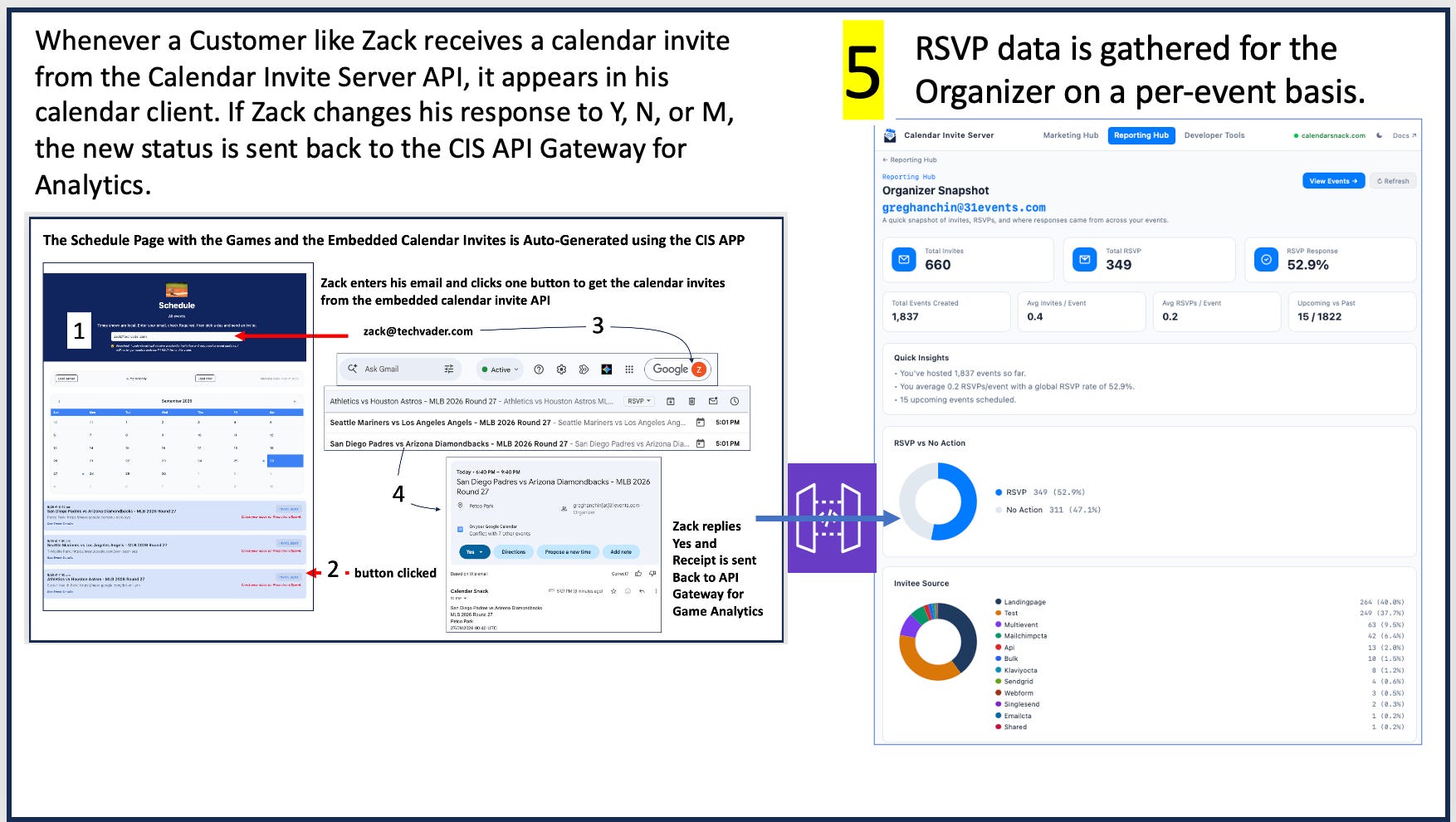
When end-users visit the generated web schedule, they can view games—such as the Washington Commanders vs Indianapolis Colts NFL game—and enter their email address (like greg@techvader.com) directly on the page.
Clicking the embedded “SEND INVITE” button immediately fires an automated calendar invite to their inbox for that specific scheduled event.
The same data drives display data and embedded Calendar invite sending in the schedule page.
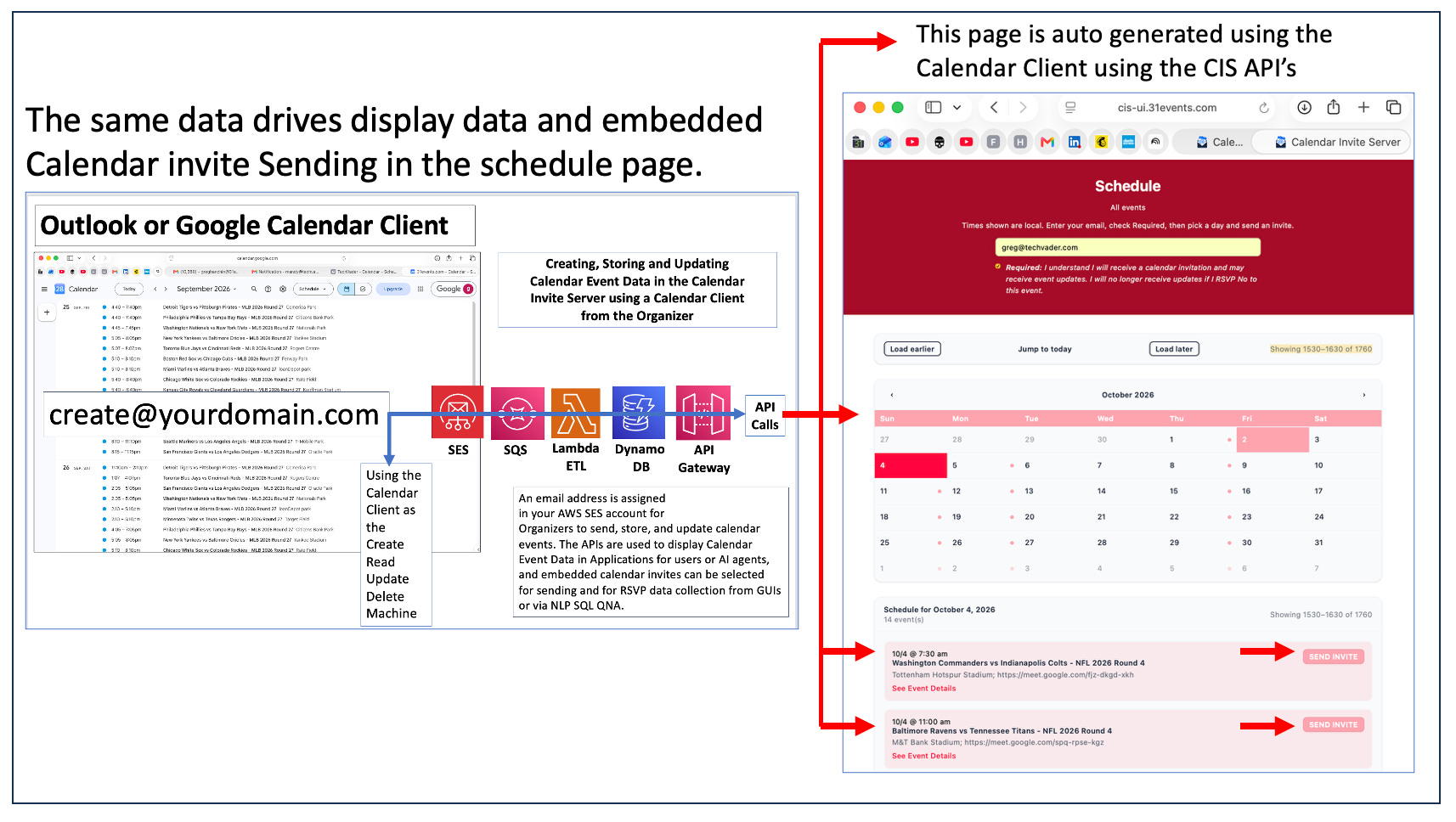
Because both the web UI and the invite dispatch engine query DynamoDB through the same API Gateway endpoints, whatever event details the organizer updates in their calendar client are instantly reflected on the website and in user calendar invites.
Takeaway 3: AI-Ready Event Data and Flexible Interaction Layer
By abstracting event ingestion into structured API Gateway endpoints, this architecture cleanly decouples the event input layer from downstream consumption models. Once the data sits in DynamoDB, it becomes universally accessible to traditional browser GUIs, programmatic microservices, and modern LLM-driven pipelines alike.
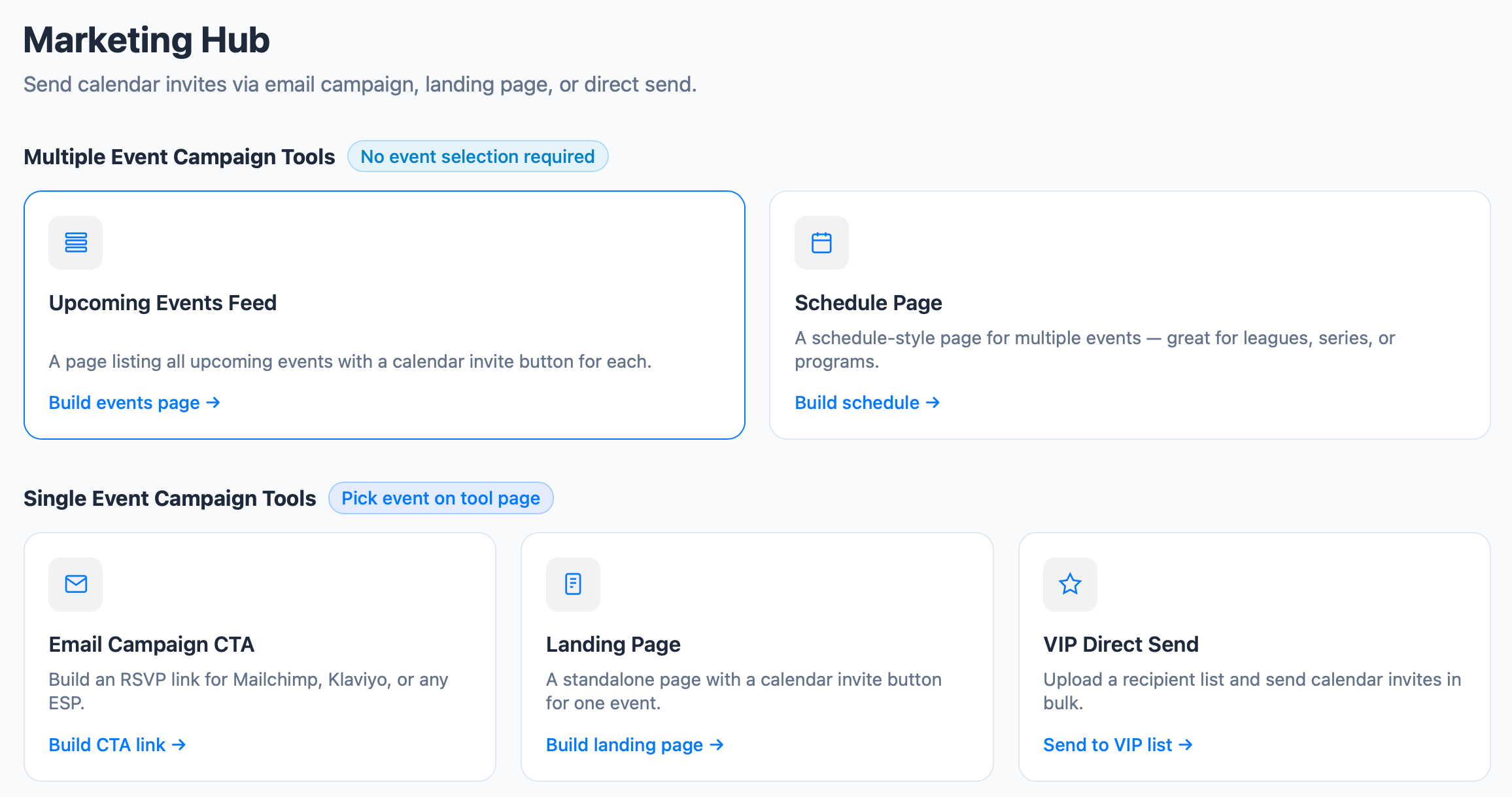
The primary interfaces powered by these underlying APIs include:
Web & Mobile Applications: Auto-generated schedule pages with one-click “SEND INVITE” buttons.
AI Agents & Autonomous Systems: Programmatic event consumption via structured API endpoints.
Conversational Interfaces: RSVP collection and querying through Natural Language Processing (NLP) SQL QNA.
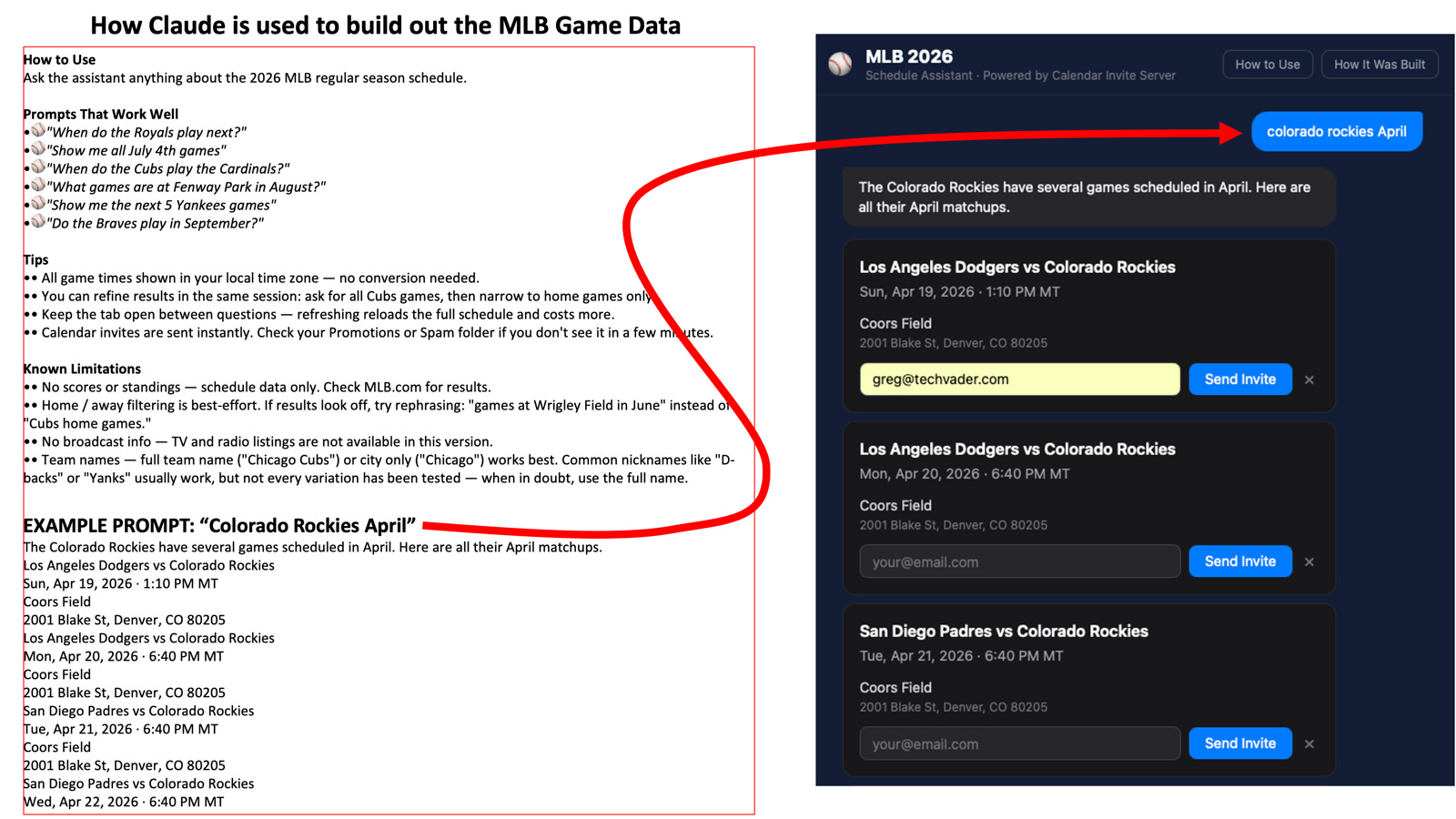
Decoupling your input channel (email and calendar clients) from your output consumers (APIs, AI agents, and web applications) makes your entire stack future-proof. Engineering teams can easily hook up new LLM agents or conversational query interfaces without touching a single line of the core ingestion engine.
Conclusion & Headless Takeaway
This architecture offers a masterclass in zero-dashboard software design.
By repurposing the everyday calendar app as a headless management interface and backing it with AWS serverless services, developers can eliminate administrative friction while delivering robust, real-time event sync across multiple platforms including AI workflows for calendar invites.
For more on our project:
See https://31events.com and https://app.calendarsnack.com