
How to Insert a Calendar Invite directly in Mailchimp Campaigns
Traditional workflows require a user to navigate through a browser redirect, land on a registration page, and manually enter data, only to have the add-to-calendar download fail.
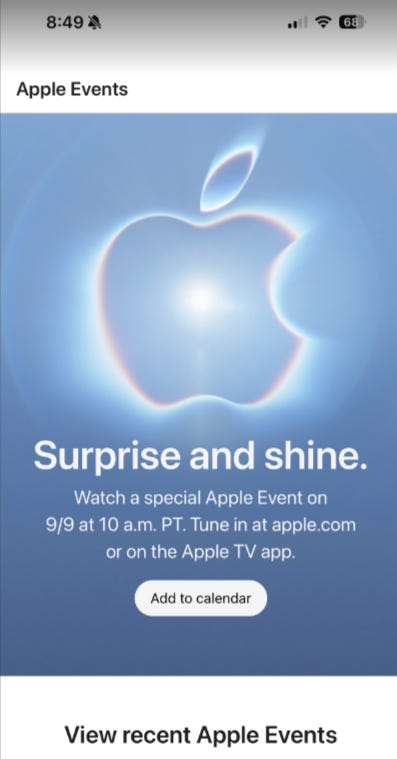
Even Apple can’t figure this out.
The Power of the Embedded “Call to Action” Calendar Invite Code
We have developed a calendar invite embed code that takes 5 minutes to generate and insert into the MailChimp template. The same event can be injected into email, web, and apps.
For more on the Calendar Invite Server for AWS customers, see https://31events.com.
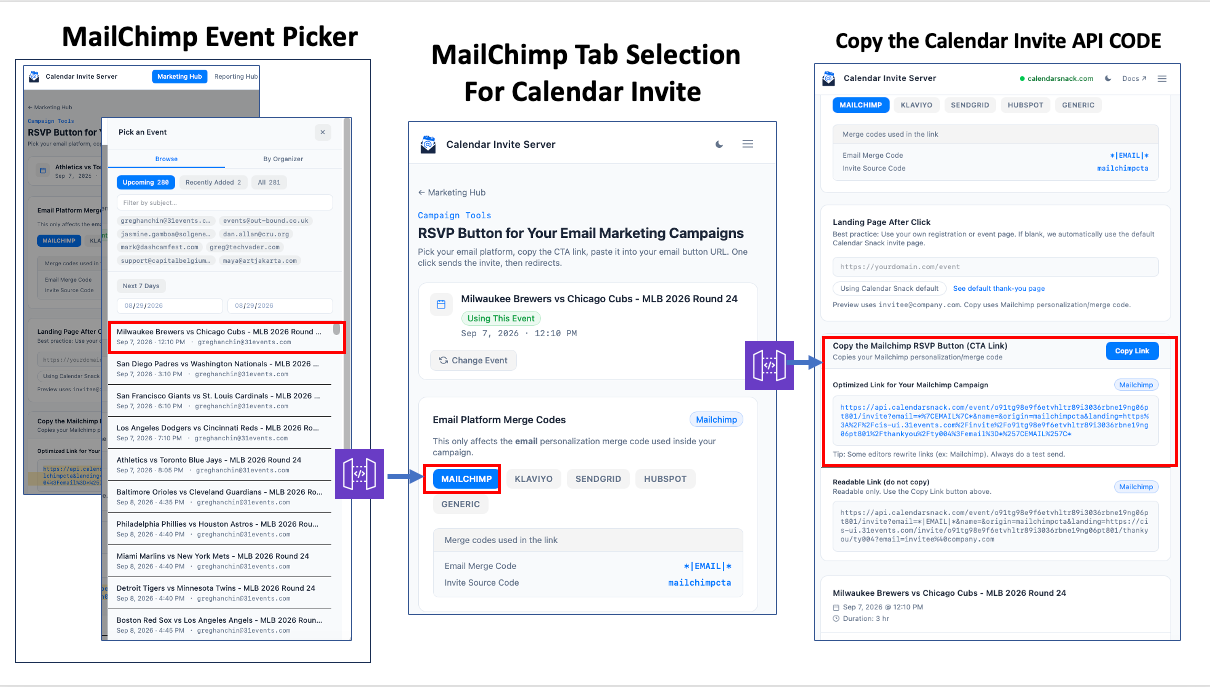
This is not a standard hyperlink. Its a Calendar Invite for your event.
Unlike a traditional URL that merely redirects a user to a webpage, this is an active trigger REST API.
The calendar invite server embed code is designed to be inserted directly into a Mailchimp Call to Action (CTA) button.
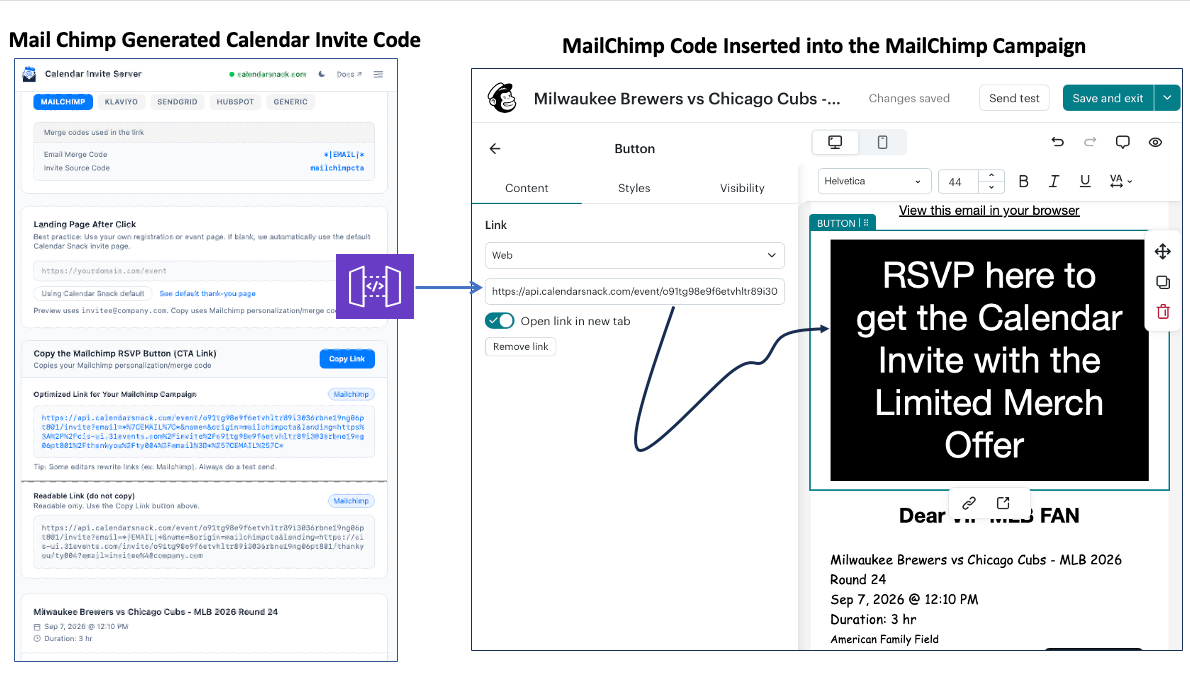
When Clicked the customer is sent to a redirect page that is auto constructed from the Calendar Invite data on your behalf and notifies the user the Calendar Invite is on its way.
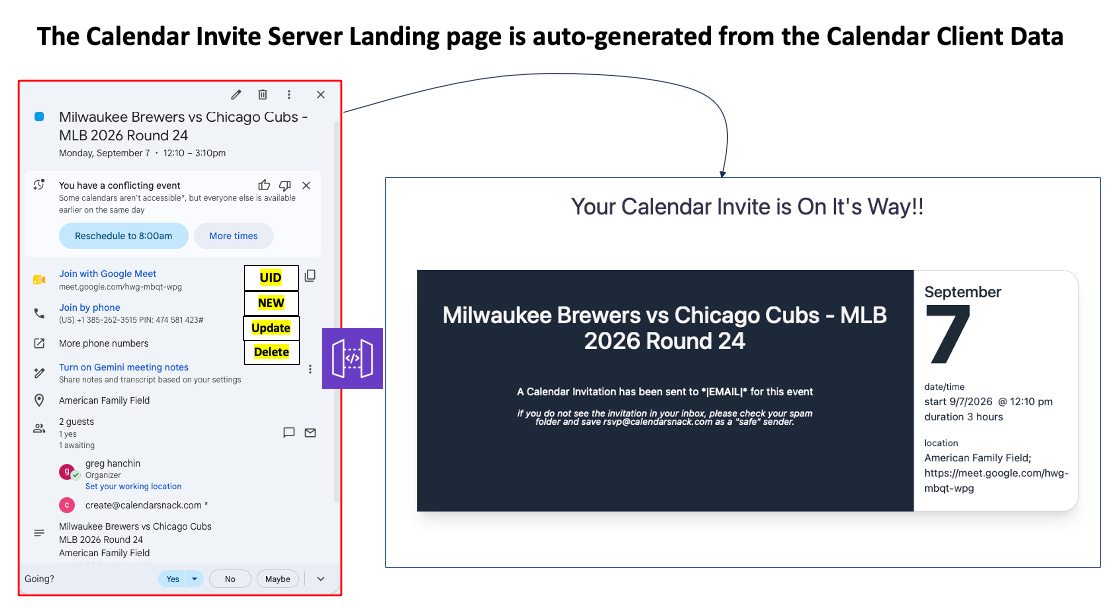
The Auto Generated Landing Page Option is using the Assets from the Dynamo DB and the API’s to display the current information for the Customer who clicked on the CTA button in the MailChimp Template.
Instant RSVP Workflow: Native UI Engagement
From the recipient’s perspective, the experience is instantaneous.
Consider a high-engagement event like a matchup between the Milwaukee Brewers and the Chicago Cubs.
In the time it takes for a Cubs fan to blink, the game schedule is locked into their personal device. By clicking the CTA button within the Mailchimp campaign, the user immediately receives a calendar invitation and their Y,N, or Maybe is collected up and until the time of the event.
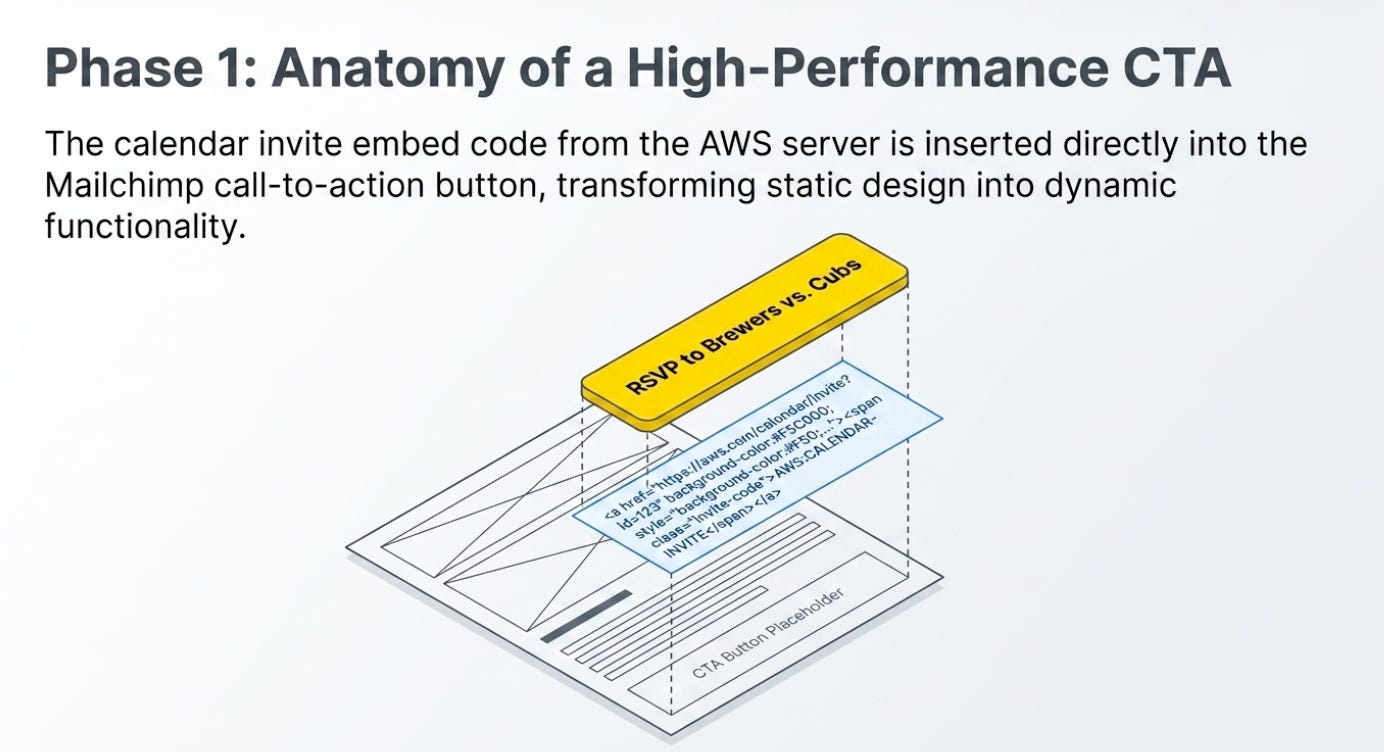
This workflow capitalizes on native UI workflow of the calendar invite.
Users fundamentally trust their native calendar interface—whether it’s Outlook, Google, or Apple Calendar—more than a third-party registration website and the Add to Calendar button from Hell.
By delivering an immediate choice of “Yes,” “No,” or “Maybe” within their own ecosystem, you are meeting the customer where they are most organized, drastically increasing the likelihood of a confirmed RSVP.
Centralized Data Collection via the Dashboard
The strategic value of this integration shines for first-party intent data. Traditional email analytics tell you who opened a message or clicked a link, but they offer zero insight into actual intent. By synchronizing responses back to a centralized calendar invite dashboard via the API Gateway you gain a high-fidelity view of your audience’s plans.
Crucially, this system captures “No” and “Maybe” responses, which are goldmines for retargeting. In a standard setup, a user who doesn’t register is a “ghost” in your data.
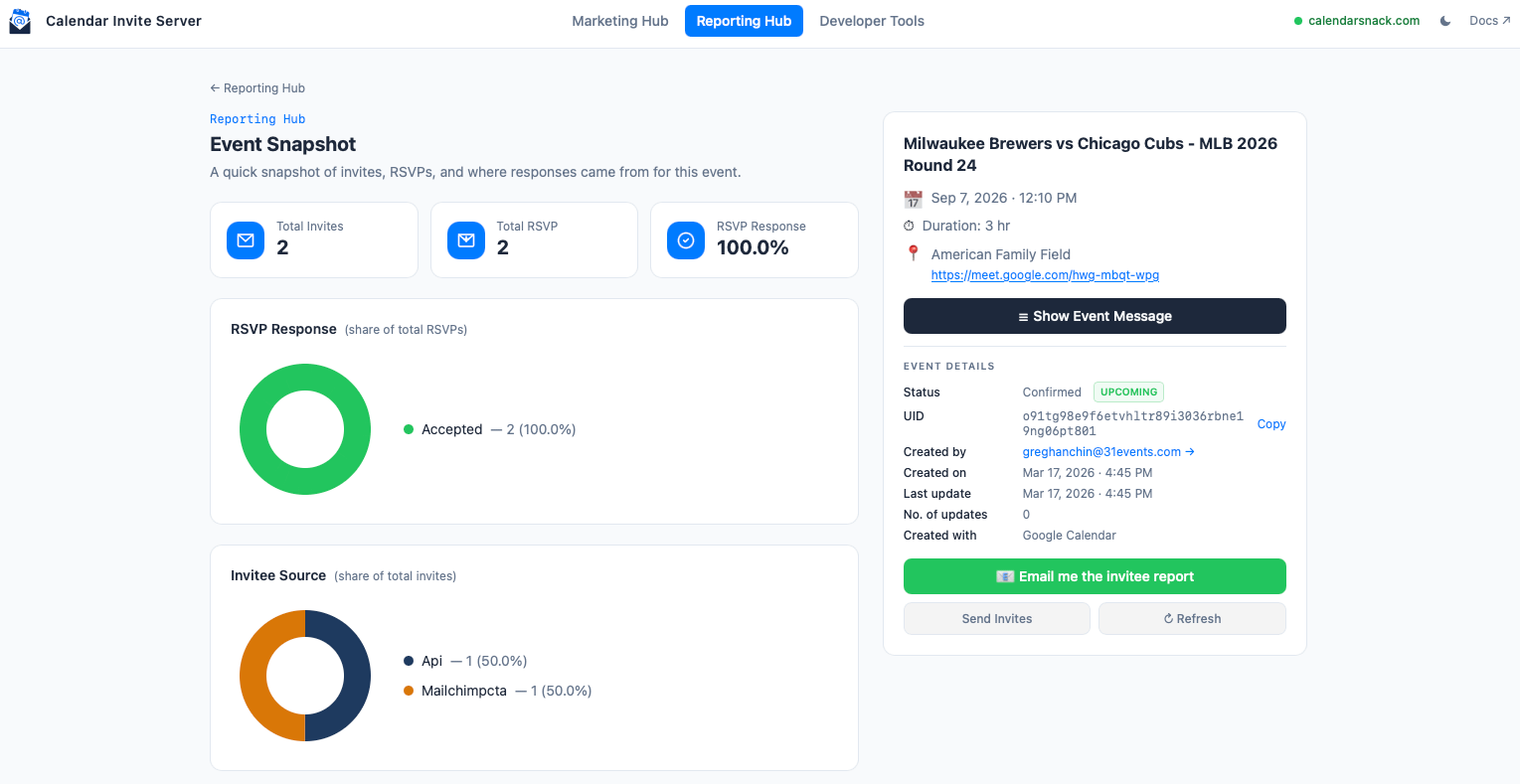
With this dashboard, a “No” or “Maybe” provides a clear signal of interest that allows for sophisticated follow-up sequences. You move beyond “opens” to “confirmed attendance” metrics, allowing for accurate forecasting and higher ROI.
The Future of Frictionless Events
The MailChimp button for calendar invite API provides a bridge between a standard email campaign and the user’s personal schedule.
By removing the Add to Calendar Invite download button and inserting a real calendar invite we can collect real calendar invite receipts from the customers that want to attend.
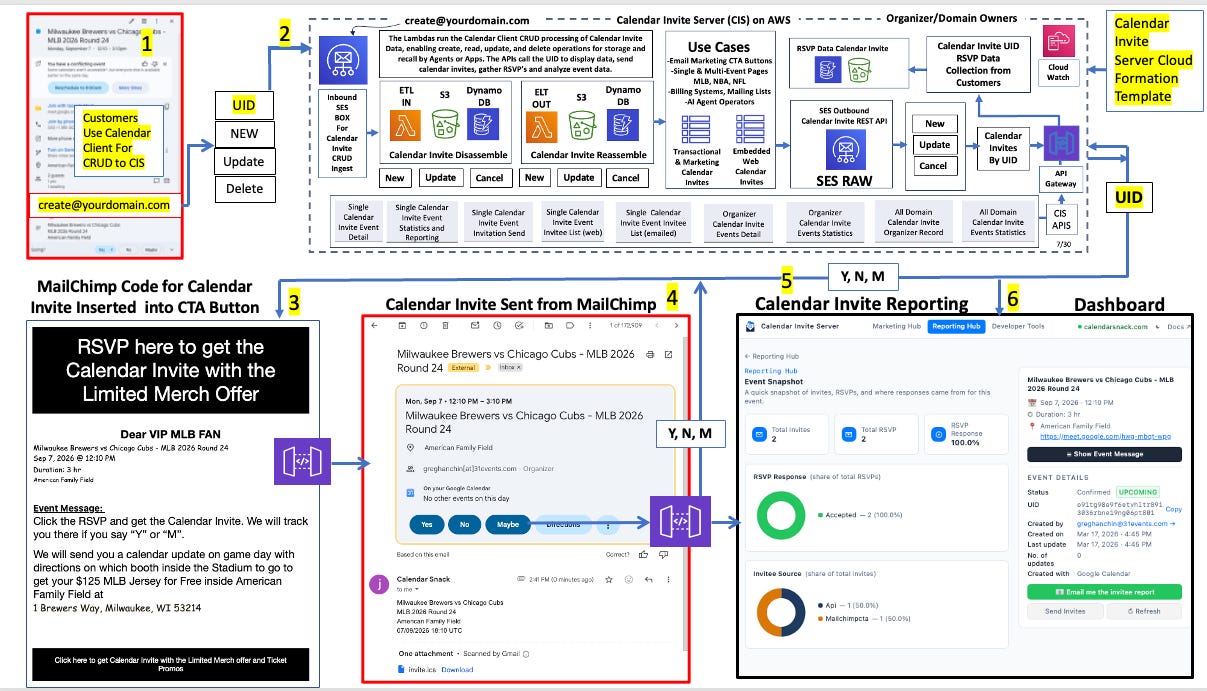
How might your conversion rates change if “send a real calendar invite” became the primary, one-click interaction for your audience, rather than using the “add to calendar” button with no calendar Receipt Data and no way to UPDATE the data in the Calendar Invite?