


The “One-Click” Calendar Invite for Sports Schedules
1. Introduction: Crushing Complexity
We have all experienced the digital dead-end of the traditional “Add to Calendar” link.
You click a button, download a cryptic.ICS file, and then manually import it, only to find that the event details are missing or the time zone is wrong.
This friction is a silent killer of fan engagement.
By replacing manual downloads with automated, native calendar invitations from web pages, brands can bridge the gap between a marketing impression and a hard commitment to a user’s schedule.
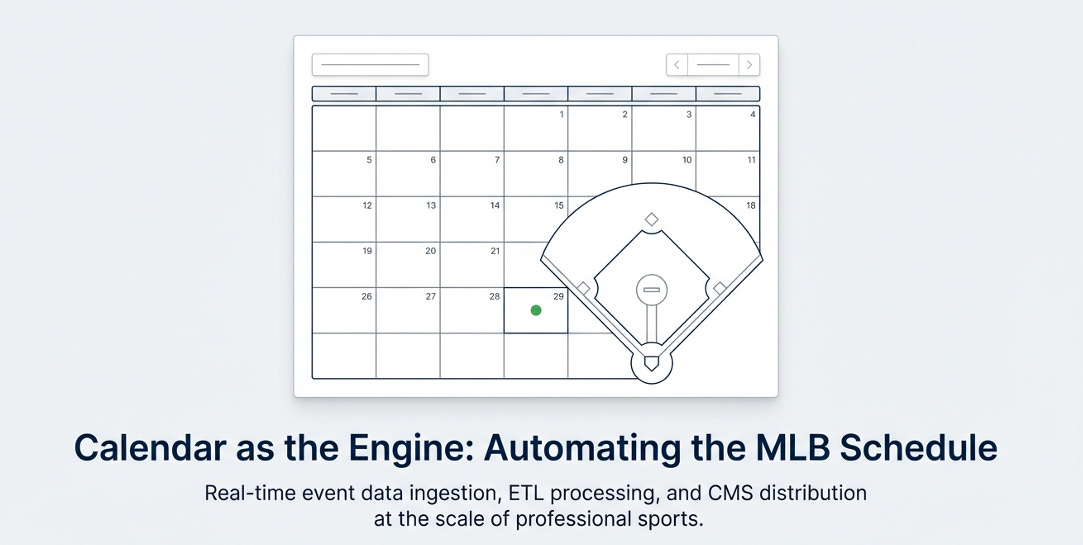
We see this as a messaging pipeline for building interactive web schedules and driving fan engagement through the embedded one-click calendar invite.
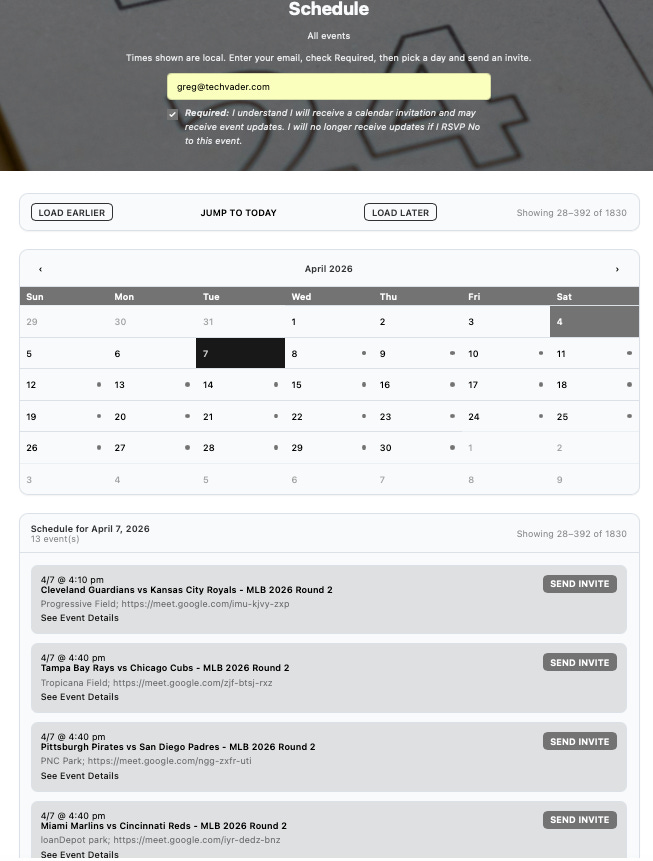
The hack uses the Organizer’s Calendar Client to drive data and the magic of the Calendar Invite Server's automation on AWS, with APIs, to build on-the-fly schedules with automations by humans or AI machines from the game data.
2. Ingest with AI or Human: Managing 2,400 Games at Once
Managing a single event is easy, but managing the 2026 MLB season—comprising 2,400 games—requires a sophisticated “bulk ETL” (Extract, Transform, Load) pipeline into a database to start.
The process begins with 30.ICS files, each representing a team’s 162-game schedule, are being forwarded to a specialized ingestion point.
By forwarding the MLB schedules to create@calendarsnack.com using an AI to control the Calendar Client, the Calendar Invite Server API, and SES Inbox triggers another automated workflow that parses, validates, and stores each matchup, along with an assigned digital UID, for each game in DynamoDB.
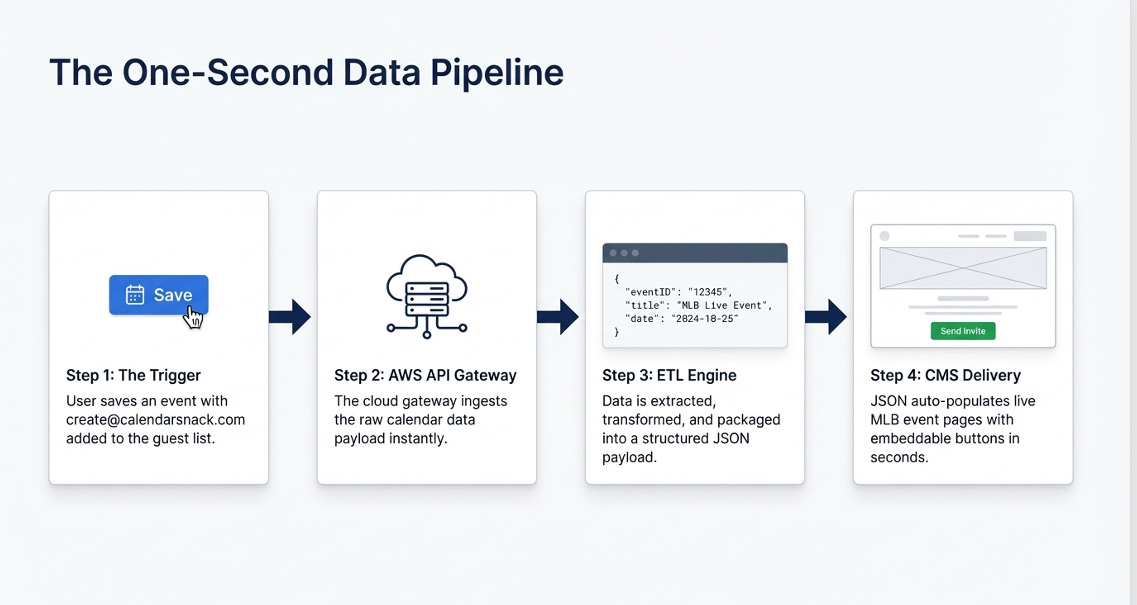
The beauty of this system is that it’s simple for the Organizer: the backend handles storing calendar invite information for game display and uses that same data to construct the 1 Click button games that are inserted into the web pages for fans to get calendar invites.
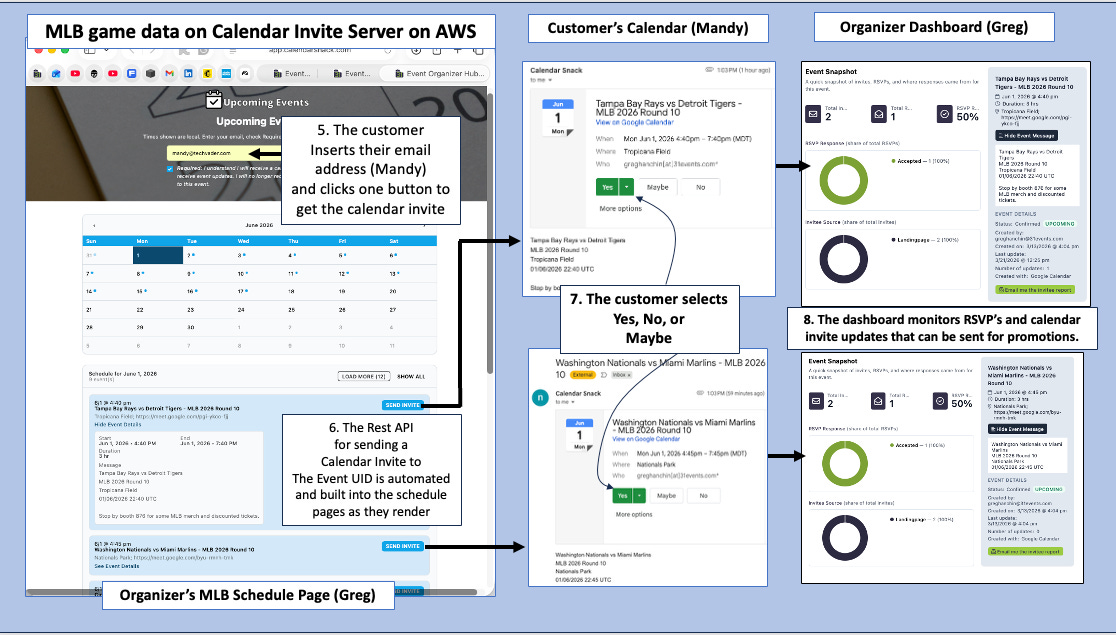
The data is manipulated using the Organizer’s Calendar Client and the NATIVE built-in COMMANDS to edit, insert, change, and resave to the create@yourdomain.com of the calendar invite server installed into your AWS account.
These CRUD commands communicate with the Calendar Invite Server Inbound ETL processor via the “create@calendarsnack.com” address in this demo example.
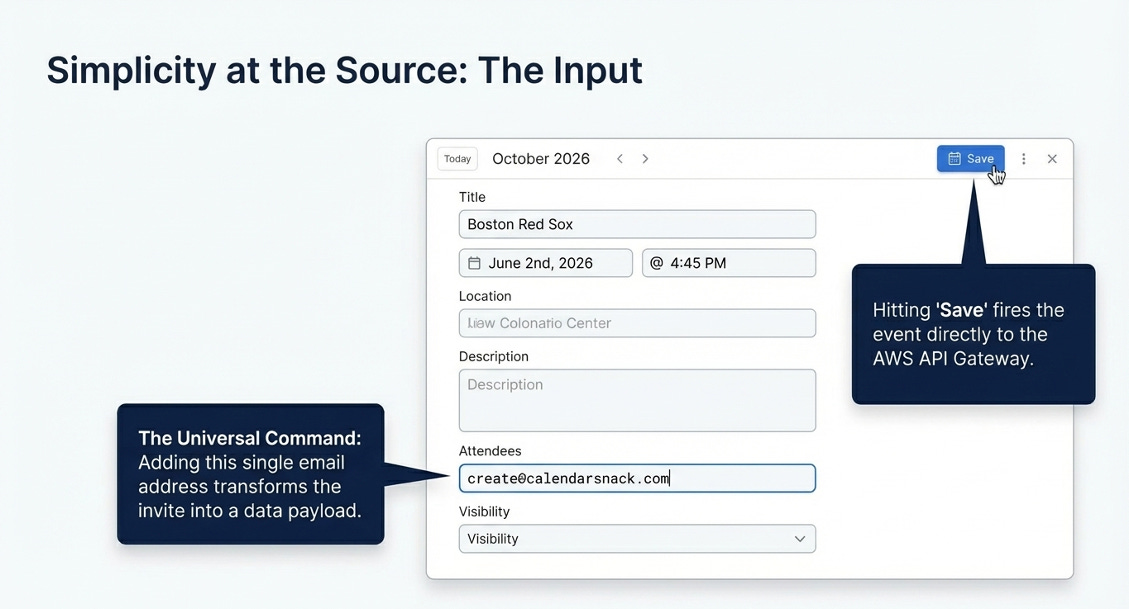
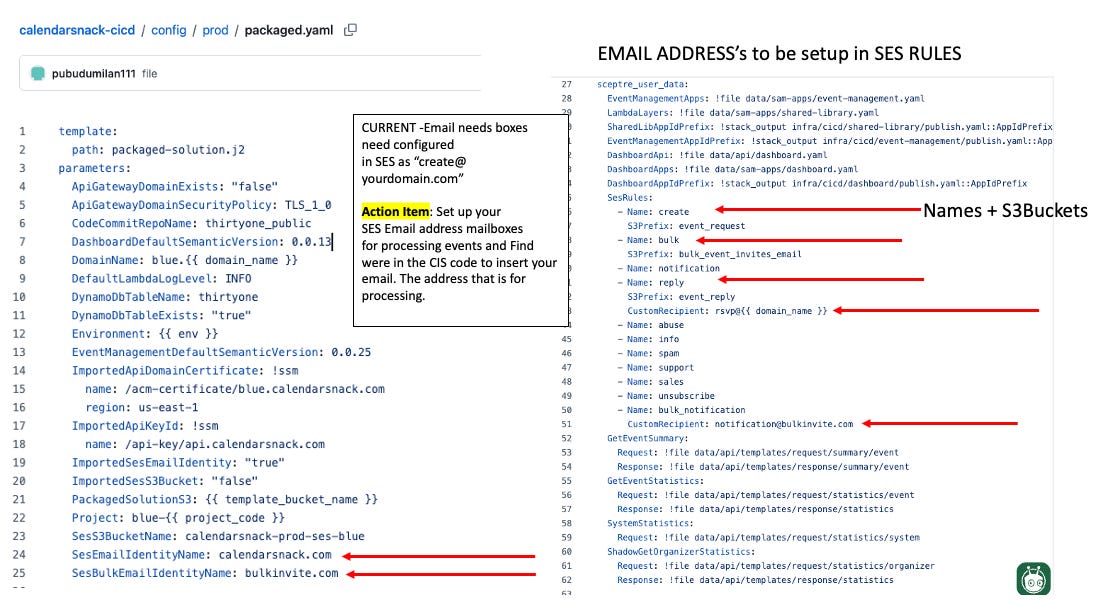
This email box is configured with your domain when you install the calendar invite server in your AWS SES account and assign the “CREATE@YOURDOMAIN” in the YAML file.
This process is automated and takes 10 minutes to install the calendar invite server into your AWS account and 10 minutes to pick out which calendar invite front ends you want to deploy or hook up to your favorite vibe coding front end to display schedules.
3. The End of “Add to Calendar”: The Power of the 1-Click Invite and RSVP tracking
The real technical breakthrough occurs at the point of interaction, where a traditional add to calendar link is replaced by a REST API-generated “Send Calendar Invite” button that is embedded into the schedule page for each game displayed.
This shift moves the technical burden away from the user and onto the API Gateway, which manages the request in real time by rebuilding the calendar invite using the AWS SES RAW API, performing a DynamoDB lookup for the Game UID, and building a Multipart message to send, track, and update a real calendar invite for the fan.
Take “Mandy,” a fan looking to follow the Tampa Bay Rays. Instead of managing files, she simply enters her email on the schedule page and clicks “Send Calendar Invite.” Within seconds, a native calendar invitation appears in her inbox, placing the brand directly on her most personal interface: her primary calendar.
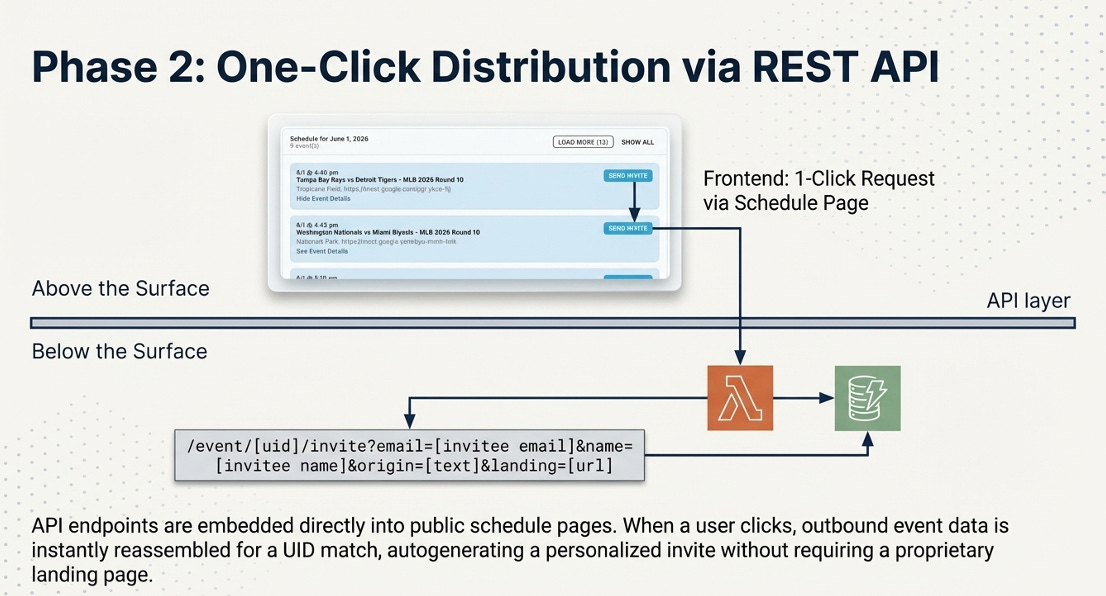
This seamless experience is made possible by “Event UID” automation.
Because each of the 2,400 MLB games is indexed with a unique identifier in DynamoDB, the API can instantly reassemble and dispatch the correct event data to Mandy based on her specific request.
4. The RSVP Feedback Loop: Real-Time Marketing Intelligence
Once an invite is dispatched, the system acts as a sophisticated listening post. The API Gateway collects “Calendar Invite Receipts” to capture whether a user selects “Yes,” “No,” or “Maybe.” This data provides a level of transparency that traditional email marketing simply cannot match.
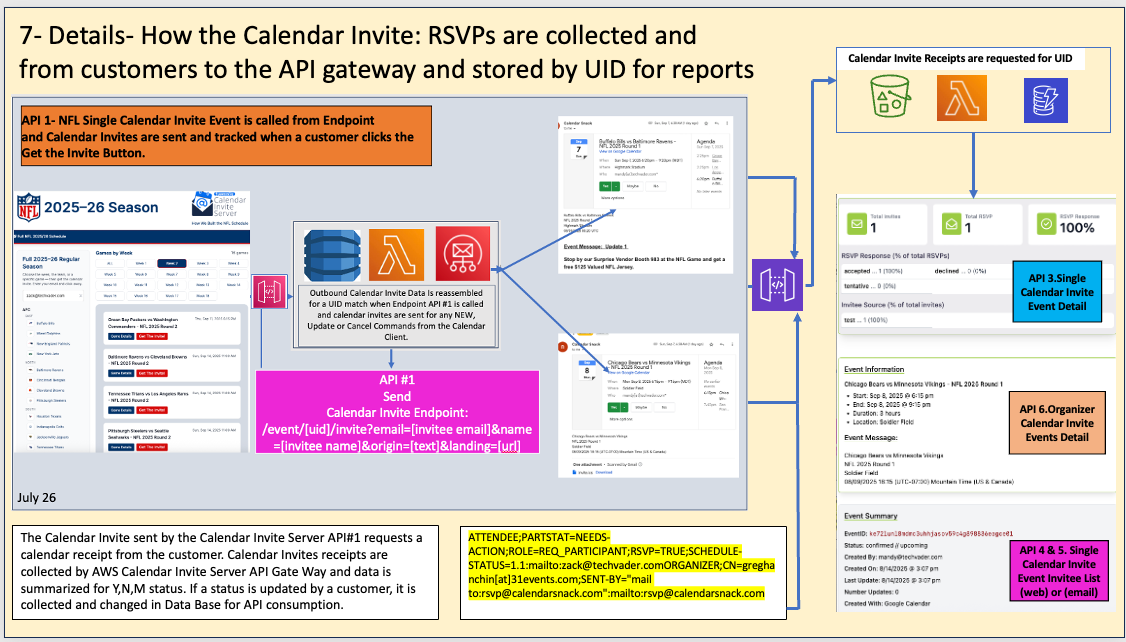
The scale of this intelligence is staggering. Across 296,907 total invites sent, the system recorded a 24.5% RSVP rate and an 83.7% acceptance rate among those who responded. This 83.7% is a “high-intent signal”—a data-driven commitment that goes far beyond a simple email click.
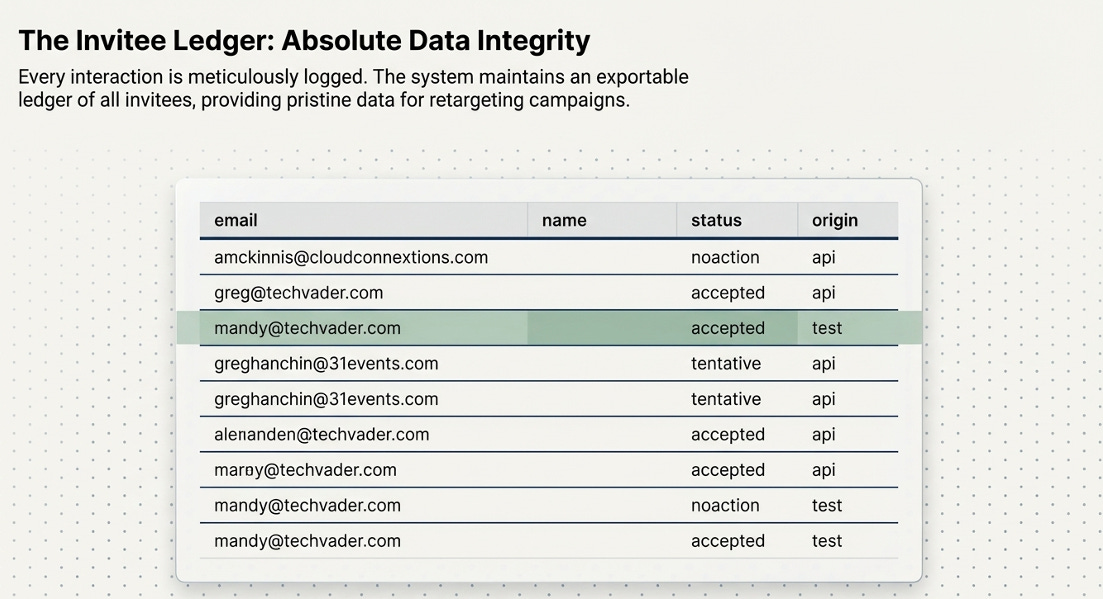
By knowing exactly who is “Accepted” or “Tentative,” marketers can move beyond generic blasts and toward hyper-targeted, event-driven communication.
5. Your Calendar is a Remote Control: The “CRUD” Architecture
The most elegant part of this architecture is the relationship between the local client and the cloud.
A standard Google Calendar acts as the primary administrative console for a server running on AWS. This follows the “CRUD” (Create, Read, Update, Delete) model, in which the calendar interface serves as the command terminal.
When an organizer like “Greg” updates a game time or stadium location in his local Google Calendar, that change is automatically synchronized with the AWS Lambda backend.
The system then pushes those calendar invite updates or cancellations to every attendee who has received an invite for that specific UID from the embedded calendar invites on the schedule pages.
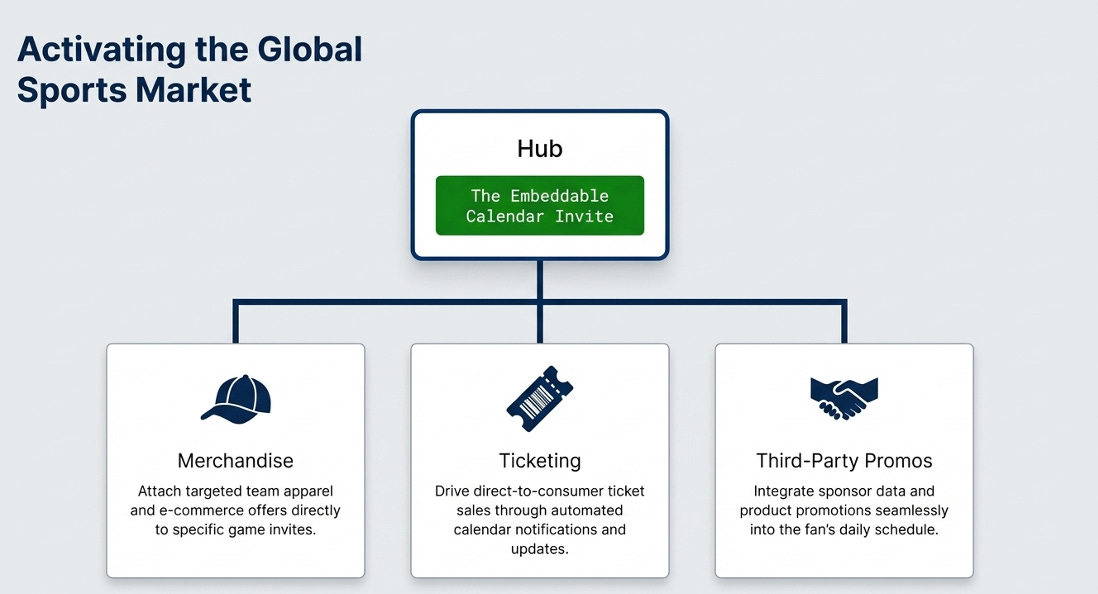
6. The Inbox of the Future is the Calendar Invite for Fan Engagement
Automating event data via APIs transforms the calendar into a persistent, owned-media channel.
By removing the friction of manual entry and replacing it with one-click native invitations, brands can secure a permanent spot on their audience’s most valuable real estate: their time and track detailed game analytics for fan engagement across the organizer and the domain owner.
7. Calendar Invite Data Collected from Organizer and Domain Owners Campaigns
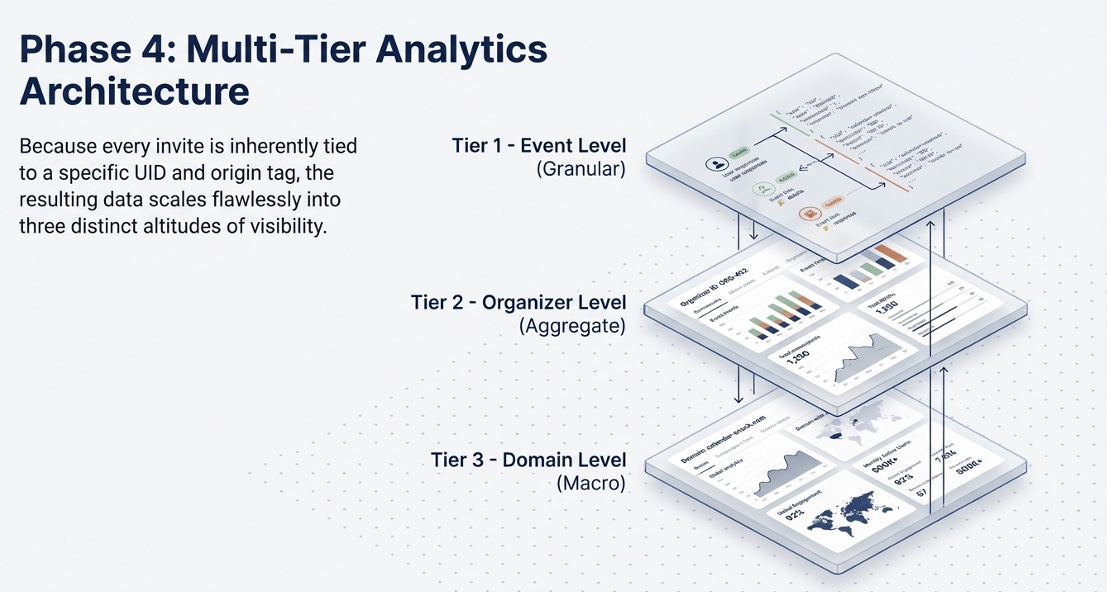
Tiers 1 through 3 recap how calendar invite data is displayed and sorted using the Calendar Invite Server API’s.
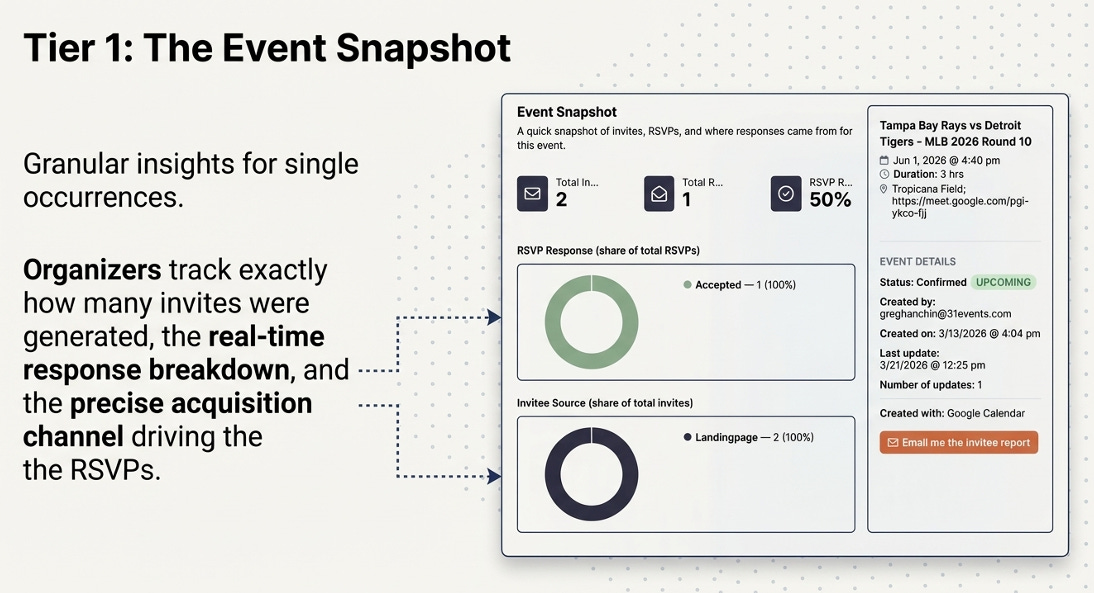
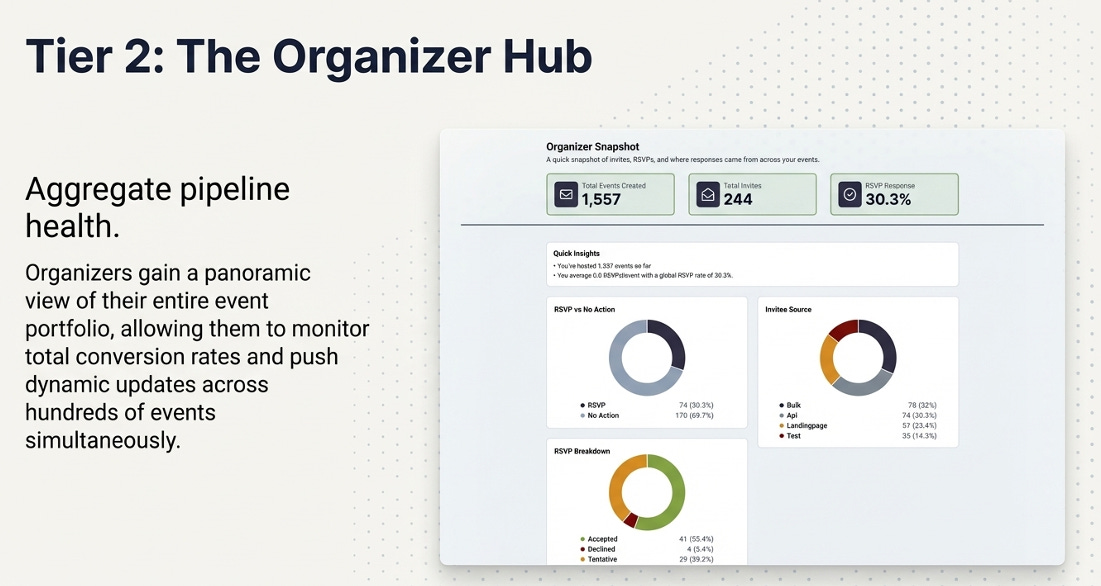
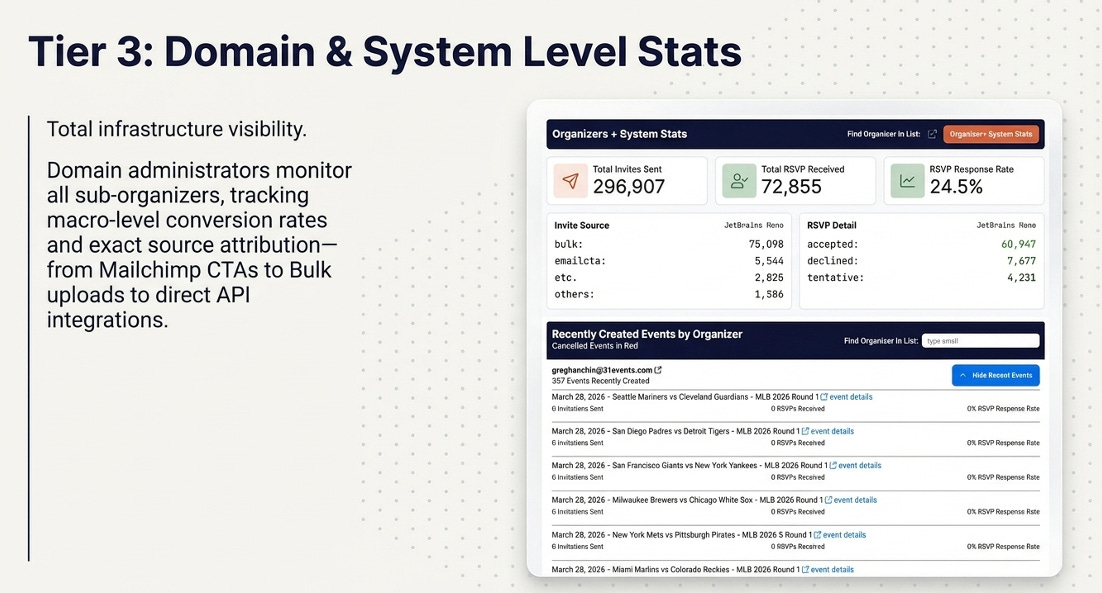
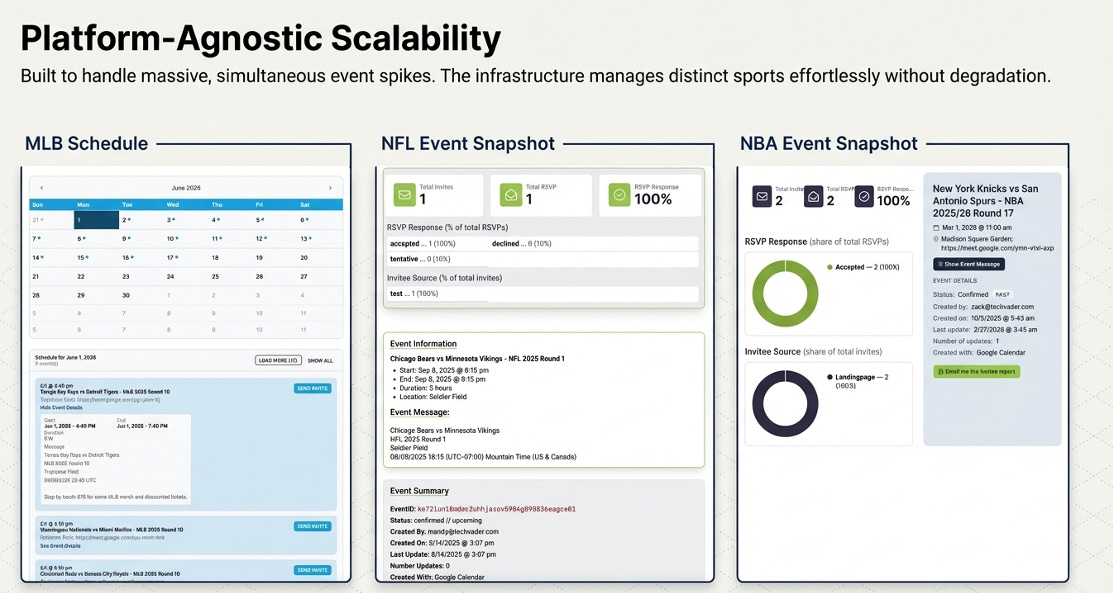
Examples of the last 3 years using the MLB, NFL and MLB data sets, and generating the schedules with the Calendar Invite Server front end generator.


