


1. The Human Interface for the AI operator
The journey of a calendar invite server pipeline begins with the Inbound Processor.
Event Organizers use a Google or Outlook calendar client to send individual calendar events to the create@calendarsnack.com event drop box for processing.
This email box is configured by the domain owner for organizers to send events for ETL of event information into the storage layer.
This cements the email address in Calendar Invite Server as the organizer of record.
Any more events sent from the calendar client with that email address are ETL’d and stored in the DB for future use under that Organizer ID.
Those individual games UIDS are Outbound Processor to send calendar invites using the Rest API in Email, Landing Pages, and Apps for specific UID’s.
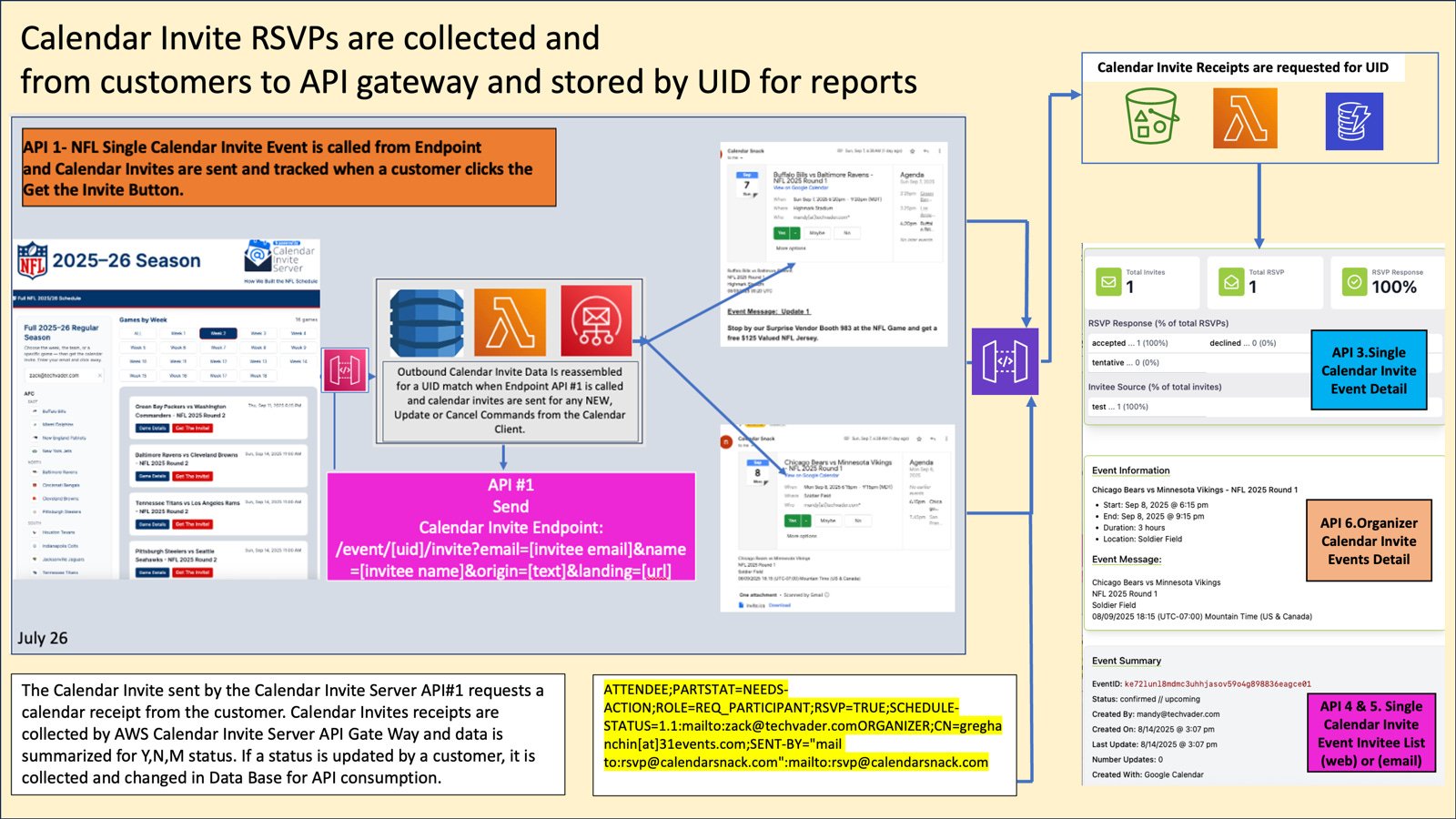
Calendar receipts are requested for each calendar invite sent and collected by the API gateway for reporting Y, N, and M.
But how does Zack automate loading of games to his calendar client?
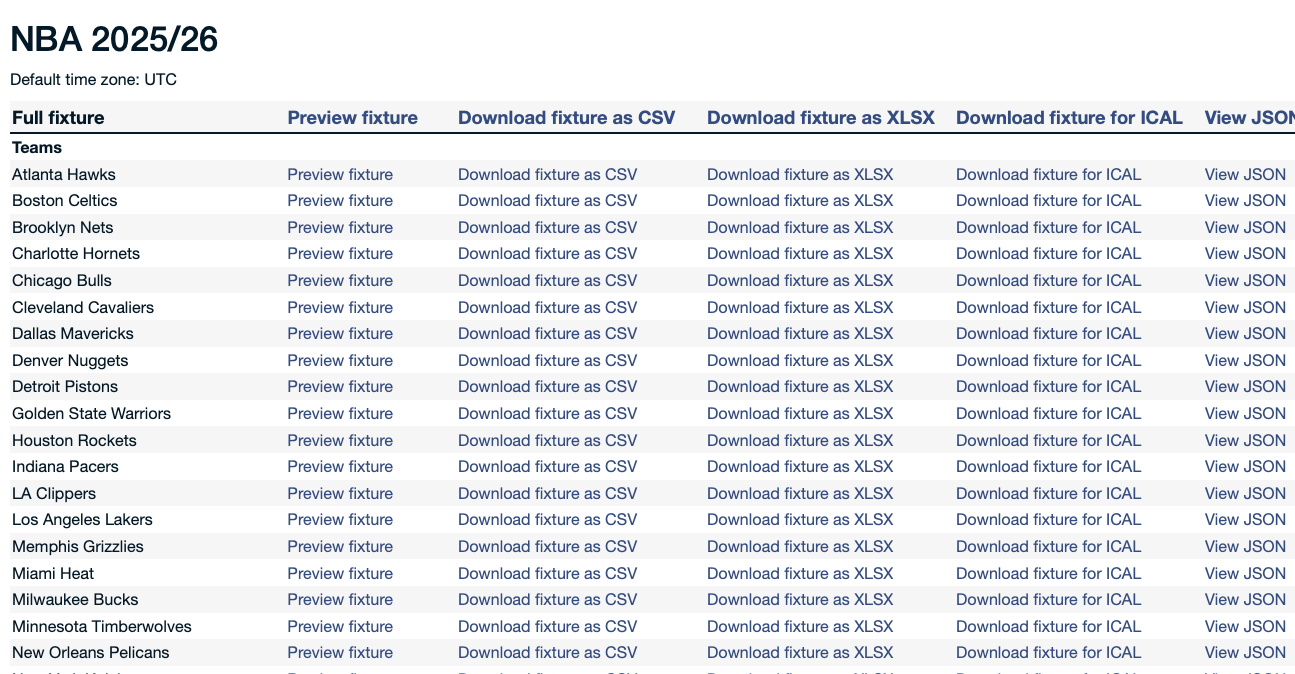
These files are uploaded to Zacks Calendar Client via an interface that supports batch uploading based on an .ICS file format.
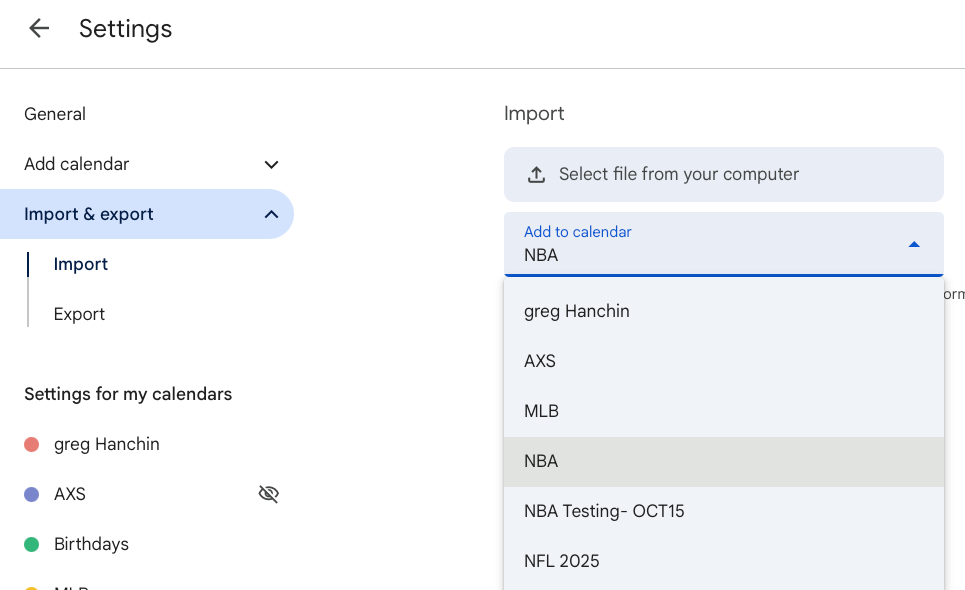
The downloaded game files are then loaded by using the administration panel: go to settings, then upload the teams using the IMPORT Button and selecting the file from your computer.
This “batch” of games comes in various sizes dependent upon the NFL, NBA, or MLB.
This process is straightforward and easy to complete.
An option is to create the individual team calendars in the Google or Outlook calenar client.
This creates a layered filter that keeps the teams organized by choosing teams by the check boxes on the left side and uploading season of games for the indivudal teams.
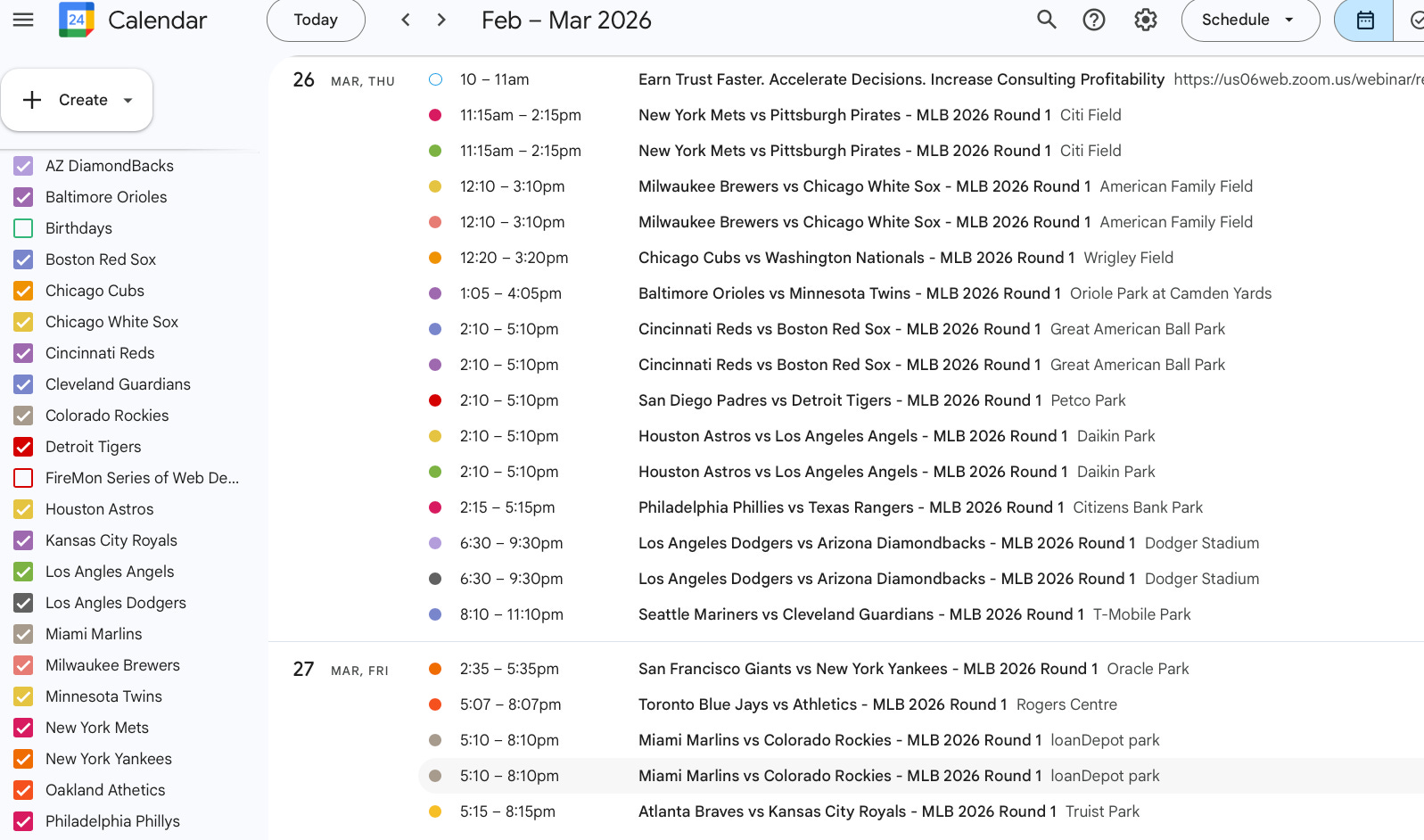
Once completed, this allows the Organizer see the NFL, NBA, and MLB game schedules and send game data to the email drop box with the Calendar Client.
The Calendar Client then becomes the CRUD operator to the Calendar Invite Server messaging pipeline.
This sets up a possible workflow for AI Calendar Client Operator to take over some tasks, such as “Hey AI, go into my calendar and find all the events for the NY Mets, and open up each one individually and send a copy to create@calendarsnack.com for auto page creation and calendar invite button insertion.”
How to get NBA, NFL and MLB game data into the Calendar Inivte Server
In this demo, Zach is the organizer, and Mandy is the customer.
So Zach is the Event Marketer, and Mandy is a Sports fan.
Create, Update, and Cancel: Zach, the organizer, sends a calendar invite for a single game to a specific AWS SES API email endpoint (create@calendarsnack.com). off of his calendar client to inject data into the storage layer of the calendar invite server.
We call this the email drop box for the Inbound Processor.
This drop box can be configured to any naming convention needed when the domain owner is installing the calendar invite server.
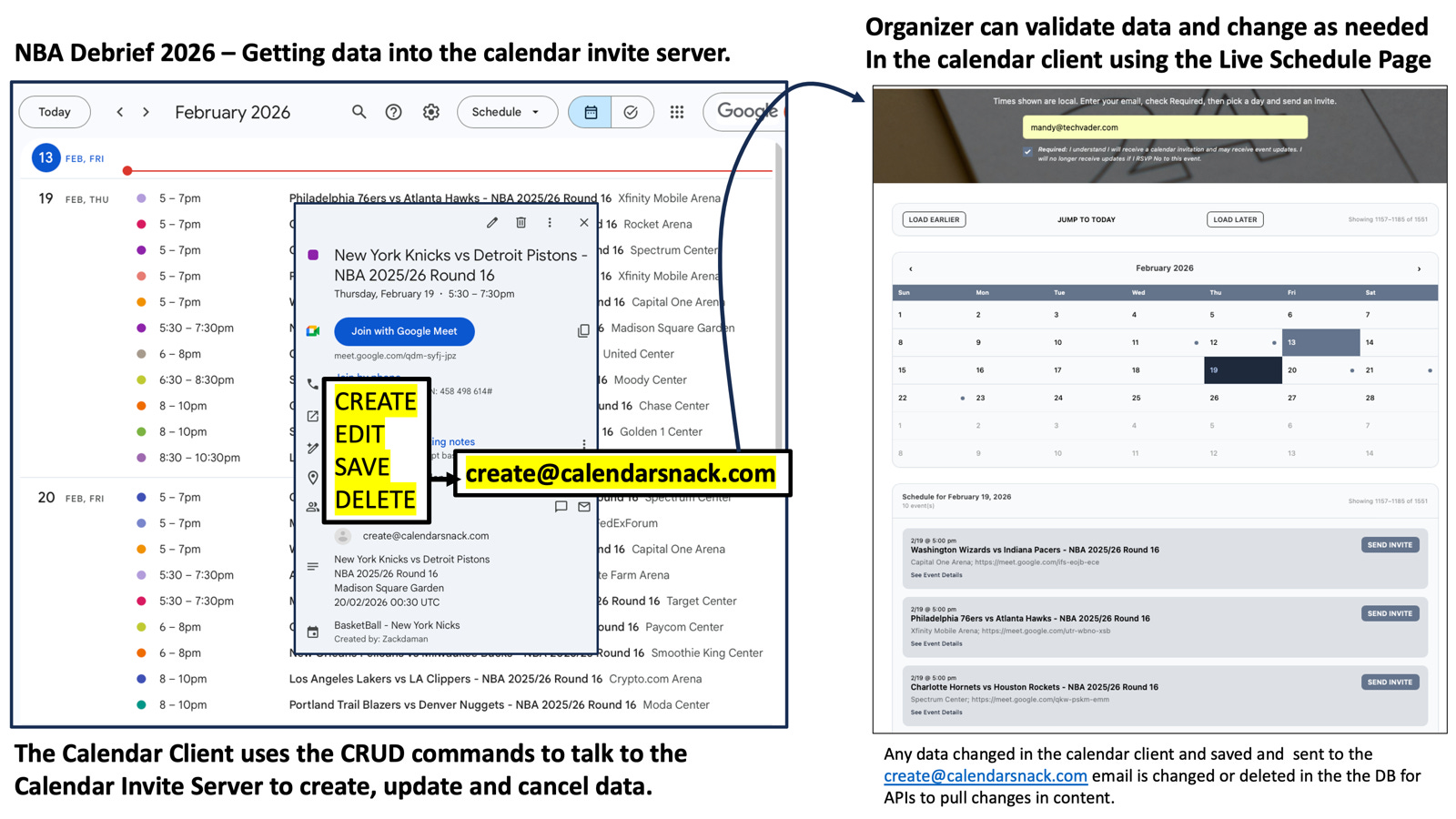
Using the Calendar Client and the Auto generated Landing Page to Validate Data
Zach uses the calendar client and the auto-generated event page to verify that the data is correct on the page.
The auto generated event page is a shareable landing page with all Upcoming Events for the Organizer.
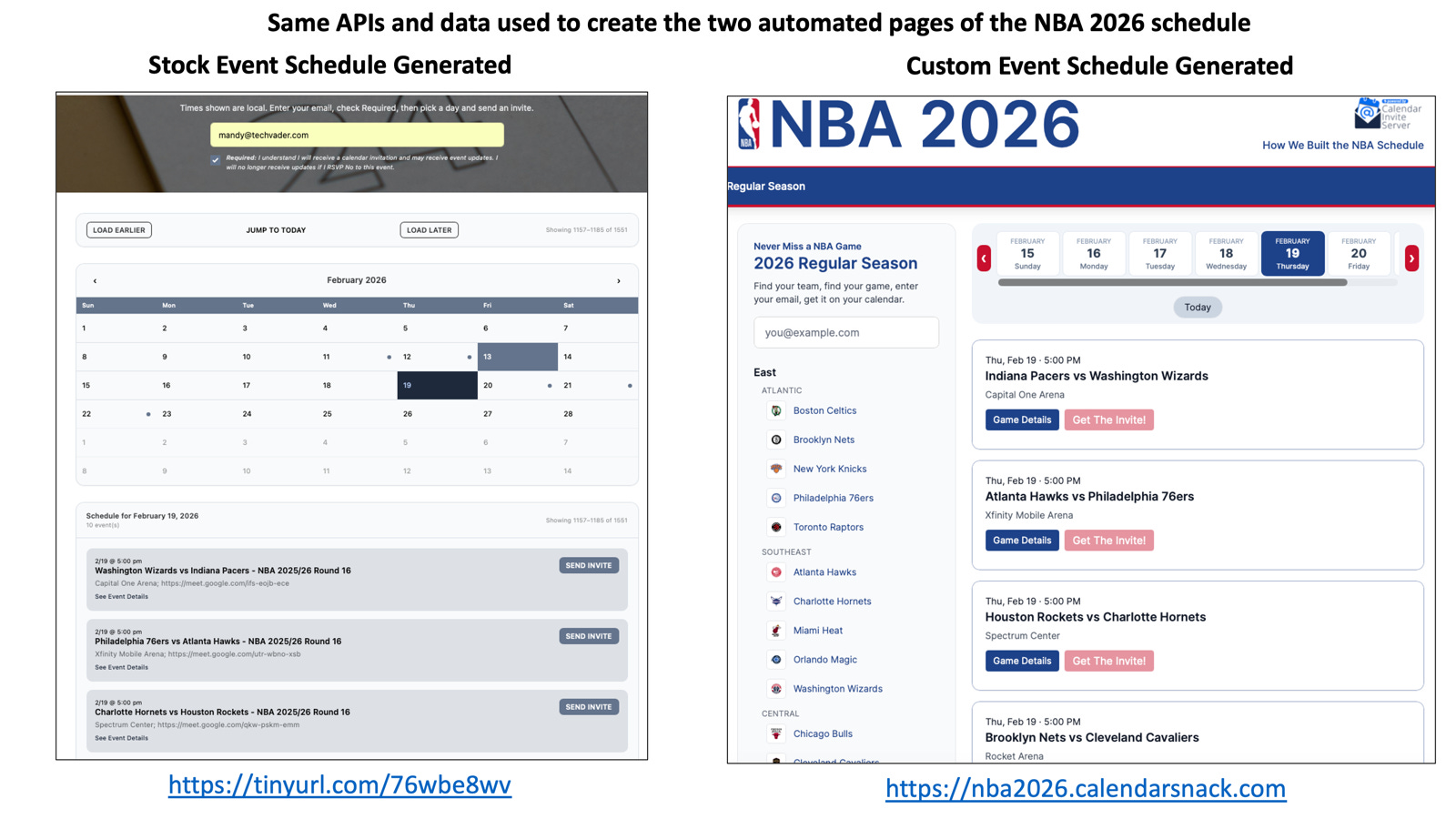
Below are a stock Event page and a custom-built page for the NBA as examples that are auto generated with Organizer Event data using the APIs.
Each event appears in chronological order, making it easier for the organizer to reconcile event information using their Calendar Client and the auto-generated Events page.
If anything needs to be changed, it is easy: go into that game in the calendar client, open the EVENT, make the changes, and SAVE.
This resends the updated or canceled Calendar Invite information to the drop box to process.
This updates the API data and storage layers.
If a customer has received the calendar invite already the calendar invite server will send out the UPDATED Calendar Invite or a CANCELED Calendar Invite message out and request or recollect new Y,NM data back to the API gateway.
Examples include UPDATING Calendar Invite information for PROMOTIONS messages in the Calendar Invite Message Body.
1 Click Send Calendar Send for the Customer
Mandy gets a calendar invite for a specific game by inserting her email into the box and clicking one button to get the calendar invite for that game.
The Killer App Landing pages are auto-generated using VUE.JS and a Framework and included in the Calendar Invite Server package that works with the 9 APIs.
Details are here. https://nfl2025.calendarsnack.com/docs/organizerapi
That means if you deploy one of the solution kits for Killer App Schedule pages the Front End Soultion is already completed for you to deploy in your AWS domain.
Auto generated Event Pages with 1 Click Calendar Invite Buttons
How the APIs display Calendar Event Data and build out the Calendar Invite Buttons in pages
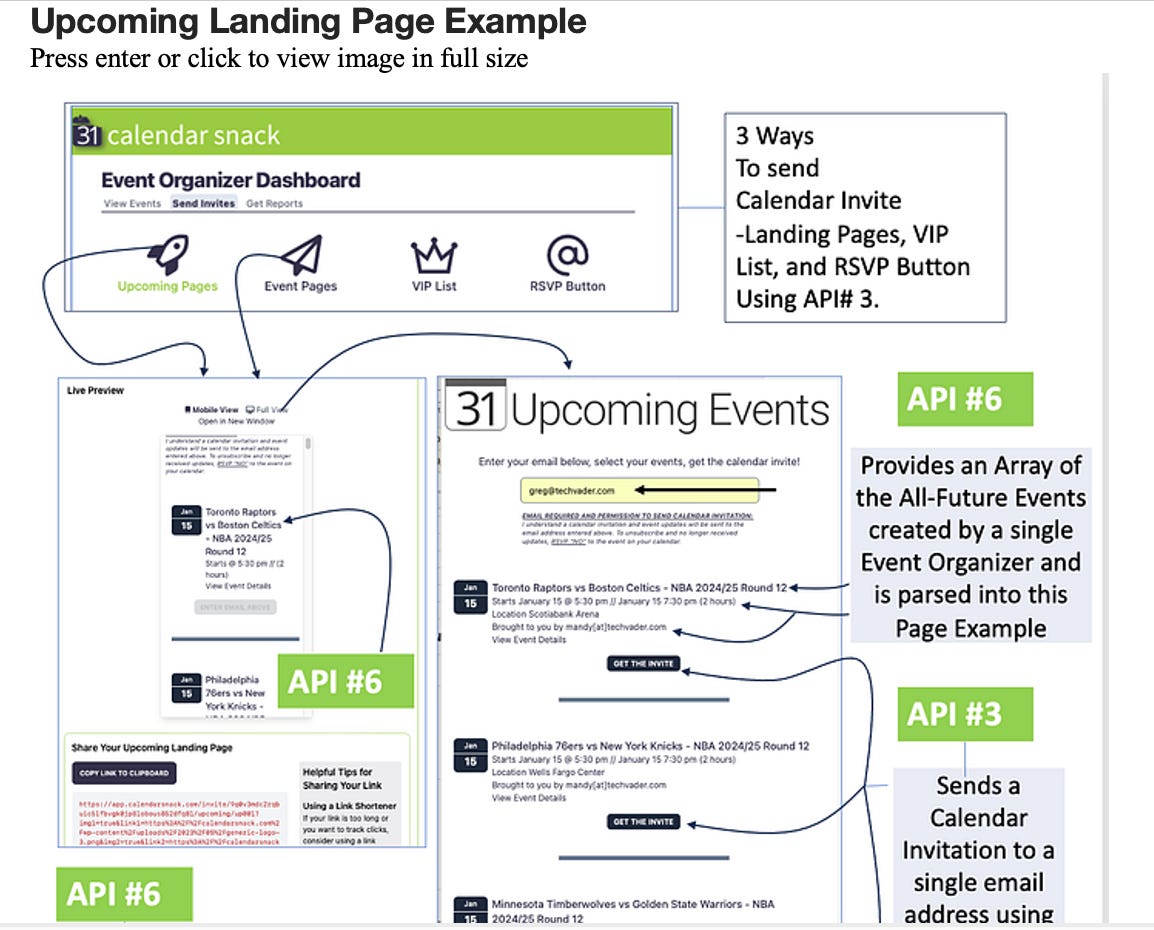
The Calendar Invite Buttons have the specific UIDS embebded into them with the supporting APIs that are used in displaying event data in the page.
This is all automated when you deploy the solution using the Front End App NPM and the Calendar Invite Server CloudFormation template.
Calendar Invite button flow in the Event Page
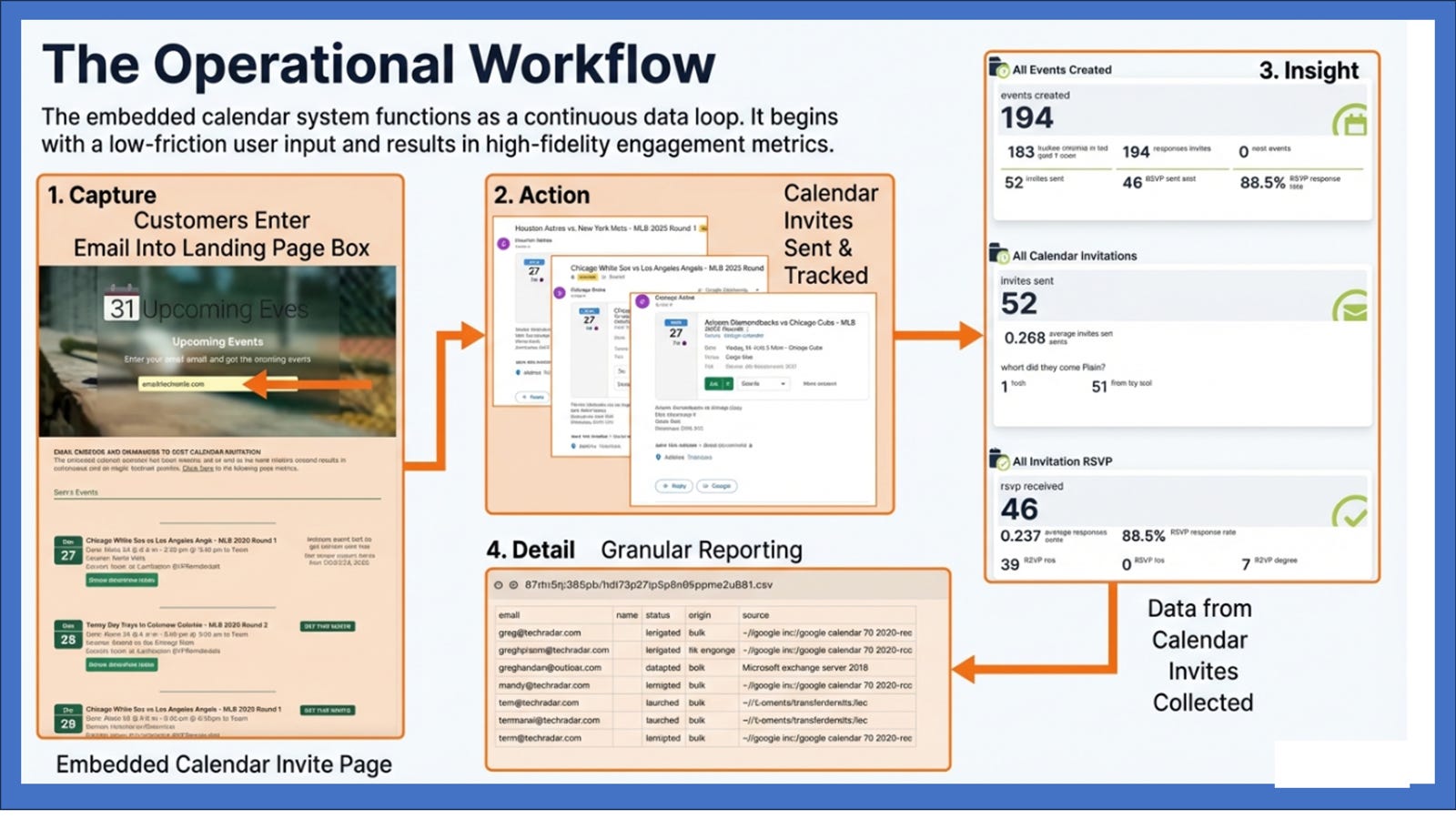
When Mandy selects one of Events using the workflow the Calendar Invite or Multiple Calendar Invites are sent to the email address she inserted into the email box and any calendar receipt data is sent back to the API gateway for collection and analytics.
This data is stored and then analyzed in the reporting pages with the display APIs.
The Future of the Calendar Client, the Calendar Invite Server and an AI operator
OLD WAY EVENT CREATE: An administrative user sends a calendar invite to the drop box to create 1000’s of events.
NEW WAY EVENT CREATE: The browser operator for the Calendar Clients sends 1000’s of calendar invites to the Email drop box for ETL and Storage using the ready-made calendar invite server workflows, functions, and APIs.
This could create large, auto-generated, shareable event pages for global sporting events, all automated.
OLD WAY Landing Page Visualization - Hand-created, limited template pages.
NEW WAY Landing Page Generation - AI will give the Organizer the option to select background images and layouts prior to sharing the page.
More to come on this.


