


How Domain owners can leverage calendar invite data from Organizers
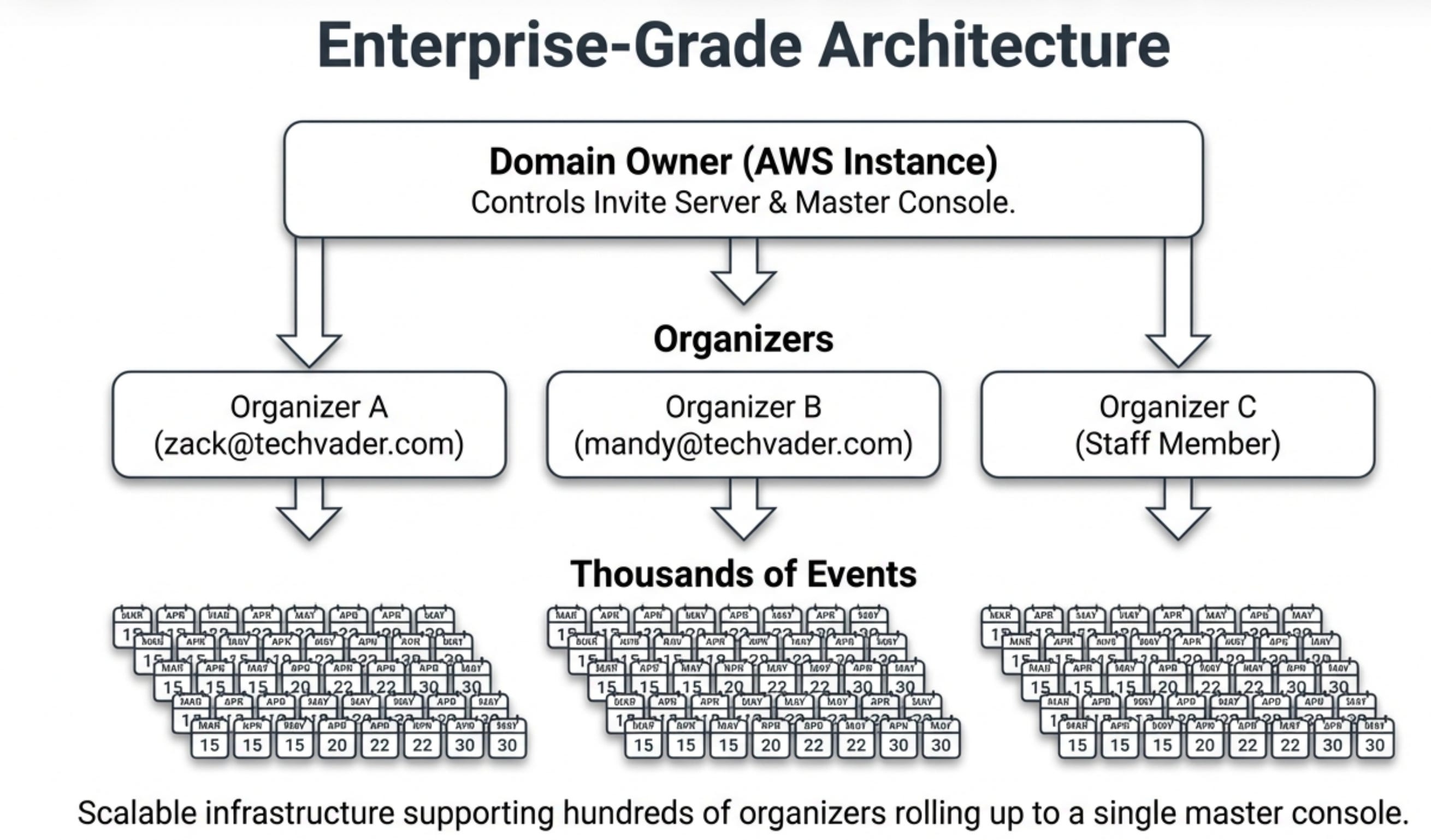
If you’ve ever managed event promotions, you know the struggle of a fragmented event tech stack. You’re juggling multiple registration links, creating data silos between your promotional channels and your registration lists, and manually emailing attendees about last-minute changes.
The administrative overhead and risk of data-sync errors can quickly overshadow the event’s strategic goals using traditional web forms and email marketing campaigns.
But what if your organizers used their calendar by simply sending their calendar events to a email box to build out an All events page in a few seconds?
Domain Owner Data
1. The Calendar Becomes the Command Center for Organizer
The foundational concept is remarkably simple. An event organizer creates an event in their native Google or Outlook calendar—capable of handling up to 500 individual events—just as they always have.
The only difference is they send the invite to a special processing email address, such as create@calendarsnack.com.
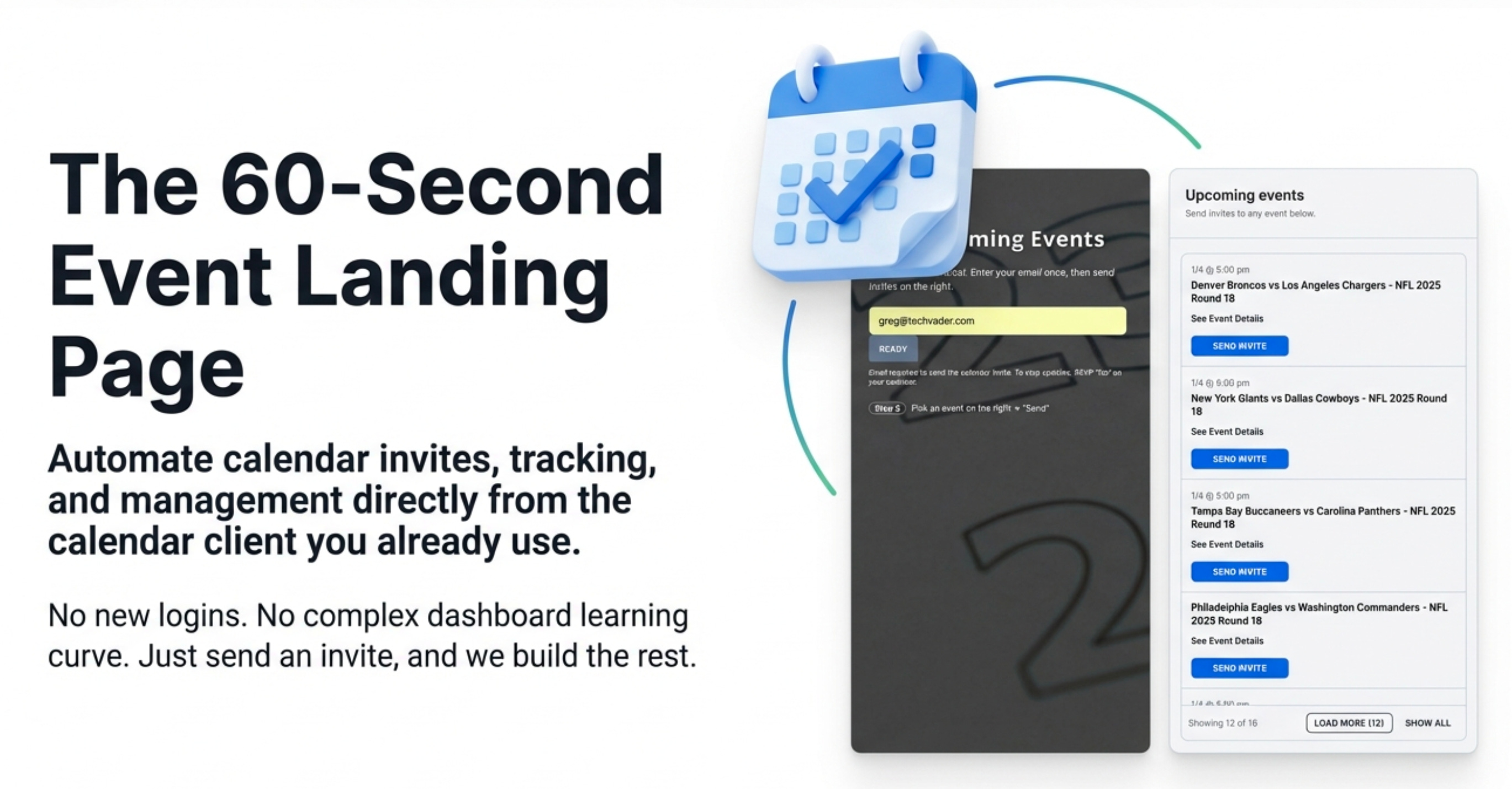
This single action is the strategic “aha!” moment for organizers.
It automatically generates a shareable event landing page and establishes the original calendar entry as the single source of truth. The insight isn’t just about convenience; it’s about eliminating data-sync errors and ensuring brand consistency across all event communications.
Need to change the time, update the location, or cancel the event? You simply edit or delete the event in your own calendar. The system handles the rest, propagating updates to every touchpoint.
The organizer’s Calendar becomes the command center to visualize all the events that are presented in the All Events Page.
2. An “All-Events” Hub, Generated in 60 Seconds
Within 60 seconds of sending one or more calendar invites to the processing address, the system automatically creates a comprehensive “All-Events Landing Page.” This single, shareable page solves major distribution and promotion challenges instantly and is remarkably adaptable to different marketing needs.
A company could use a chronological view for a webinar series, allowing users to scroll through upcoming sessions. In contrast, a sports league could use the monthly view for an entire season’s schedule, letting fans navigate a full calendar of games.
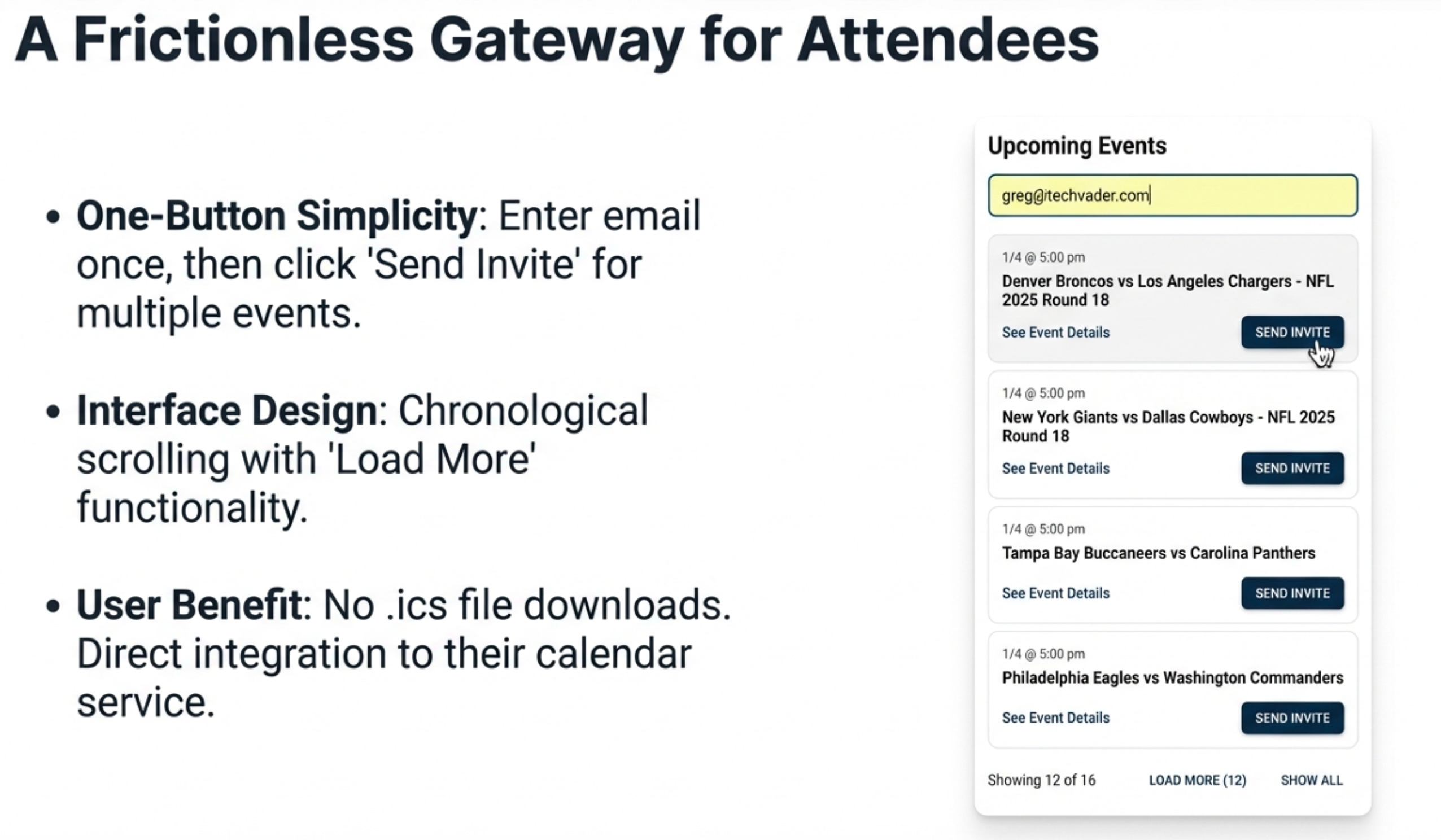
This one URL can be placed everywhere: in employee email signatures, on company websites, or as the main call-to-action button in email campaigns. The user experience is frictionless: a customer visits the page, enters their email once at the top, and can then browse and select multiple events in a single session, receiving separate, official calendar invitations for each one they choose.
3. Fully Automated Updates and Cancellations
Once a customer has requested an invite from your landing page, the heavy lifting for the organizer is done. The system operates on a “fire and forget” principle, managing all subsequent communications based on changes made in the organizer’s calendar.
This transforms the calendar invite from a static entry into a dynamic marketing channel delivered directly to the customer.
Updates: If an organizer changes any event detail—date, time, location, or the Google/Outlook Meet link—an updated calendar invite is automatically sent to everyone who RSVP’d Yes or Maybe.
More powerfully, an organizer can update the event description with time-sensitive promotions, special offers, or QR codes to drive engagement.
Cancellations: If an organizer simply deletes the event from their personal calendar, two things happen automatically: the event is removed from the public landing page, and a cancellation notice is sent to all attendees, which also removes the event from their calendars.
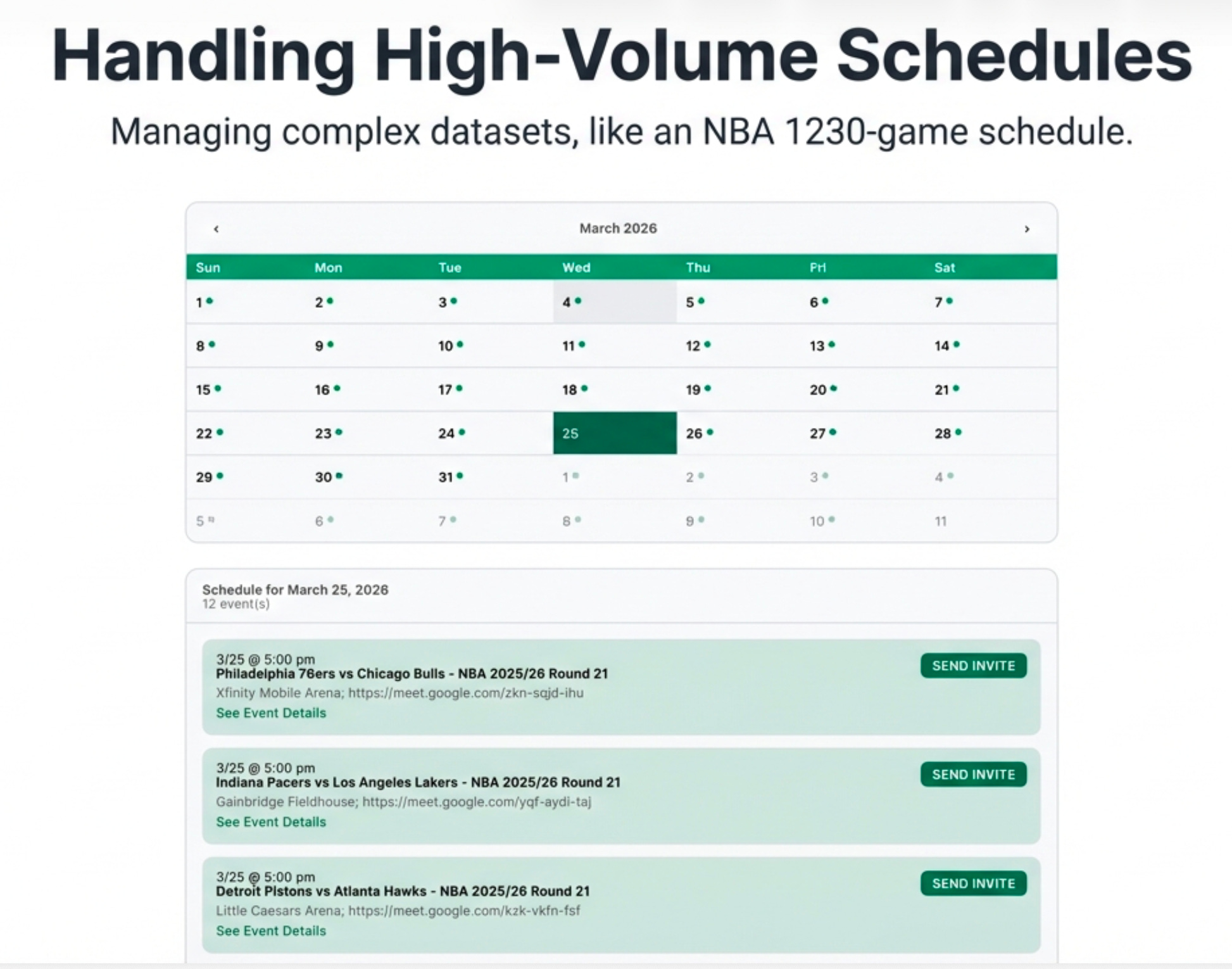
In the example above, the NBA schedule was sent to the email drop box of create@calendarsnack.com, and the All Events page, displayed above, organizes the NBA schedule by month and day so customers can select events and receive a calendar invite with one click.
4. Get Powerful RSVP Analytics with Zero Effort
For every event created, the organizer gains access to a private reporting page that provides a single source of truth for event engagement with zero setup. The system automatically tracks key metrics for every invitation sent.
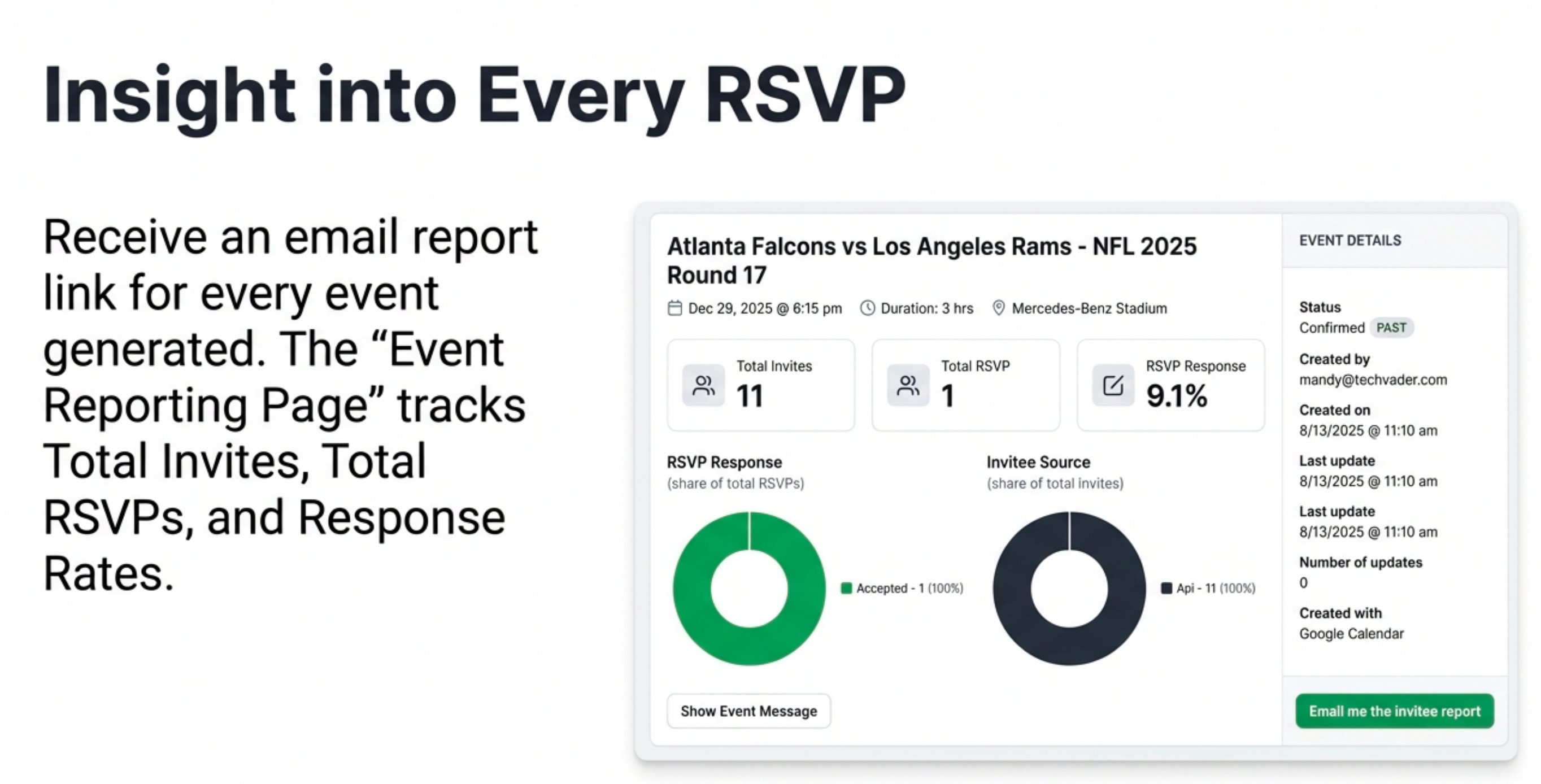
Invitee Source: See where sign-ups originated (e.g., Landingpage, Bulk, API, Multievent), allowing you to measure the ROI of different distribution channels without manual UTM tracking.
Total Invites Sent vs. Total RSVPs
RSVP Response Rate %
Detailed RSVP Status: A full breakdown of Accepted, Declined, and Tentative responses.
Event Metadata: Track the event creator, creation date, last update, and total number of updates.
Technical Details: See which calendar client was used to create the event and which client the attendee used to respond.
This data gives organizers an immediate picture of event engagement, and customer email lists can be easily exported in .CSV format.
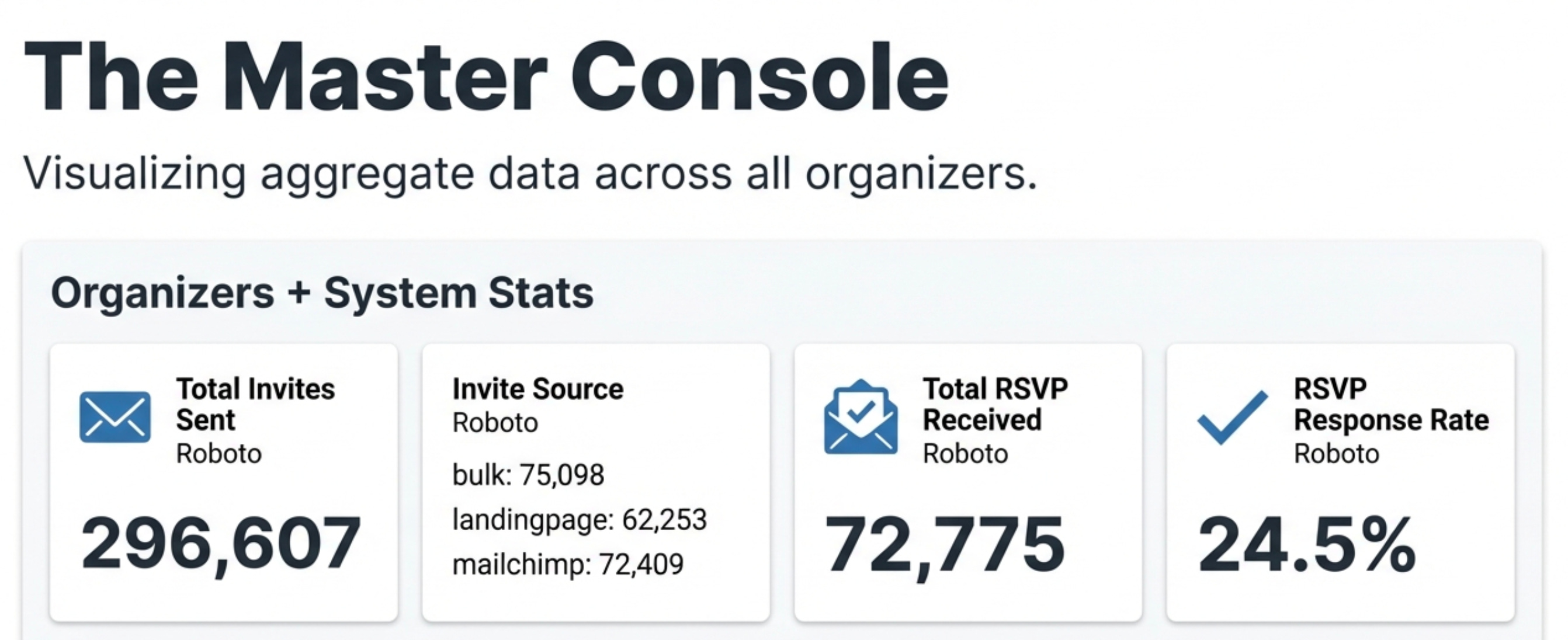
For marketing managers, the platform offers a higher-level dashboard that aggregates performance data across all event organizers within the company, providing a complete, top-down view of the organization’s entire event marketing ecosystem.
Big Data for the Domain Owner
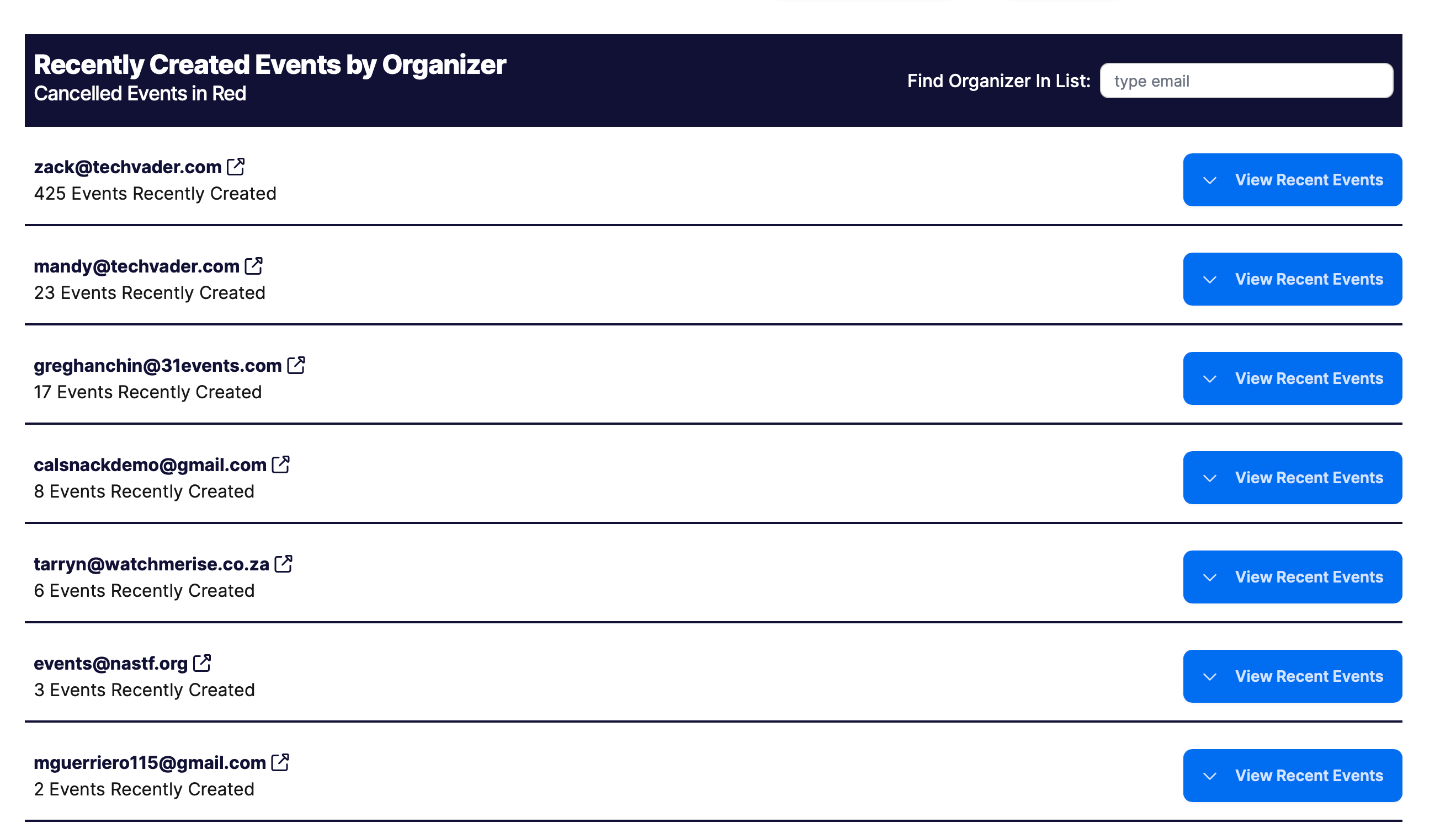
The domain owner’s view provides deep insights into audience engagement, all from the organizers who have been using the All Events Landing Pages to create, send, and update calendar invites to their customers.
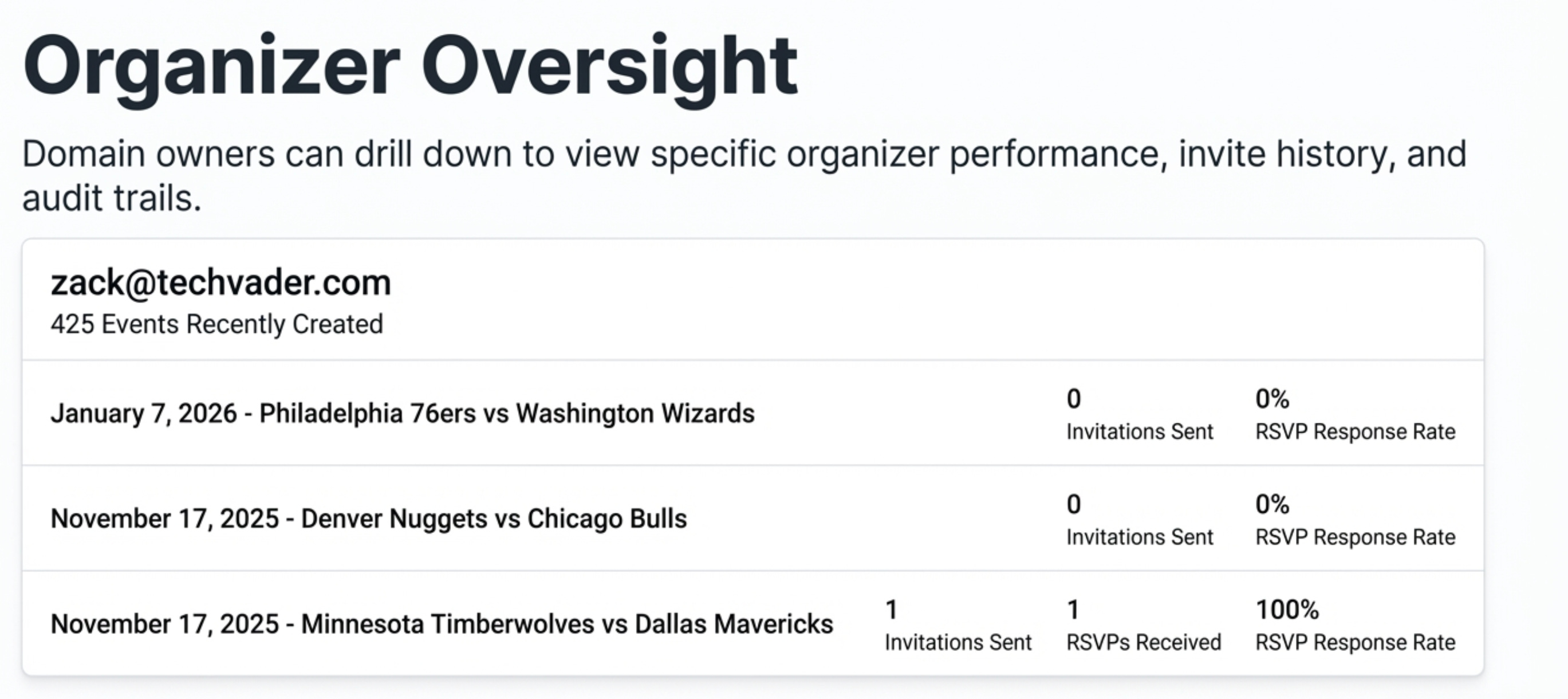
This data set can be drilled into from the master console for deep diving into specific organizers and their events, with summaries and access to the Email List of signups.
For more on a live demo check out the NBA All events page.


